BTP-M300 Service Manual
- 25 -
5 Printer maintenance
5.1 Main part replacing
5.1.1 Print head replacing
1) Turn off the printer.
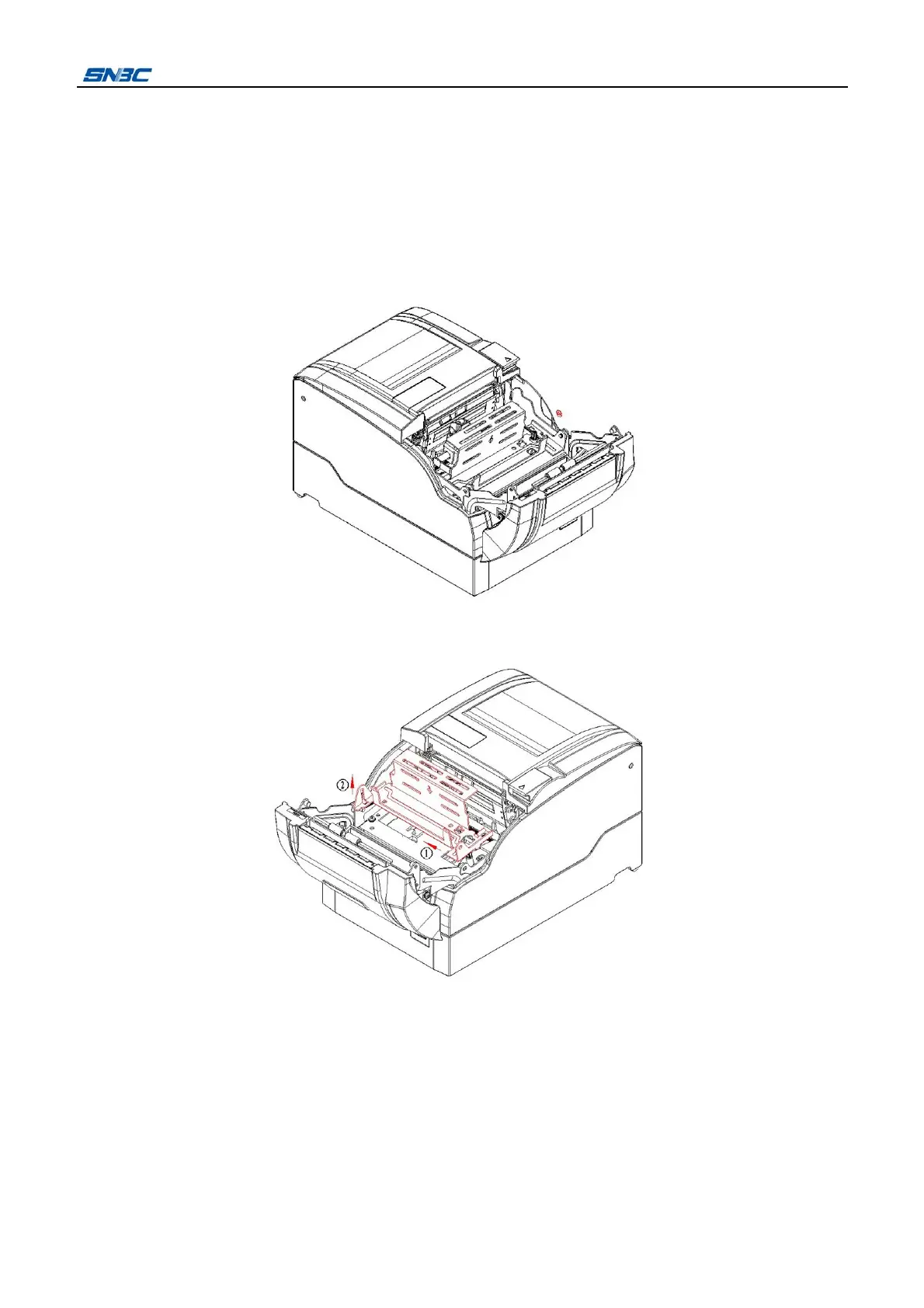
2) Open the front cover of printer and take off the ribbon, and then disassemble the “E”-ring on right side
of ribbon support plate as shown in the figure.
3) Move the ribbon holder 4mm in the arrow direction ①, and then lift it in the arrow direction ② and take
the ribbon spring off, then take the ribbon holder off.
4) Open the rear cover, remove the two screws (ST2.6x10) and take off ribbon guide plate, then take off
the print head from carriage and pull out the print head cable with moderate force in the arrow direction,
and finally disassemble the print head.



 To Next Page