EasyManua.ls Logo

SNBC BTP-M300 - Upper Mark Sensor Replacing

SNBC BTP-M300
61 pages
Print Icon
To Next Page IconTo Next Page
To Previous Page IconTo Previous Page
Loading...
7
5
1
2
3
4
5
7
) Install
a
Cau
t
While d
cover o
f
Please
breakin
g
Please
Please
In reas
s
5
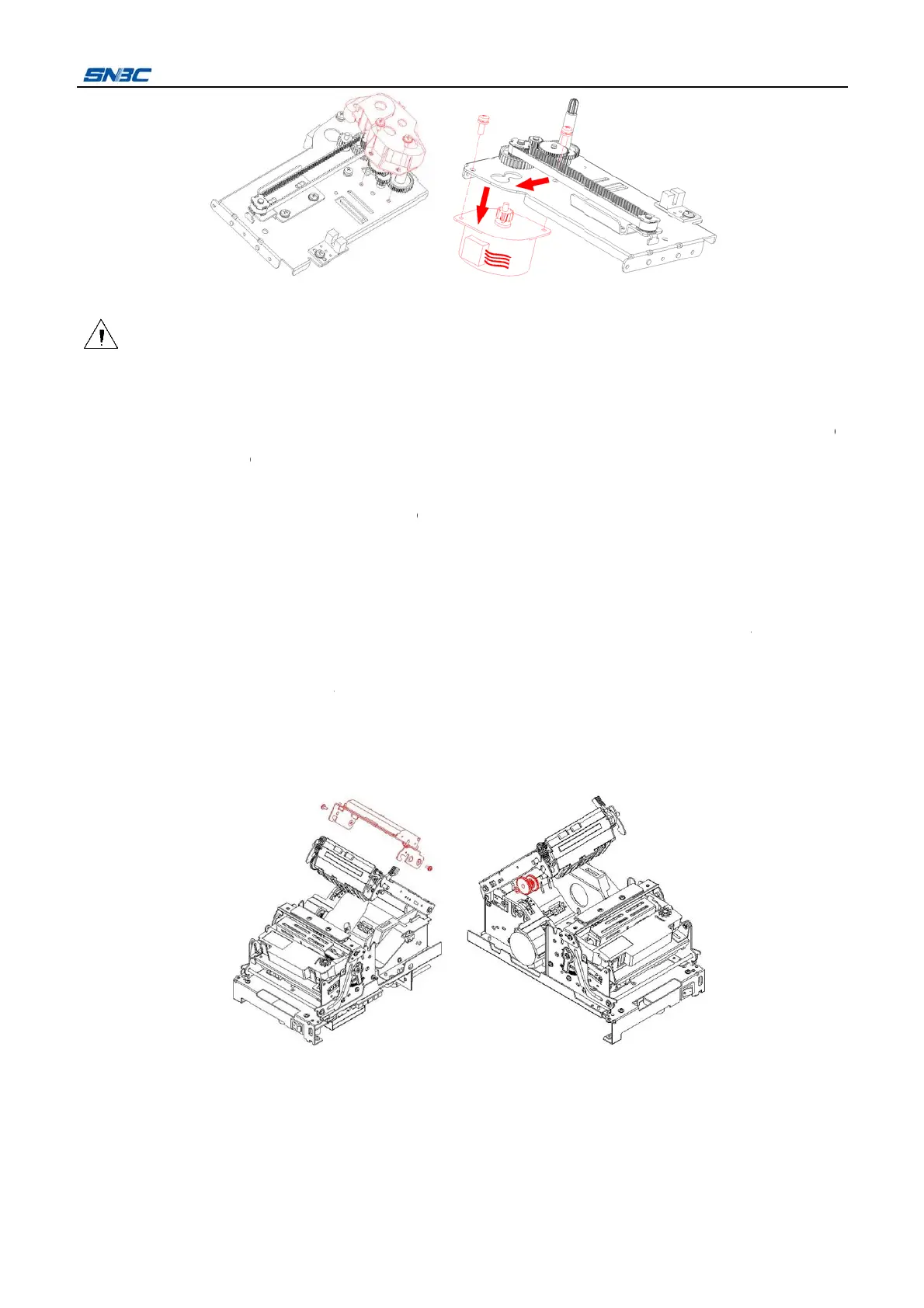
.1.6 Uppe
r
1
) Turn of
f
2
) Disass
e
sensor
f
3
) Remov
e
as sho
w
4
) Take of
f
31-17.
5
) Cut the
cross s
c
a
new CR m
o
t
ion:
isassembli
n
f
printer;
do not dra
g
g
the cable
c
make sure
a
avoid sque
e
s
embling th
e
r
mark sen
s
f
the powe
r
;
e
mble the p
r
f
orm the m
a
e
the two S
T
w
n in the fig
u
f
the one “E
cable tie sh
c
rewdriver
a
o
tor in the r
e
n
g the locki
n
g
the conne
c
onnector;
a
ll the cable
e
zing the ca
e
CR motor,
s
or replaci
n
r
inter cover
a
in control b
o
T
2.9X6 scr
e
u
re;
-ring show
n
own at i
n
a
nd disasse
m
e
verse step
s
n
g frame of
cting cable
s of CR mo
t
ble in reass
e
please fix
a
n
g
with refere
n
o
ard;
e
ws with cro
s
n
in the figu
r
n
the figure
w
m
ble the up
p
- 30 -
s
.
printer, the
f
while pullin
t
or connect
e
mbly;
a
ll screws fir
n
ce to secti
s
s screwdri
v
r
e with shar
p
w
ith wire cu
t
p
er path m
o
f
orce must
b
g the cable
to their soc
k
m
ly.
on 4.2.1, th
v
er and dis
a
p
-nose plier
s
t
ter, then re
m
o
dule as sh
o
BT
b
e moderat
e
out of mai
n
k
ets firmly;
en pull out
a
ssemble th
e
s
, then take
m
ove the th
r
o
wn in the fi
g
P-M300 Se
r
e
to avoid
d
n
control b
o
the cable o
f
e
movable
b
off the gea
r
r
ee ST2.6X
6
g
ure:
r
vice Manu
d
amaging th
o
ard to avoi
d
f
upper ma
r
b
lade modul
r
30 and ge
a
6
screws wi
t
al
e
d
k
e
r
h

Table of Contents

Other manuals for SNBC BTP-M300

Related product manuals