BTP-M300 Service Manual
- 4 -
3 Main Control Board Description
BTP-M300 can be connected to another device with USB, serial, parallel, Ethernet or WIFI interface.
3.1 USB interface
3.1.1 Parameter
¾ Data transfer: Supports USB1.1 Protocol
¾ Connector: USB B type standard socket
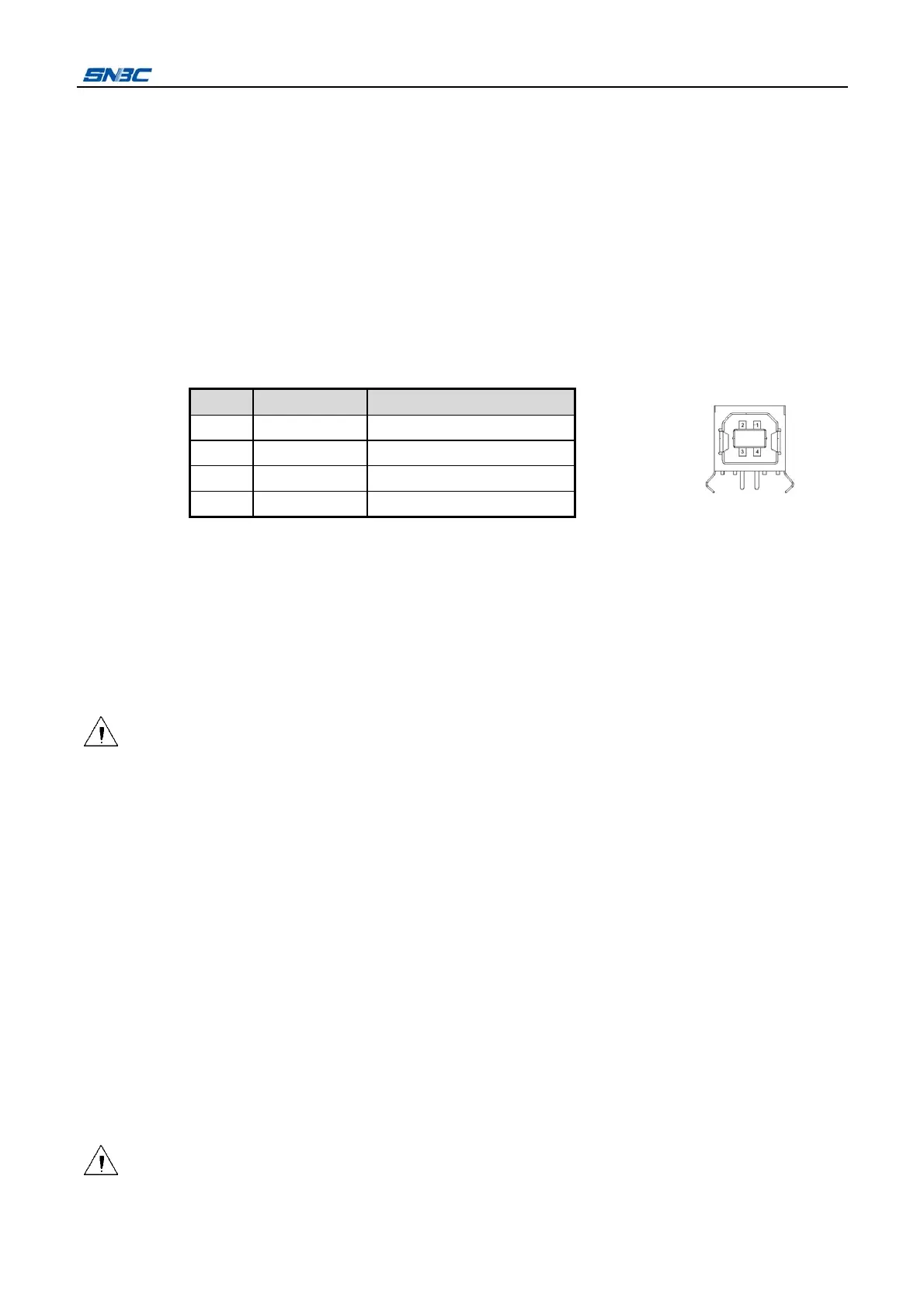
3.1.2 Interface signal
The printer built-in USB interface supports USB1.1 protocol, of which the outlet is USB A type.
Interface signal is defined as below:
3.1.3 USB interface connection
Host Printer
VBUS..................................…VBUS
DATA- ................................…DATA-
DATA+................................... DATA+
GND .......................................GND
Caution:
The vertical USB interface can not be used when set the receiving buffer to 40Bytes.
3.2 Serial interface
3.2.1 Parameter
¾ Data transmission: Asynchronous serial communicate
¾ Handshaking: DTR/DSR or XON/XOFF
¾ Voltage: MARK = -3 to -15V: Logic "1"/ OFF
SPACE = +3 to +15V: Logic "0"/ ON
¾ Baud rate: 1200, 2400, 4800, 9600, 19200, 38400, 57600 bps
[bps: bits per second]
¾ Data bit: 7 bit or 8 bit
¾ Parity bits: No
¾ Stop bit: 1 bit or 2 bit
¾ Connector: D-SUB 25PIN hole socket
Caution:
Handshaking, baud rate, data bit and stop bit can be set by EEPROM and feed button.
Pin Signal name Function
1 VBUS +5V
2 DATA- Data-
3 DATA+ Data+
4 GND Ground



 To Next Page