BTP-M300 Service Manual
- 27 -
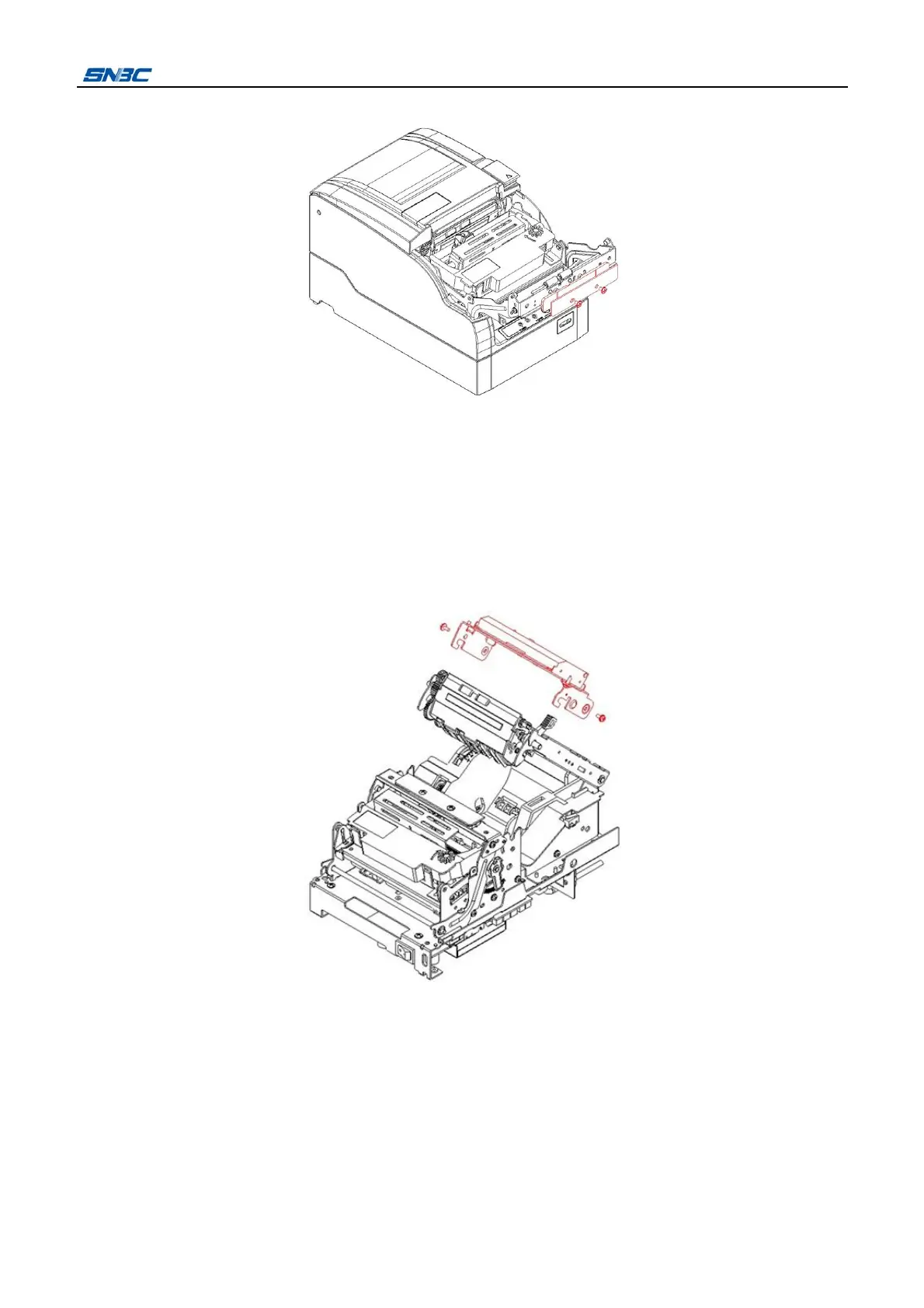
3) Remove the two screws (M3X5) and take the stationary blade off.
4) Install a new stationary blade in the reverse steps.
¾ Movable blade replacing
1) Turn off the power.
2) After the print head cooling down, disassemble the cover according to 4.2.1.
3) Cut the cable ties and detach the cutter cable off from the main control board.
4) Remove the two screws (ST2.9X6) and disassemble the movable blade together with the cutter
holder.
5) Remove the two screws (M3X5) and disassemble the movable blade.



 To Next Page