24 • Logon
[ SNOM 320 USER MANUAL V1.00 ]
2
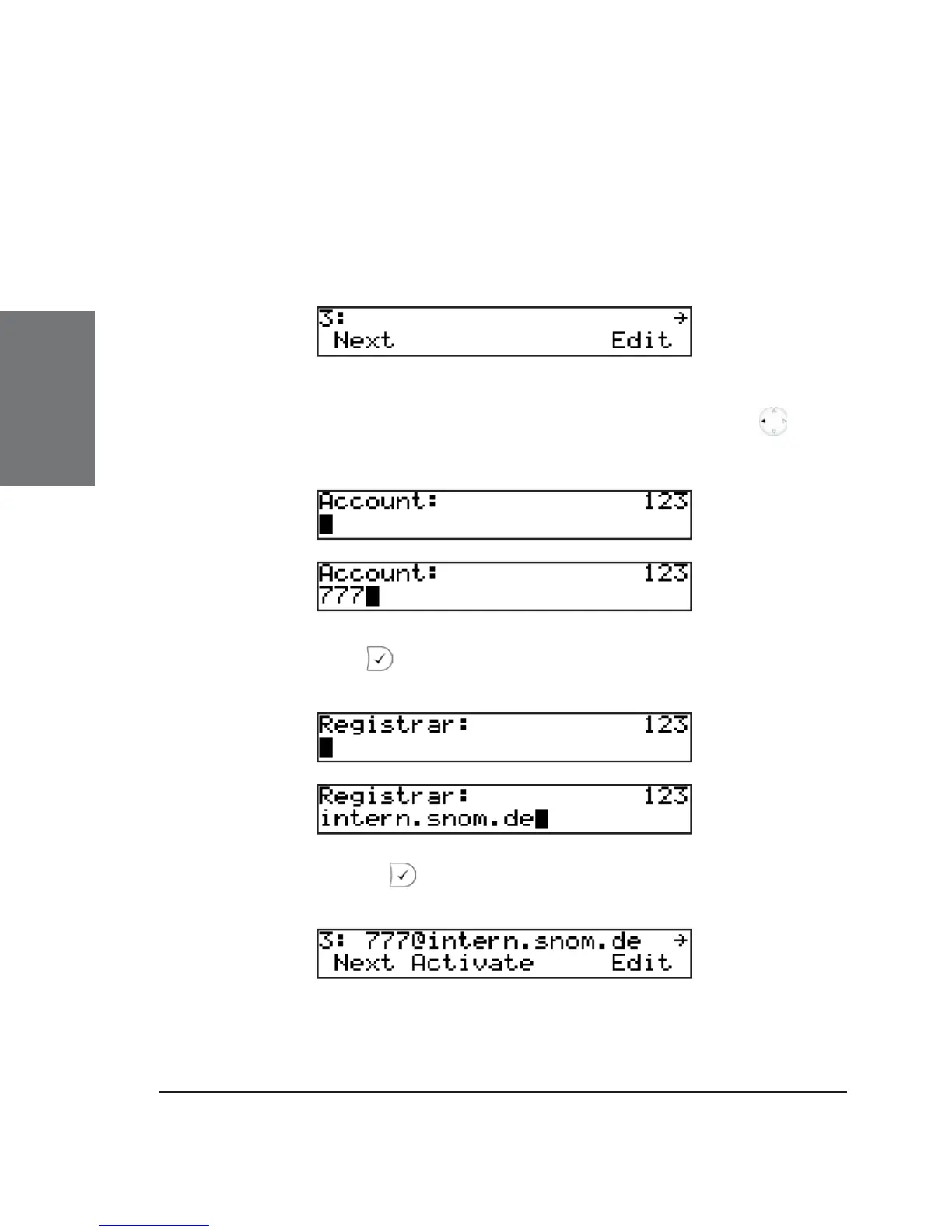
Press the function key “Next” to move through the seven available
registration lines.
Logon user
Suppose you want to log on a user 777 on the third registration
line.
Press “Edit” to start editing the registration line information. If
you need to backspace during editing, use the nagigation key . First
type in the user’s phone number:
Confi rm with and type in the registrar address:
After you press , the entire registration line is shown again.





 To Next Page