HYD 5/6/8/10/15/20KTL-3PH USER MANUAL
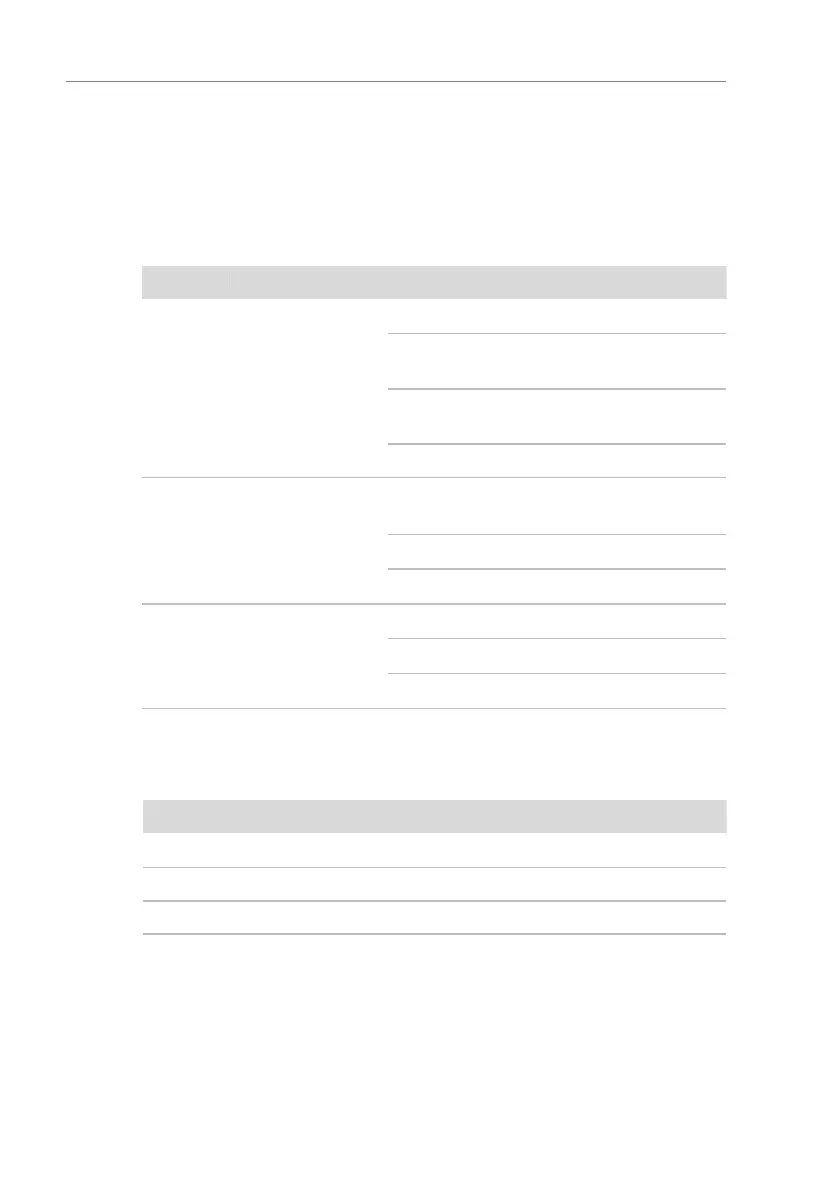
WiFi stick status
The LEDs on the WiFi stick provide information regarding the
status:
Table. 5-21 WiFi stick status description
Communication
with the router
On: Connection to server successful
Flashing (1 sec.): Connection to
router successful
Flashing (0.1 sec.): WPS mode
active
Off: No connection to router
Communication
with inverter
Flashing (1 sec.): Communication
with inverter
On: Logger connected to inverter
Off: No connection to inverter
Flashing (1 sec.): Normal status
Flashing (0.1 sec.): Reset running
Reset button
Table. 5-22 Reset button description
5.13.3 Setting up the Ethernet stick
The Ethernet stick is delivered with DHCP as standard, so it
automatically gets an IP address from the router.



 To Next Page