11
Connections Getting
Started
SetupBasic
Operations
Advanced
Features
Help
Audio/Video Receiver Connections
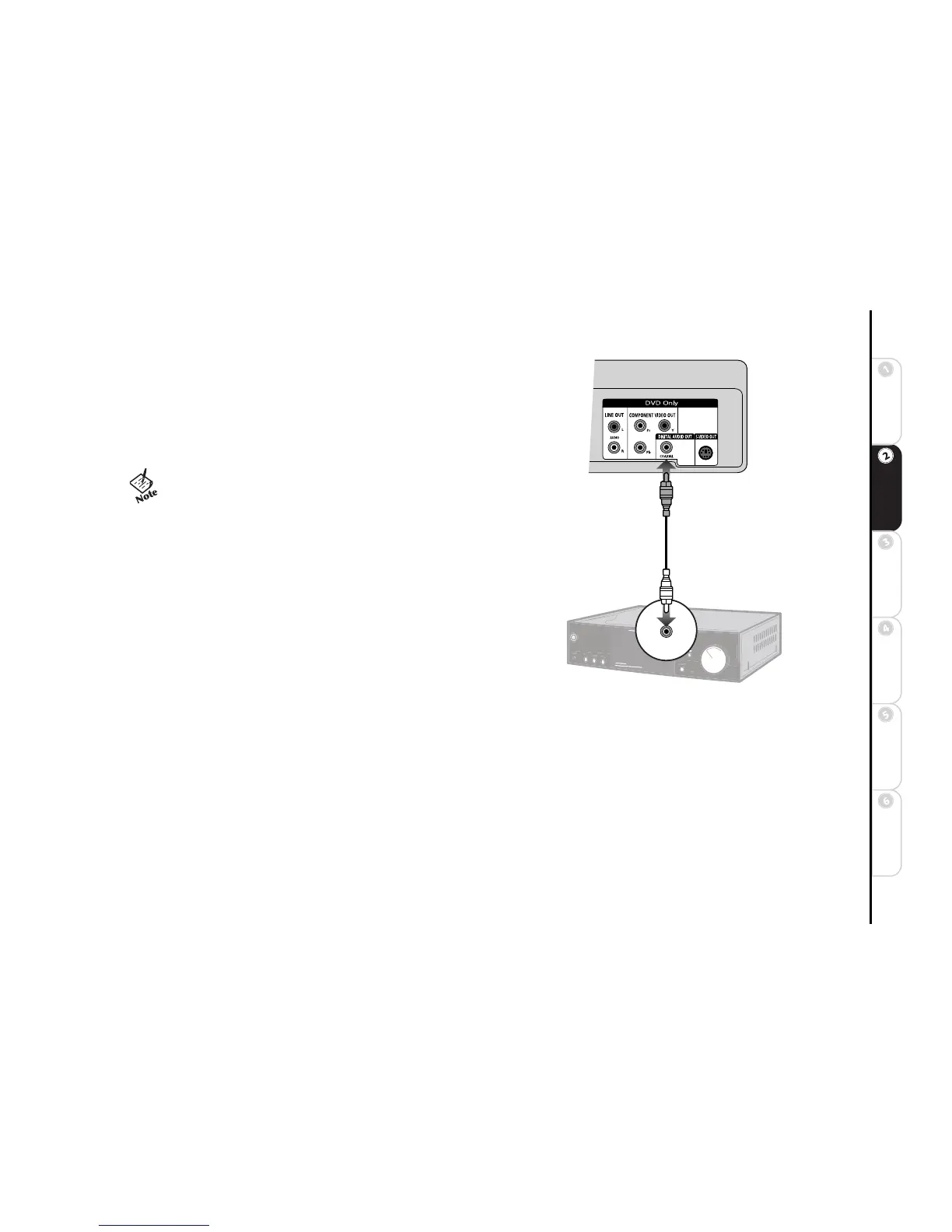
Follow these steps to connect the DVD+VCR to an audio/video receiver.
1 Connect DVD+VCR to Audio Receiver Connect a coaxial digital
audio cable from the DIGITAL AUDIO OUT jacks on the back panel of the
DVD+VCR to the matching digital audio input on your audio/video receiver.
2Adjust Dolby/DTS Decoder Settings Set Dolby Digital Decoder
and DTS Decoder in the menu system (required); see page 29.
• If your audio/video receiver is equipped with a Dolby Digital or
DTS Decoder, you MUST enable the correct decoder setting in
the menu system to prevent damage to your speakers; see
page 29
DVD+VCR
Digital Audio Receiver



 To Next Page