15
Connections Getting
Started
SetupBasic
Operations
Advanced
Features
Help
Chapter 3 Setup
:: About Menu Navigation
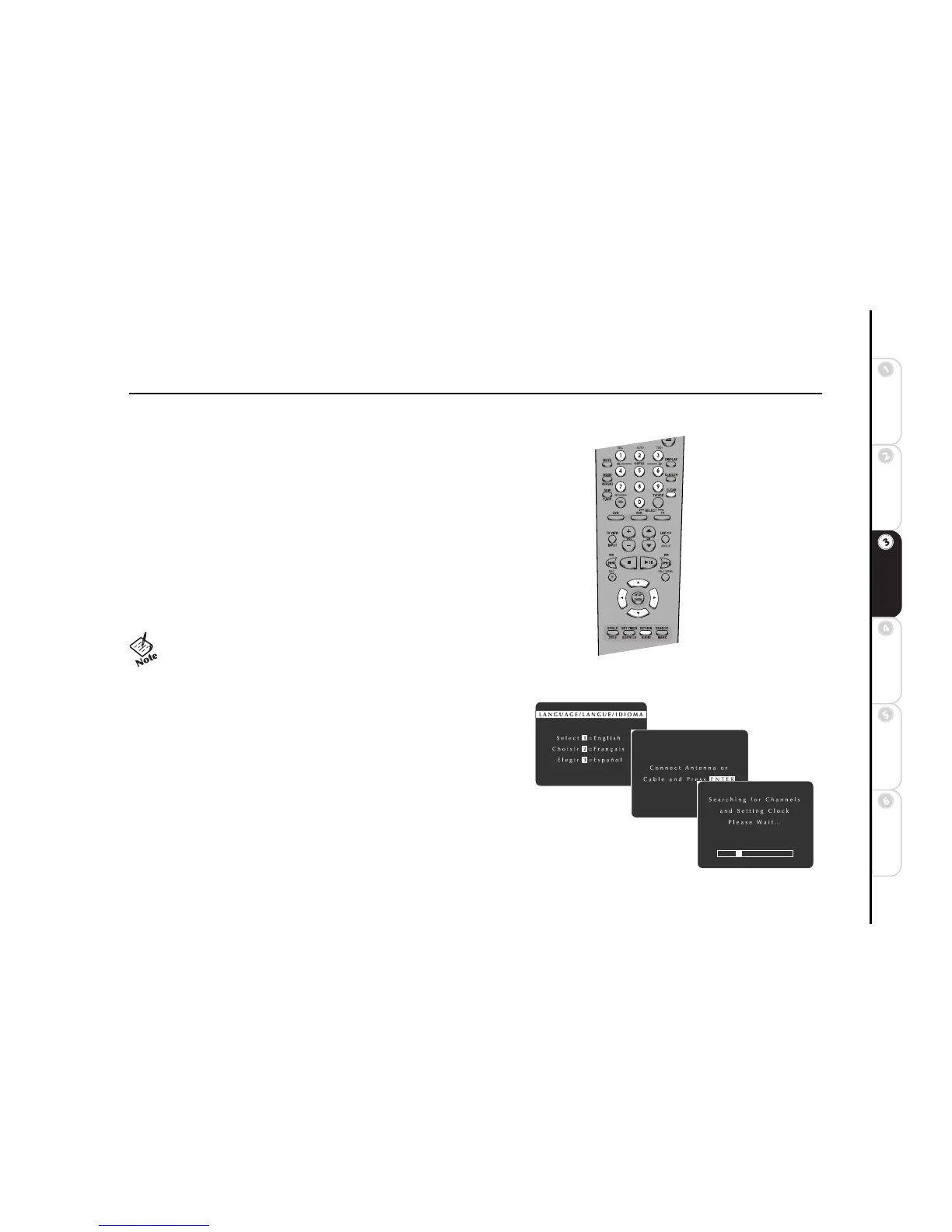
The following keys are used to display and navigate the DVD+VCR menu sys-
tem:
SETUP/ENTER Press to display the menu system and confirm menu set-
tings.
Y Press to move up the list of menu items.
B Press to move down the list of menu items.
" Press to select or change menu options.
A Press to return to the previous menu, or to exit from the menu system.
CLEAR Press to erase settings.
0-9 Press to enter menu selections directly.
RETURN Press to return to the previous menu, or to exit the menu system.
:: Auto Setup
The first time you turn on your DVD+VCR, Auto Setup will prompt you
to set the menu language, and then set the clock and channels automati-
cally:
1 Press 1 for English, 2 for French or 3 for Spanish.
2 If you have not already done so, make sure you have connected an
antenna or basic cable to the IN (FROM ANT.) jack on the
DVD+VCR back panel. Press SETUP/ENTER to continue.
• You can also navigate the menu system using the SETUP and
arrow keys on the front panel.



 To Next Page