48
DVR4400 DVD+VCR
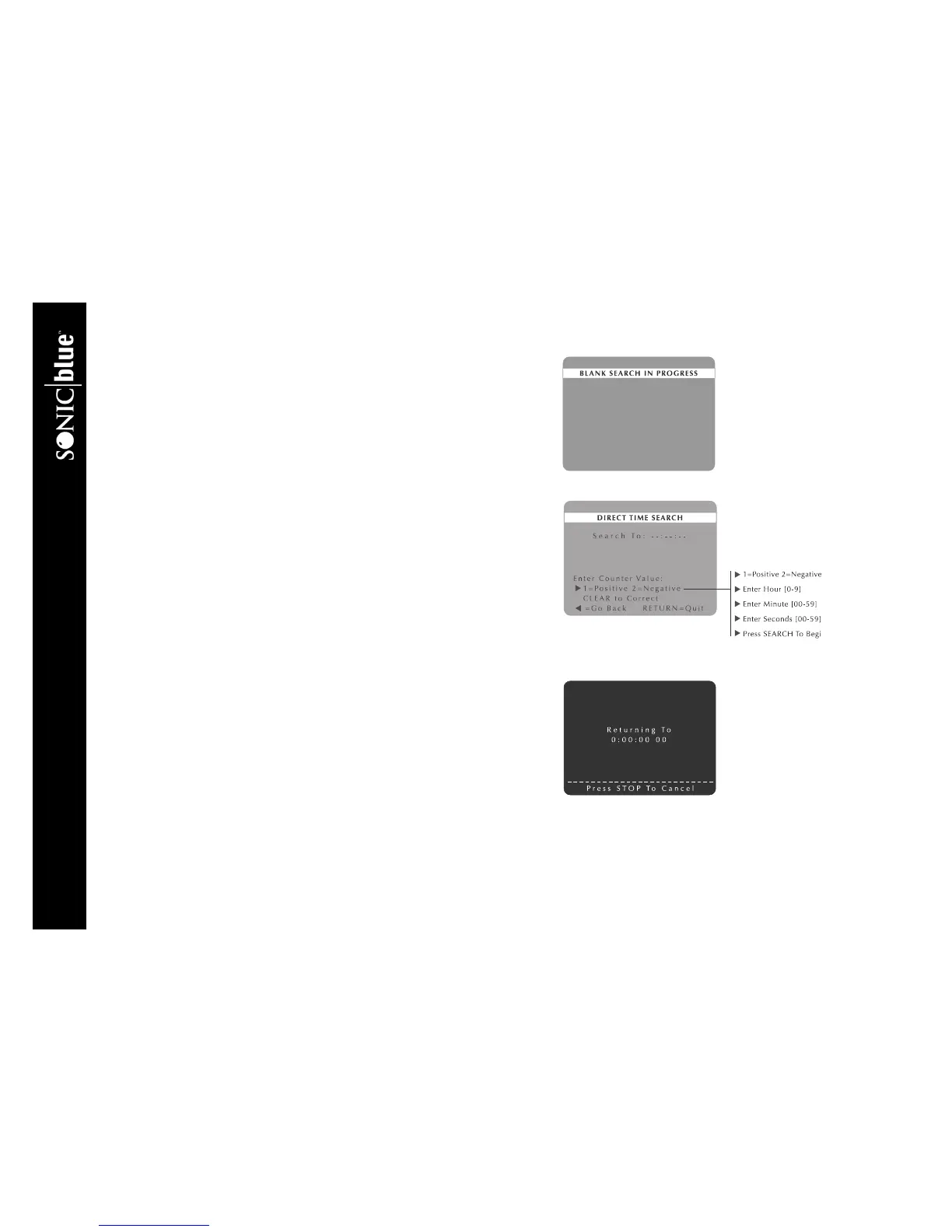
Blank Search
Blank Search makes it easy to find the next available blank (unrecorded) space
on your VHS tapes.
1 Insert a VHS tape with recorded material in the VCR deck.
2 While the tape is stopped or playing, press SEARCH.
3 Press
Y/B and " to select Blank Search.
4 If the DVD+VCR finds blank tape, it will stop automatically at the begin-
ning of the blank segment.
Direct Time Search
Direct Time Search locates a specific tape counter position in hours, minutes
and seconds.
1 Insert a VHS tape with recorded material in the VCR deck.
2 While the tape is stopped or playing, press SEARCH.
3 Press
Y/B and " to select Direct Time Search
4 Press 1 for positive or 2 for negative counter values.
5 Use the 0-9 keys to enter the desired time in hours, minutes and seconds.
• Press CLEAR if you need to back up and re-enter a number.
6 Press SEARCH to advance the tape to the specified time.
Return to 0:00:00
Return to 0:00:00 automatically fast-forwards or rewinds your tape to counter
position 0:00:00.
1 Insert a VHS tape with recorded material in the VCR deck.
2 While the tape is stopped or playing, press SEARCH.
3 Press
Y/B and " to select Return to 0:00:00.
4 The DVD+VCR will automatically rewind or fast-forward the tape to
counter position 0:00:00.



 To Next Page