46
DVR4400 DVD+VCR
Bookmarks
Bookmarks allow you to jump quickly to your favorite scenes in a DVD movie.
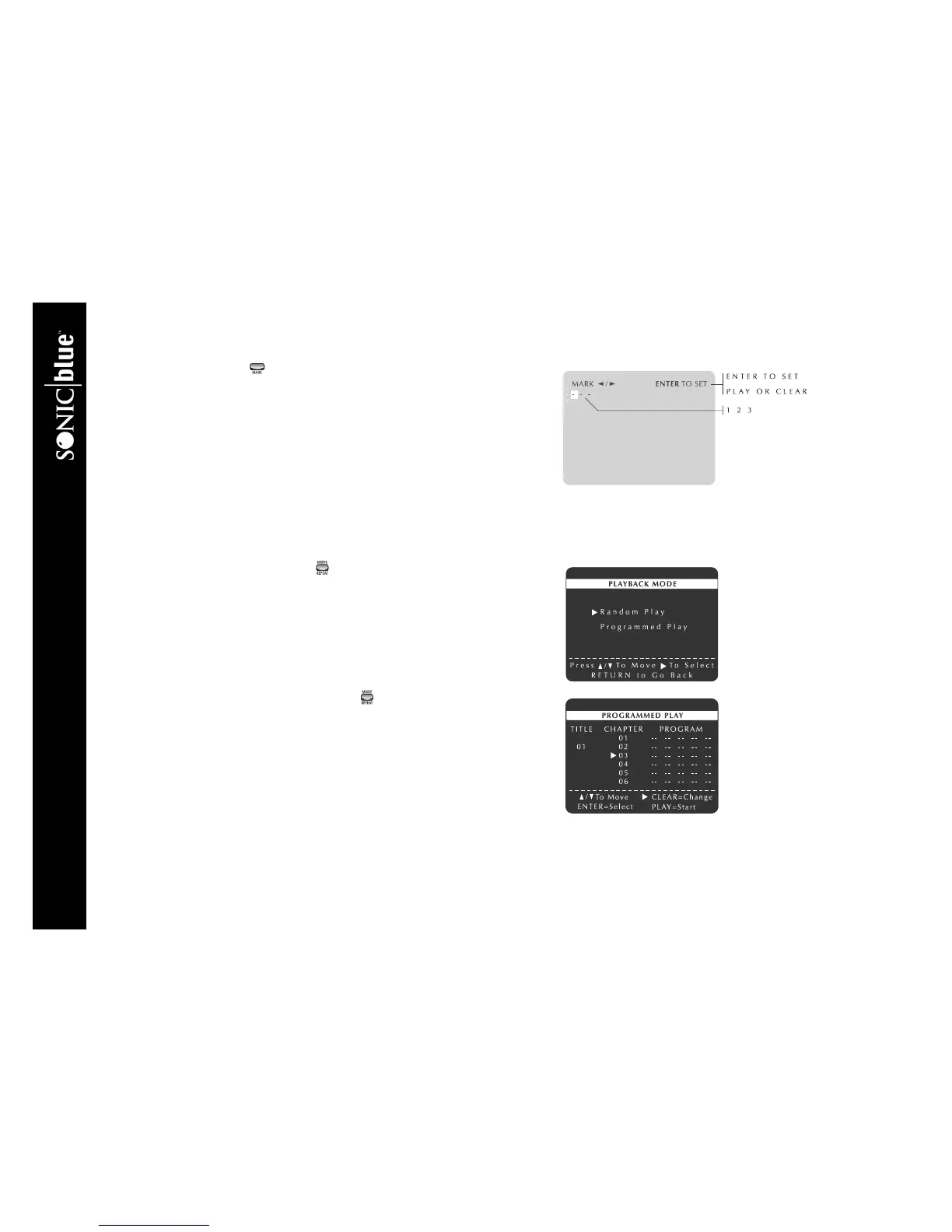
To set up to three bookmarks:
1 Press MARK during DVD playback.
2 Press
A/" to move to one of the three bookmark placeholders (- - -). The
selected placeholder will blink.
3 Press SETUP/ENTER at the beginning of the scene you want to mark. The
placeholder will change to a number (1, 2 or 3) and the bookmark is set.
4 Press MARK to exit.
5 To jump to a bookmark, press MARK, press
A/" to move to a saved bookmark, then press PLAY/PAUSE "/||.
6 To cancel a bookmark, press MARK, press
A/" to move to a saved bookmark, then press CLEAR.
Random Playback
To play DVD Chapters or CD Tracks in random order:
1 Press MODE/REPEAT while a DVD/CD is in Stop mode.
2 Press
Y/B and " to select Random Play. The disc will play back automati-
cally in random order.
3 Press CLEAR to cancel Random Play. “Off” will appear on the OSD.
Programmed Playback
Programmed Playback lets you play DVD chapters or CD tracks in a custom
order.
1 Press MODE/REPEAT while a DVD/CD is in Stop mode.
2 Press
Y/B and " to select Programmed Play.
3 Press
Y/B to select the first chapter/track in your desired playback list, then
press SETUP/ ENTER to add it to your playlist
4 Repeat this process until all chapters/tracks are added in the desired order.
• To change a selection, press CLEAR.
5 When finished adding Chapters/Tracks, press PLAY/PAUSE
"/||. The disc will play in the programmed order.
6 To cancel Programmed Play, open the disc drawer.



 To Next Page