17
Connections Getting
Started
SetupBasic
Operations
Advanced
Features
Help
RF Output Channel
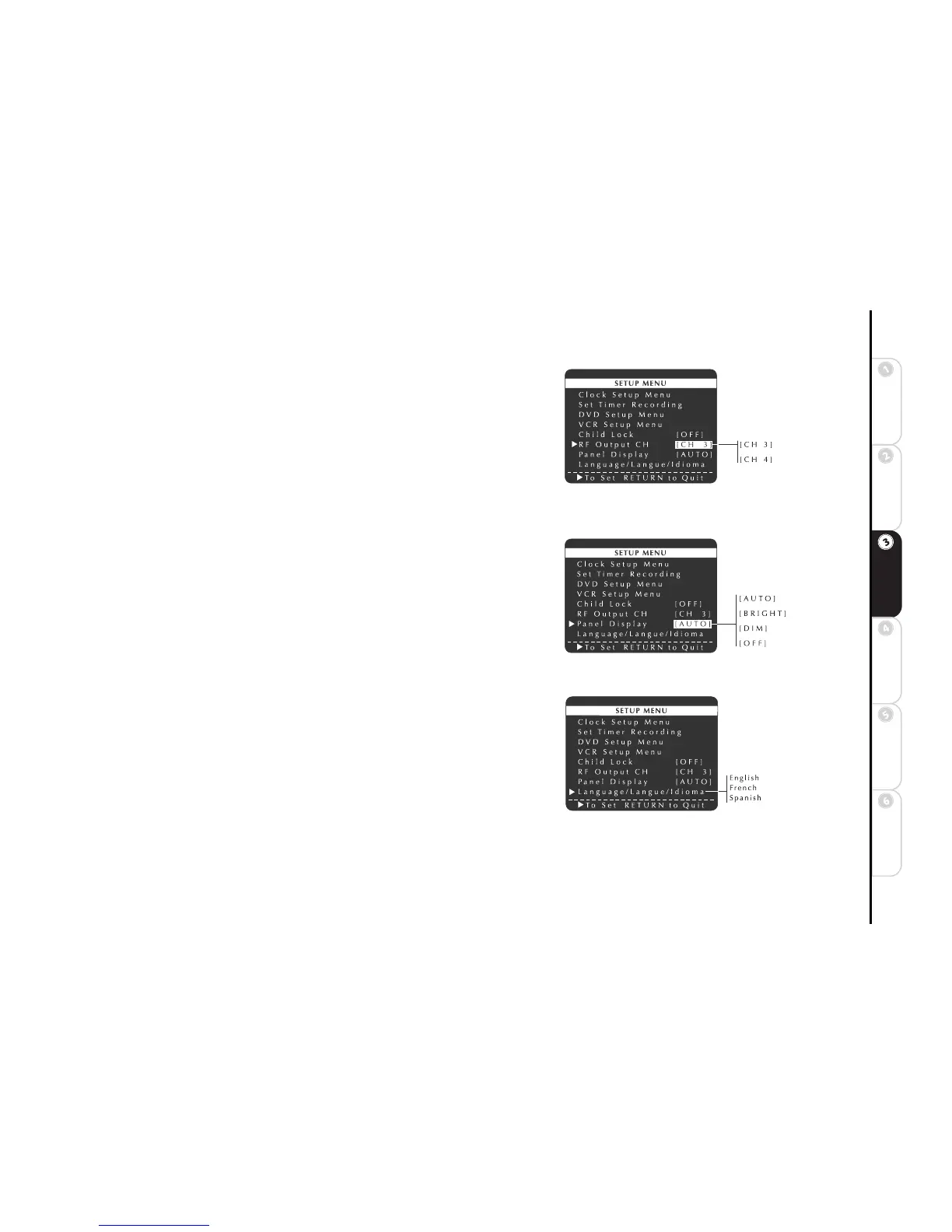
The RF Output Channel is the channel you tune your television to when using
the DVD+VCR with an RF connection (see page 7). You can choose either chan-
nel 3 (the default setting) or 4.
1 Press SETUP/ENTER.
2 Press
Y/B and " to select RF Output CH.
3 Press SETUP/ENTER to confirm that you would like to change the RF Out-
put Channel; or press RETURN to cancel.
4 When prompted, tune your television to channel 3 or 4 and press SETUP/
ENTER.
Panel Display
The Panel Display feature allows you to dim the front panel display.
1 Press SETUP/ENTER.
2 Press
Y/B and " to select and set Panel Display as follows:
AUTO The Front Panel Display will dim between the hours of 10:00 p.m.
and 6:00 a.m., and during DVD playback.
BRIGHT The Front Panel Display will remain bright.
DIM The Front Panel Display will remain dim.
OFF The Front Panel Display will remain off.
Language/Langue/Idioma
You can select one of three languages for the DVD+VCR menu system: English,
French or Spanish.
1 Press SETUP/ENTER.
2 Press
Y/B and " to select and set Language/Langue/Idioma to English,
French or Spanish.
• The entire Setup Menu will be translated each time you press
".



 To Next Page