23
Connections Getting
Started
SetupBasic
Operations
Advanced
Features
Help
:: Channel Setup
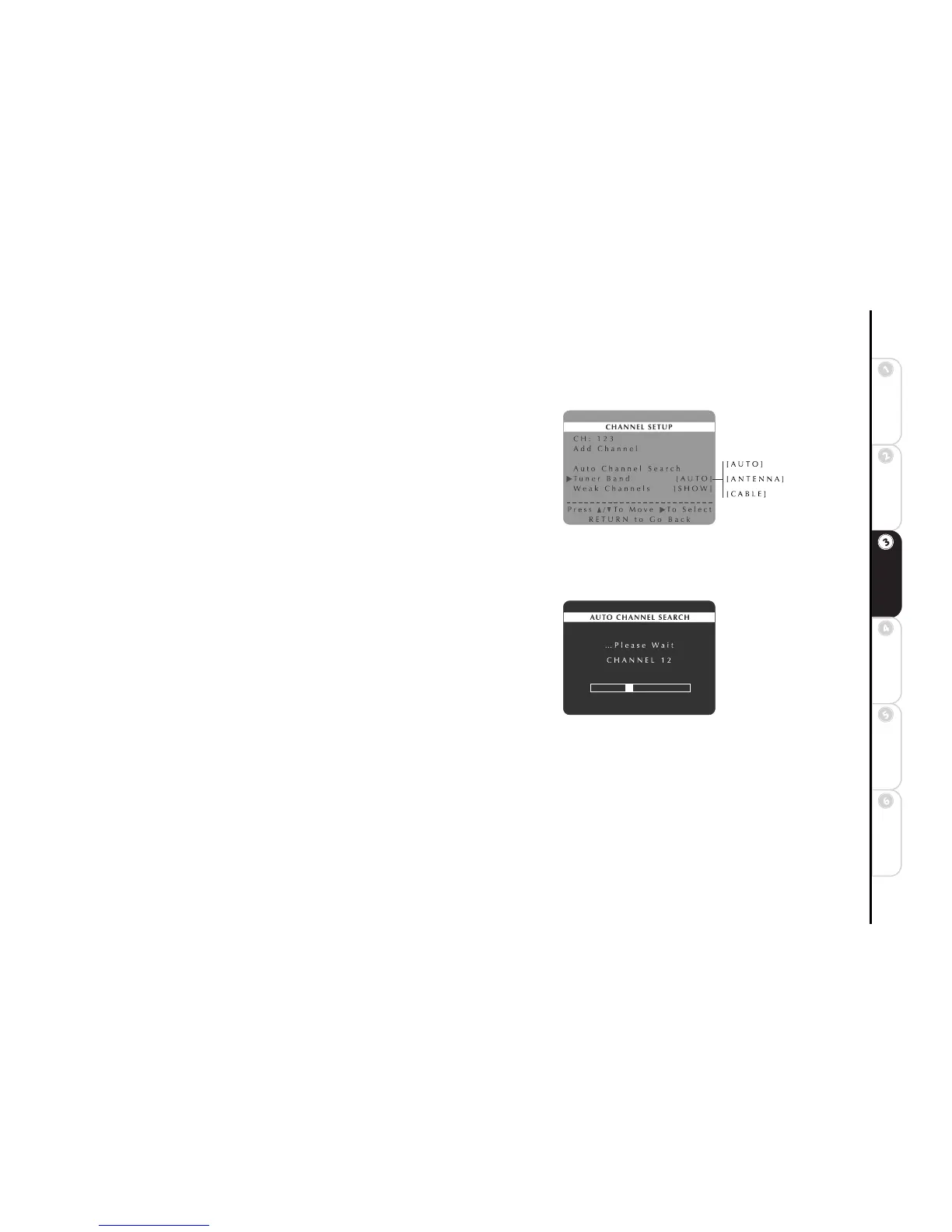
Tuner Band
Tuner Band tells the DVD+VCR whether you are using an antenna or cable
(CATV) to receive incoming television signals.
1 Press SETUP/ENTER.
2 Press
Y/B and " to select VCR Setup Menu.
3 Press
Y/B and " to select Channel Setup Menu.
4 Press
Y/B and " to select and set Tuner Band as follows:
AUTO Automatically detects whether you are receiving channels from
antenna or cable.
ANTENNA Specifies that you are receiving channels from an indoor/outdoor antenna.
CABLE Specifies that you are receiving channels from cable television (CATV).
Auto Channel Search
Auto Channel Search seeks out all available channels in the selected Tuner
Band.
1 Press SETUP/ENTER.
2 Press
Y/B and " to select VCR Setup Menu.
3 Press
Y/B and " to select Channel Setup Menu.
4 Press
Y/B and " to select Auto Channel Search.
5 The DVD+VCR automatically searches for all available channels in the
selected Tuner Band and stores them in memory. This may take a few min-
utes.
6 When finished, the DVD+VCR displays the lowest channel found.



 To Next Page