AMBISONIC MIC
SX-R4+ (firmware v3.2)
AMBISONIC MODE ACTIVATION
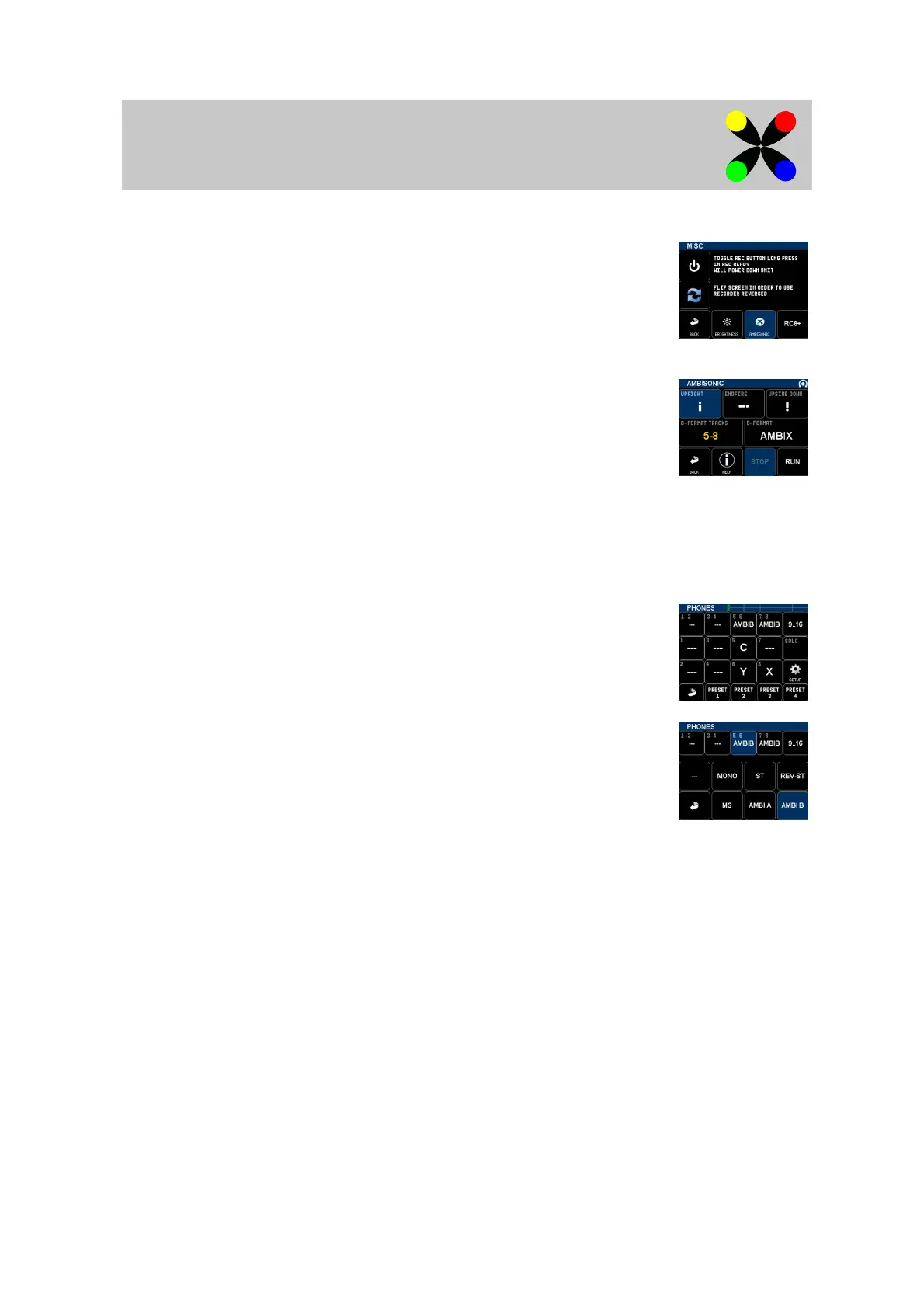
Ambisonic mode must be activated in the menu SETUP/SYSTEM/MISC, button 'AMBISONIC'.
Once activated, the ambisonic decoder replaces inputs LINE5-6 and AUX AES in the INPUTS menu.
AMBISONIC DECODER
The Ambisonic decoder transforms format A to format B.
Format A must be present in the 4 XLR inputs. They can be assigned to tracks if format A needs
to be recorded.
The menu INPUTS/AMBISONIC is the decoder interface:
- Select mic position using the three upper buttons
- Select format B target tracks
- Select Format B channels ordering: AmbiX or Fuma.
The decoder can then be enabled by pressing the 'RUN' button. Multiple actions will take place:
- All XLR inputs are enabled (with 48V, no phase, no delay, 60Hz LF cut filter)
- All gain are linked to P1
- If assigned to tracks, format A channels (XLR inputs) are renamed
- Format B tracks are assigned, armed and renamed
AMBISONIC MONITORING
Ambisonic monitoring can be done for headphones, any output and mix tracks.
Both format A & B can be monitored, in record and playback mode.
To enable ambinsonic monitor:
1. go to the corresponding monitoring/output/mix menu
2. apply a long press in the first track pair where ambisonic tracks are routed (5-6 on screenshot)
3. Choose AMBI-A or AMBI-B depending on the track format
4. The monitoring is applied automatically to the 4 ambisonic tracks



 To Next Page