Working Instruction Repair Instruction Mechanical/,
Mechanical
1212-7760 State: Preliminary 8.1
Company Internal
© Sony Ericsson Mobile Communications AB
16(66)
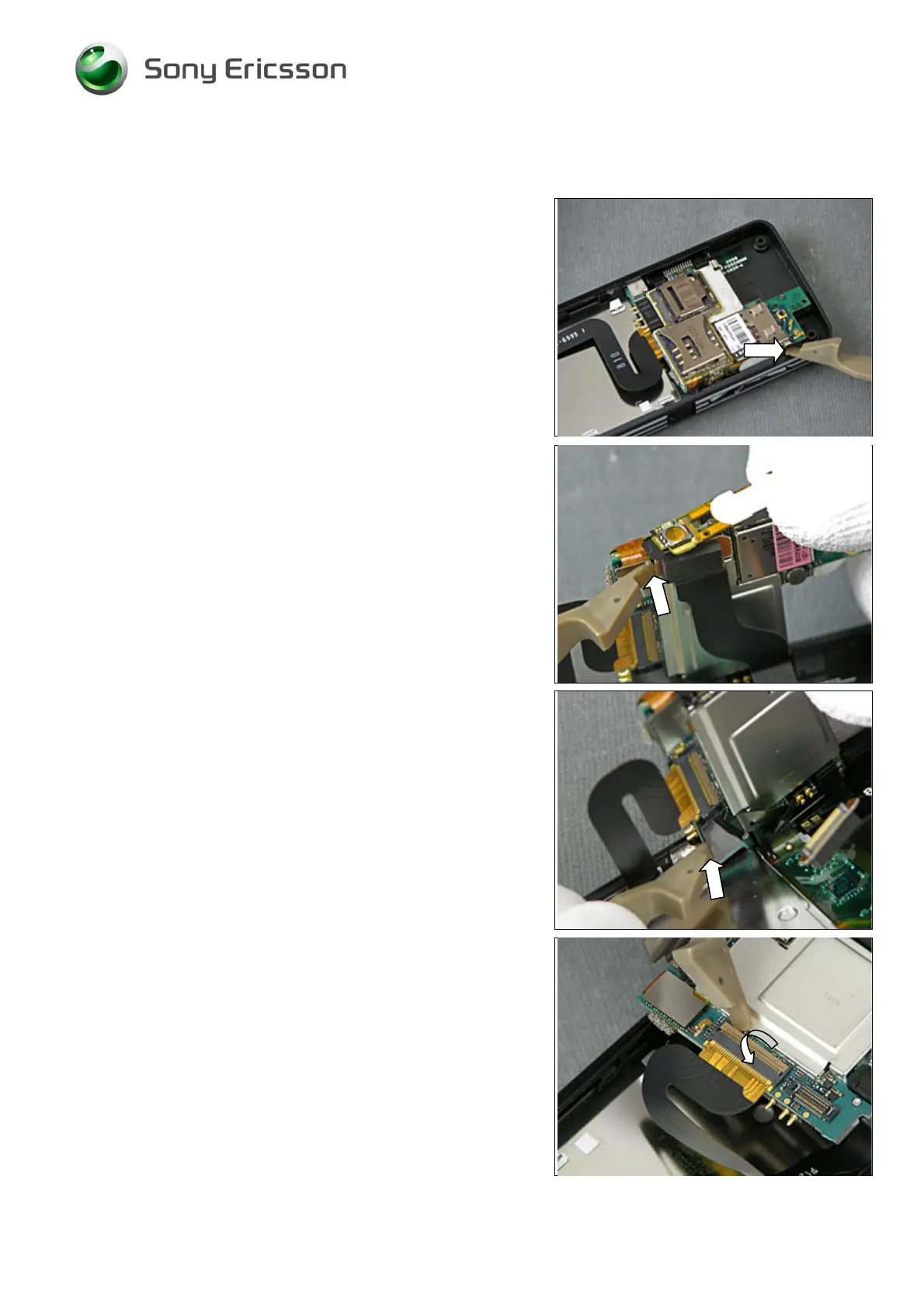
2.1.6 PBA incl. Card Reader Assembly
Use the Front Opening Tool to release the PBA here.
Raise the PBA as far as it goes and disconnect the
Keyboard FPC Assembly BtB connector using the Front
Opening Tool.
Use the Front Opening Tool to disconnect the LCD FPC
connector.
Turn the PBA upside/down and unlock the ZIF connector by
opening the lock with the Front Opening Tool.













 To Next Page