Working Instruction Repair Instruction Mechanical/, Mechanical
State: Preliminary 8.1
© Sony Ericsson Mobile Communications AB
45(66)
3.28 Display & Touch Sensor FPC Assy & Light diffusion
film
REMOVAL
Follow the 2.1.1 – 2.1.12 Disassembly instructions!
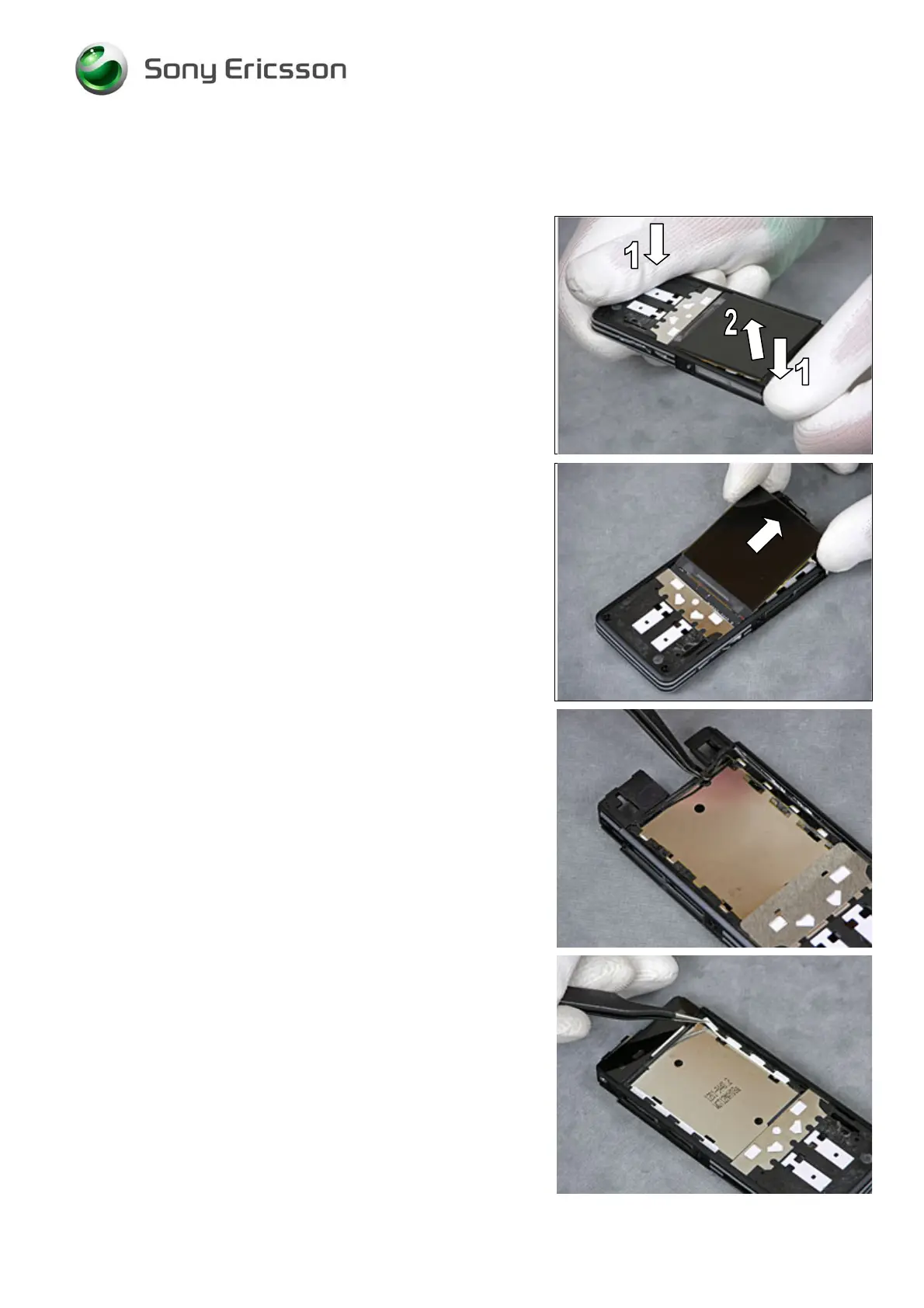
Press down the Frame Assy at opposite corners (1) in order
to release the Display from the Frame Assy (2).
Use your fingers to remove the Display.
Use tweezers to remove the Touch Sensor FPC Assy.
T
HE TOUCH SENSOR FPC ASSY CANNOT BE REUSED!
Use tweezers to remove the Light diffusion film.
T
HE LIGHT DIFFUSION FILM CANNOT BE REUSED!













 To Next Page