Working Instruction Repair Instruction Mechanical/,
Mechanical
1212-7760 State: Preliminary 8.1
Company Internal
© Sony Ericsson Mobile Communications AB
50(66)
4.1.1 Keyboard FPC Assembly
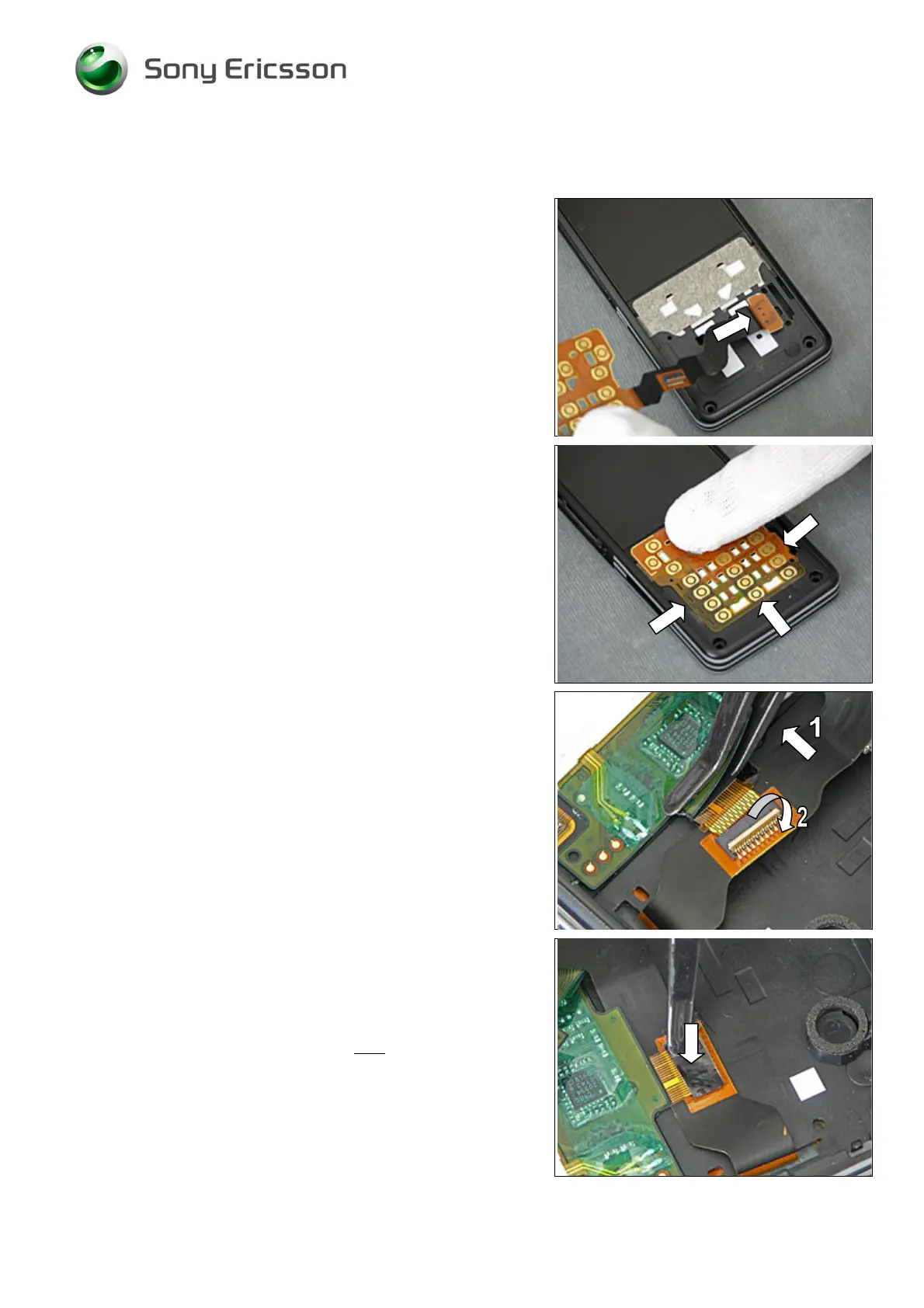
Thread the Keyboard FPC Assembly through the Frame
Assy.
Place the Keyboard FPC Assembly so that it fits in the
cavity (indicated by arrows) of the Frame Assy and press to
attach it.
Use the Flex Film Assembly Tool to connect the ZIF
connector of the Keyboard FPC Assembly (1).
Lock the ZIF connector (2).
Use the ESD tweezers to attach a new Foil Adhesive
Double Side 0.0 mm Adhesive Keyboard Flex.













 To Next Page