Working Instruction Repair Instruction Mechanical/,
Mechanical
1212-7760 State: Preliminary 8.1
Company Internal
© Sony Ericsson Mobile Communications AB
30(66)
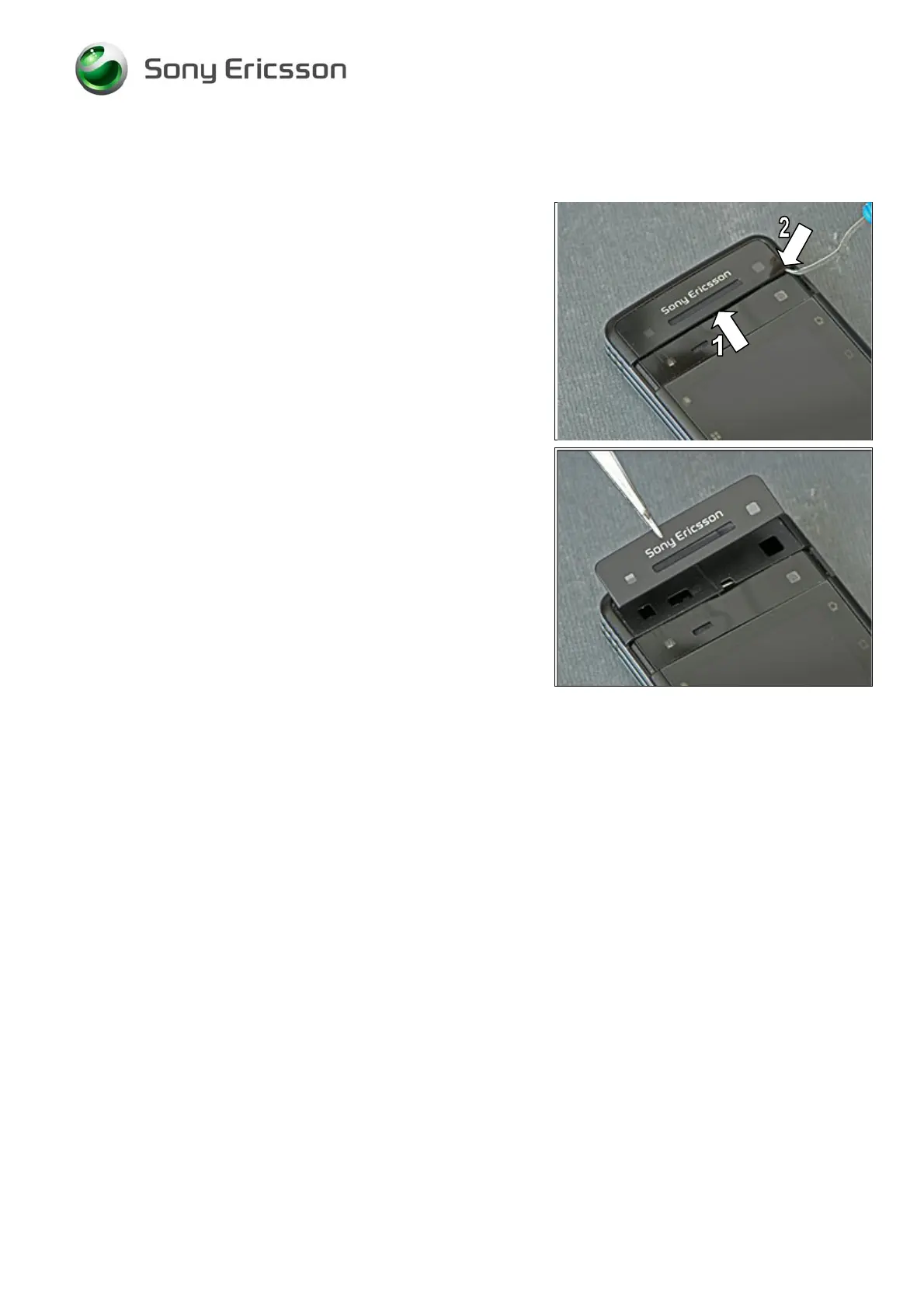
3.16 Top Front Outer Panel Assy
REMOVAL
Slide the lens cover to its open position (1).
Insert the Dentist Hook underneath the Top Front Outer
Panel Assy (2) and then have the panel removed by using
the tweezers or your fingers.
B
E CAREFUL NOT TO CAUSE SCRATCHES ON THE FRAME ASSY
WITH THE
DENTIST HOOK.
INSTALLATION
Position the new Top Front Outer Panel Assy so that it fits
perfectly in the cavity of the Frame Assy and then press
with your fingers to have it securely attached.













 To Next Page