Working Instruction Repair Instruction Mechanical/, Mechanical
State: Preliminary 8.1
© Sony Ericsson Mobile Communications AB
48(66)
3.29 Core Unit Label
Follow the 2.1.1 Disassembly instructions!
• Read the old label and/or write the information into the
“Label make” program before removal
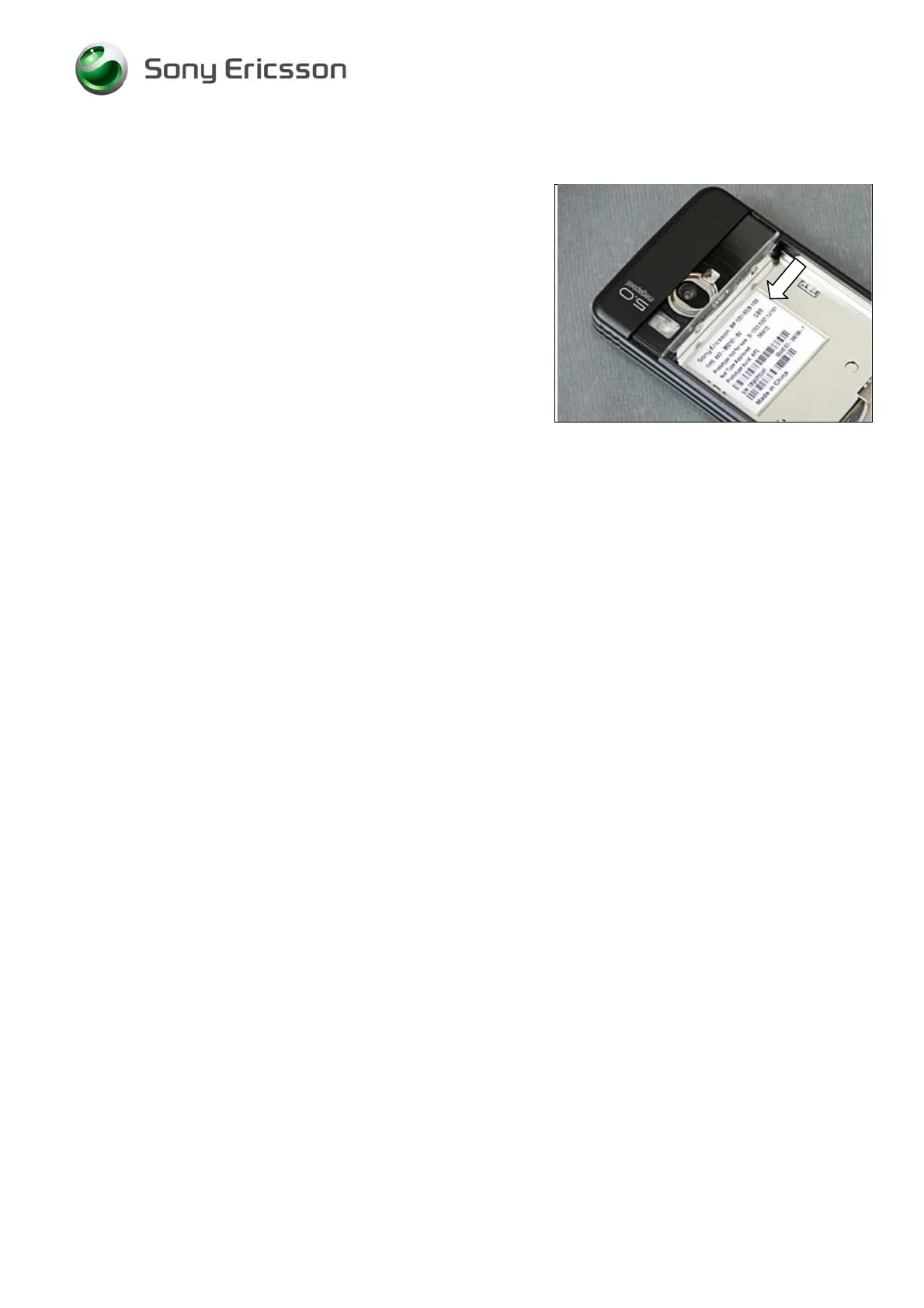
• Note the position of the label before removal
• Heat up the label by using hot air, if needed
• Carefully remove the label without causing scratches
• If there still are residues, clean the surface with isopropyl
alcohol
• Check that the proper label format is loaded in the Zebra
printer
• Write a new label by using the program “Label make” and
check that the printing is OK
• Take the new label and place it onto the frame as in the
adjacent picture
O
NE LABEL ONLY IS ALLOWED!
Follow the 4.1.12 Reassembly instructions!













 To Next Page