Working Instruction Repair Instruction Mechanical/, Mechanical
State: Preliminary 8.1
© Sony Ericsson Mobile Communications AB
47(66)
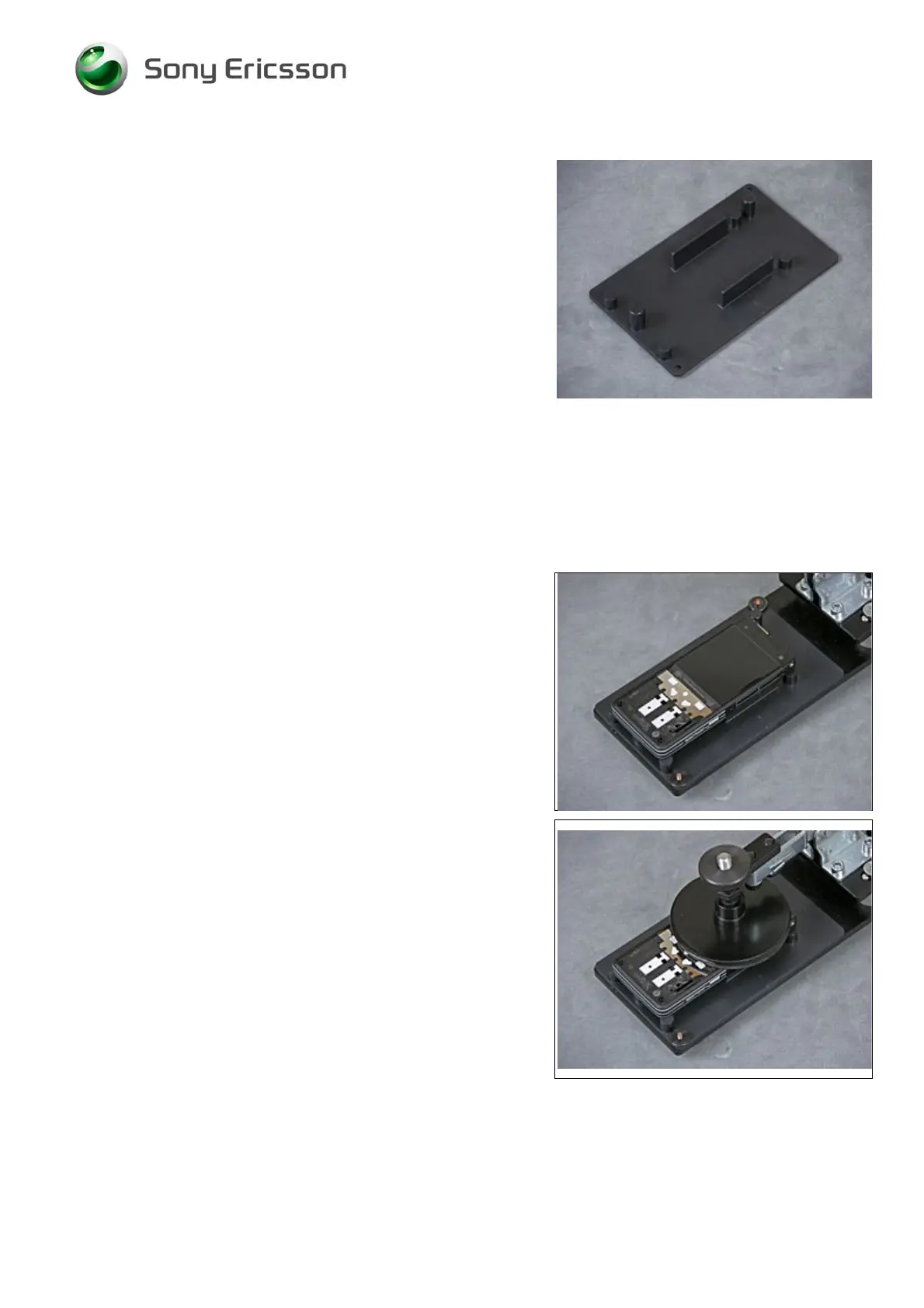
Install the LCD pressure tool insert into the pressure tool.
Display 2.0 TFT & Touch Sensor FPC Assy & Light
diffusion film continued
Position the Frame Assy onto the LCD pressure tool.
Use the Pressure Tool to press with 100 N the Keyboard for
at least 5 seconds.
Follow the 4.1.1 – 4.1.12 Reassembly instructions!













 To Next Page