Working Instruction Repair Instruction Mechanical/,
Mechanical
1212-7760 State: Preliminary 8.1
Company Internal
© Sony Ericsson Mobile Communications AB
33(66)
3.19 5MP Camera & Cushion
REMOVAL
Follow the 2.1.1 – 2.1.6 & 2.1.8 - 2.1.9 Disassembly
instructions!
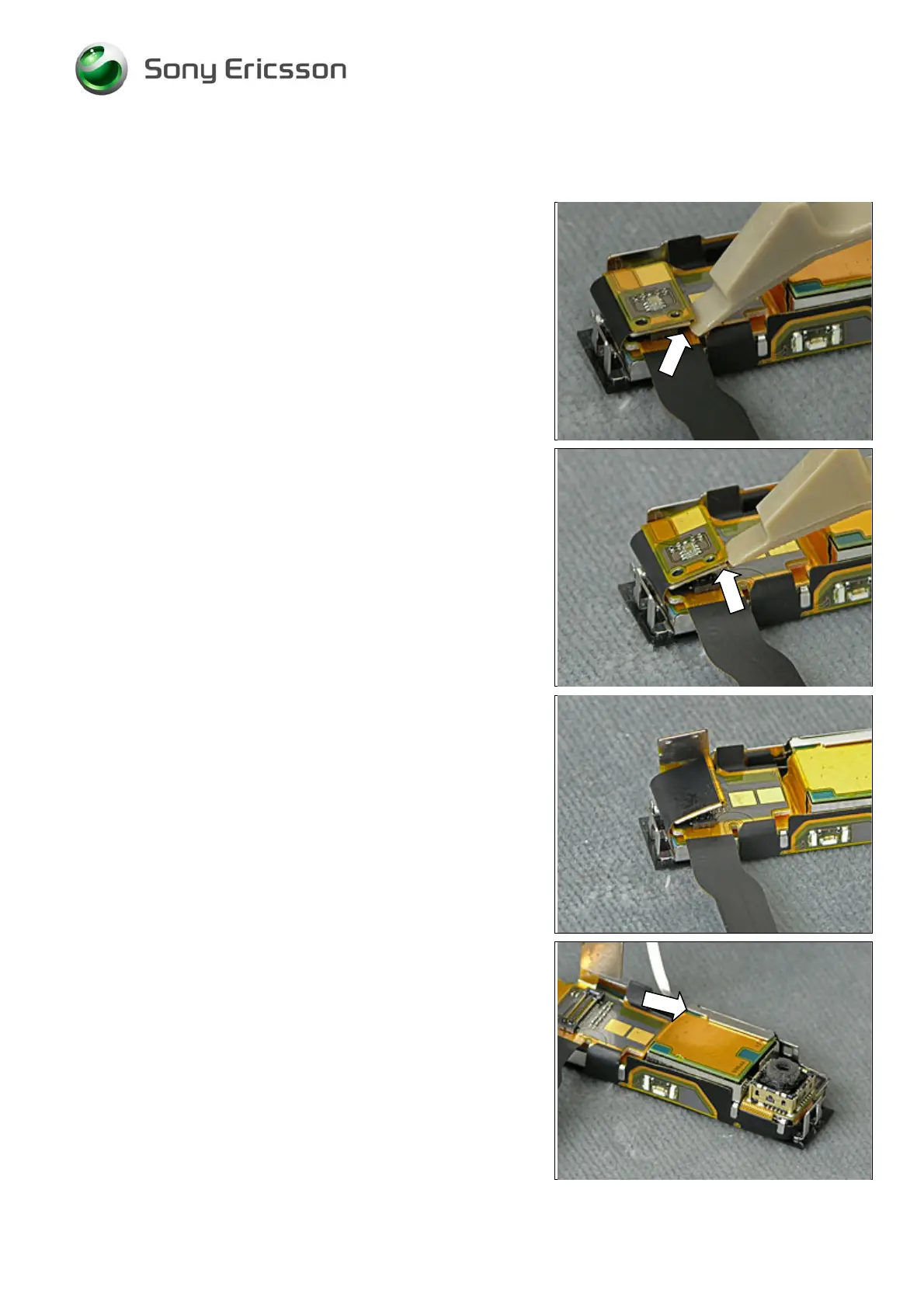
Turn the Top Rear Inner Panel Assy upside/down and
disconnect the BtB connector by using the Front Open Tool.
Insert the Front Open Tool between the two FPC parts,
and separate them.
Release the 5MP Camera by bending the metal holder.













 To Next Page