Working Instruction Repair Instruction Mechanical/,
Mechanical
1212-7760 State: Preliminary 8.1
Company Internal
© Sony Ericsson Mobile Communications AB
34(66)
5MP Camera & Cushion continued
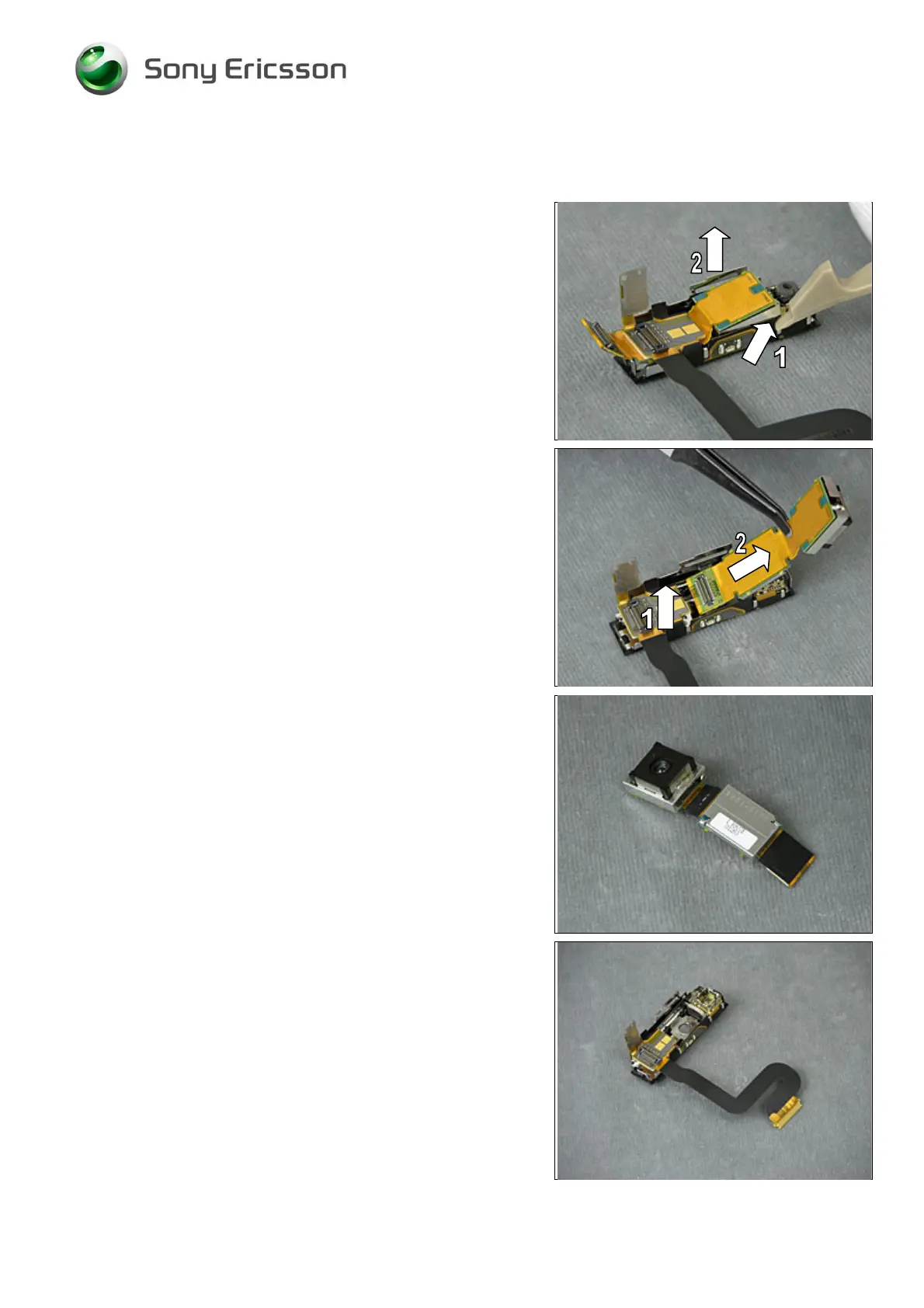
THE 5MP CAMERA IS ATTACHED WITH GLUE!
Insert the Front Opening Tool (1) underneath the 5MP
Camera to raise it up (2).
Release and raise the FPC part (1) to make room for the
removal of the 5MP Camera.
Gently pull (2), using the Flex Film Assembly Tool, to have
the 5MP Camera released and removed.
5MP Camera!
INSTALLATION
The Top Rear Inner Panel Assy should now like this.













 To Next Page