Working Instruction Repair Instruction Mechanical/,
Mechanical
1212-7760 State: Preliminary 8.1
Company Internal
© Sony Ericsson Mobile Communications AB
35(66)
5MP Camera & Cushion continued
Optional Instruction
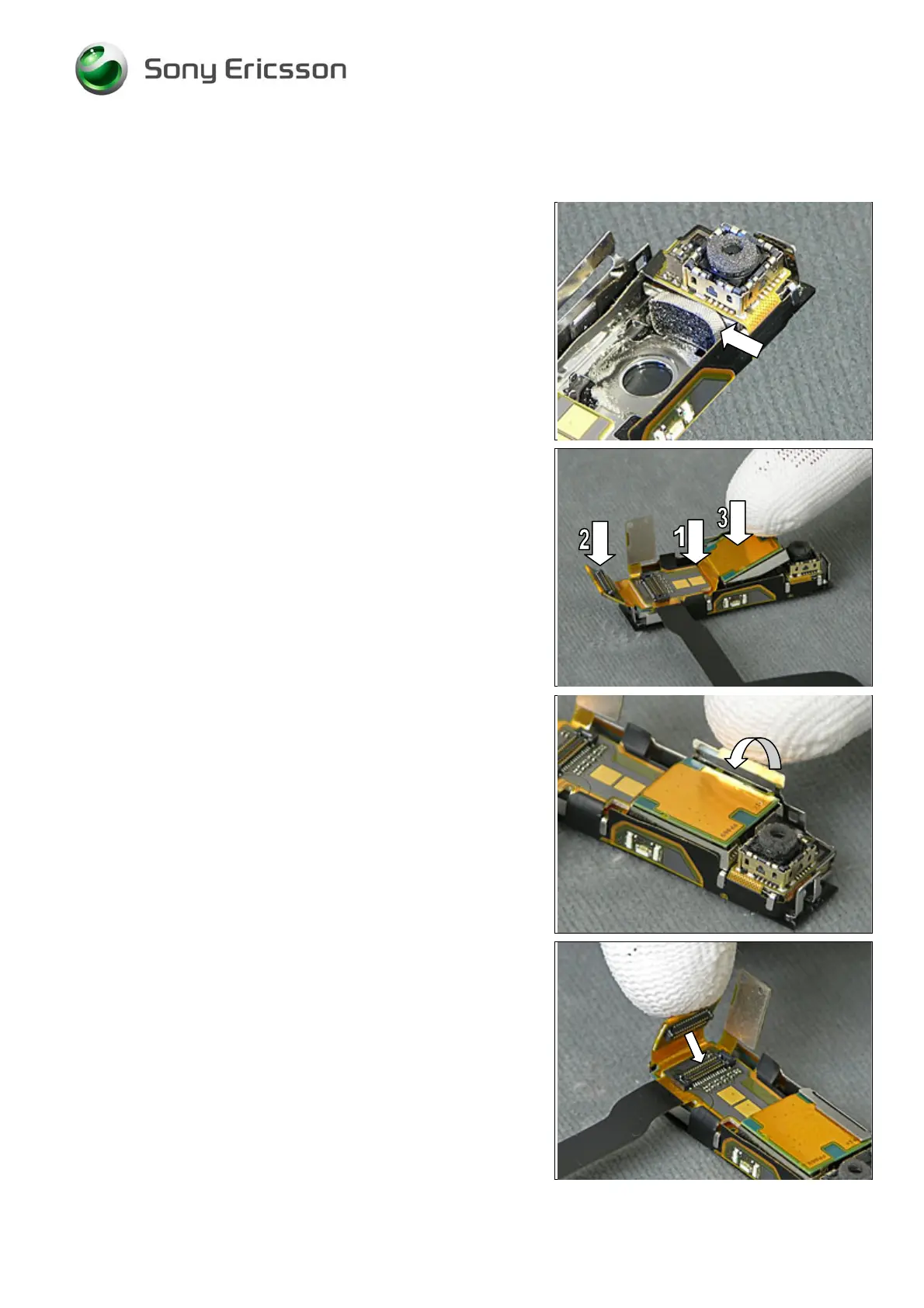
In case the Cushion for the QCIF VGA Camera needs to be
exchanged, that can be done at this stage:
Remove the old Cushion.
Insert a new Cushion as shown in picture.
5MP Camera continued
Insert the new 5MP Camera’s BtB connector underneath
the FPC (1) and slide it gently until the connector appears
as shown in picture (2).
Gently press (3) the 5MP Camera to the bottom of the Top
Rear Inner Panel Assy.
Bend the metal holder back to its original position to secure
the position of the 5MP Camera.
Connect these BtB connectors,













 To Next Page