Working Instruction Repair Instruction Mechanical/, Mechanical
State: Preliminary 8.1
© Sony Ericsson Mobile Communications AB
46(66)
Display 2.0 TFT & Touch Sensor FPC Assy & Light
diffusion film continued
INSTALLATION
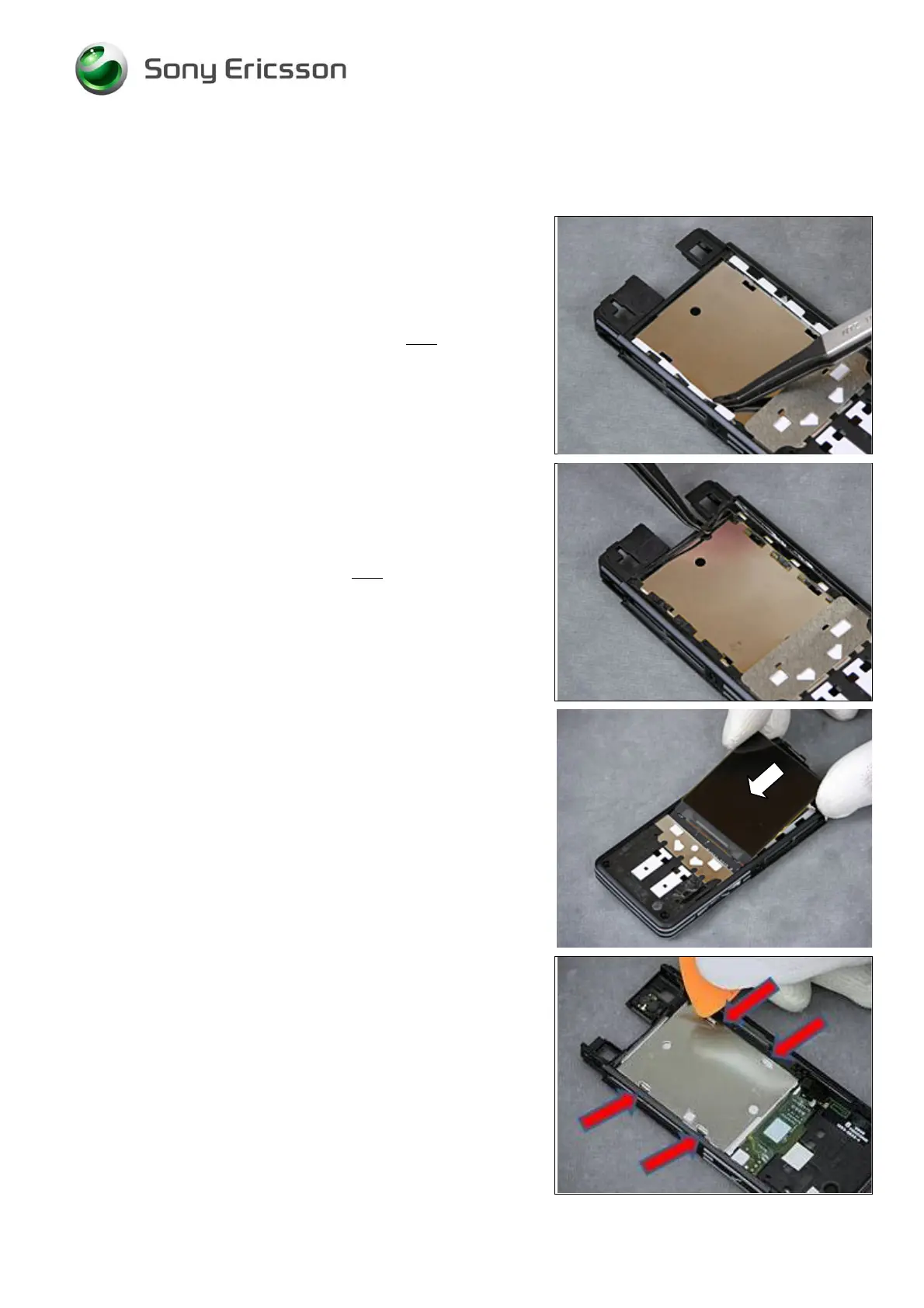
Use blunt pair of tweezers to position the new Light
diffusion film.
Use ESD tweezers to position the new Touch Sensor FPC
Assy.
Use your fingers to position the Display.
Turn the Frame around and use the Guitar Pick to fold
down the four metal wings on the new Display













 To Next Page