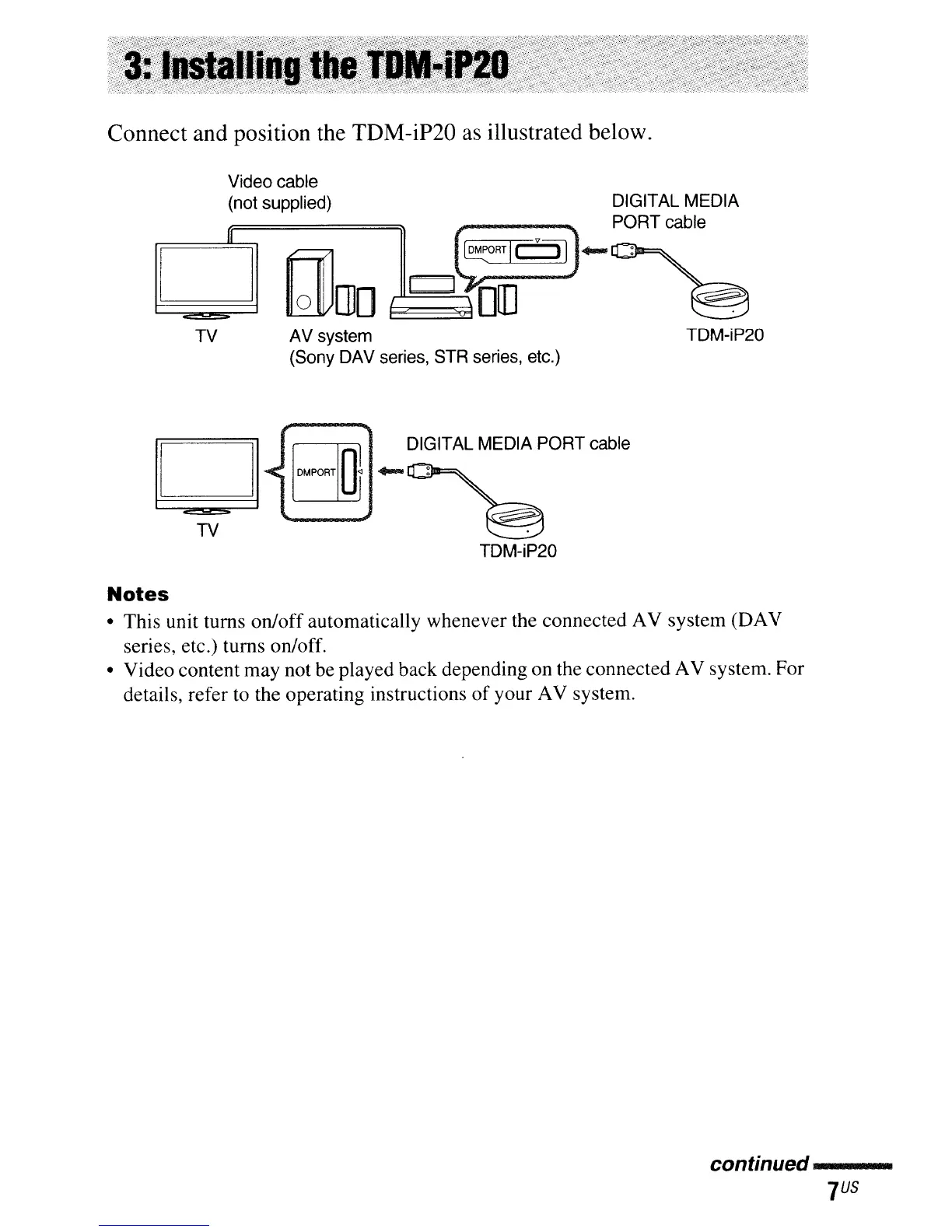
Connect and position the TDM-iP20
as
illustrated below.
Video cable
(not supplied) DIGITAL MEDIA
[::]
~[llD
J~~c@-
PORT~~le
TV AV system
(Sony DAV series,
STR
series, etc.)
TDM-iP20
DIGITAL MEDIA PORT cable
.....
u_.~_
........
TDM-iP20
Notes
• This unit turns on/off automatically whenever the connected AV system (DAV
series, etc.) turns on/off.
• Video content may not be played back depending on the connected AV system. For
details, refer to the operating instructions
of
your AV system.
continued
---



 To Next Page