BUS
To
connect/disconnect
the
unit
~ORTI
(
v~
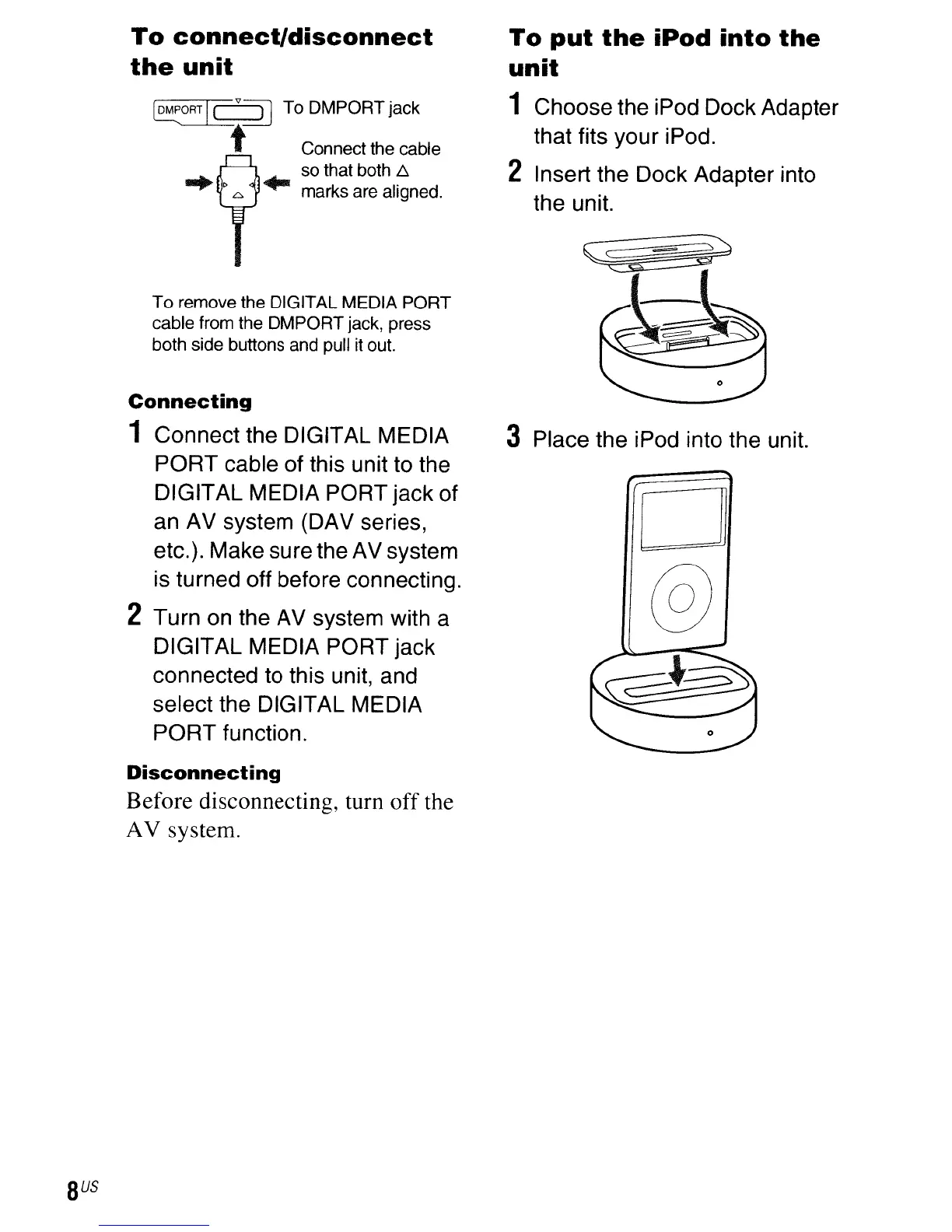
To DMPORT jack
t Connect the cable
so that both
6.
...
...
marks are aligned.
To
remove the DIGITAL MEDIA
PORT
cable from the OMPORT jack, press
both side buttons and pull it out.
Connecting
1 Connect the DIGITAL MEDIA
PORT cable of this unit to the
DIGITAL MEDIA PORT jack of
an AV system (DAV series,
etc.). Make sure the AV system
is turned off before connecting.
2 Turn on the AV system with a
DIGITAL MEDIA PORT jack
connected to this unit, and
select the DIGITAL MEDIA
PORT function.
Disconnecting
Before
disconnecting, turn
off
the
AV
system.
To
put
the
iPod
into
the
unit
1 Choose the iPod Dock Adapter
that fits your iPod.
2 Insert the Dock Adapter into
the unit.
3 Place the iPod into the unit.



 To Next Page