26
US
To the audio out jacks of the
VCR, digital satellite receiver,
PlayStation, or portable audio
source, etc.
VCR, digital satellite receiver,
PlayStation, etc.
VCR, digital satellite receiver,
PlayStation, etc.
Signal flow
40
Digital coaxial cord (not
supplied)
To the digital coaxial out jack of the
VCR or digital satellite receiver, etc.
TV
G DIGITAL MEDIA PORT
adapter (page 60)
I
I
D
L!::=
•
L!::=
1.
r
J
~
I
System
=::!:::::....
:
Rear panel of the unit
If
your
TV
has
multiple
audio/Video
inputs
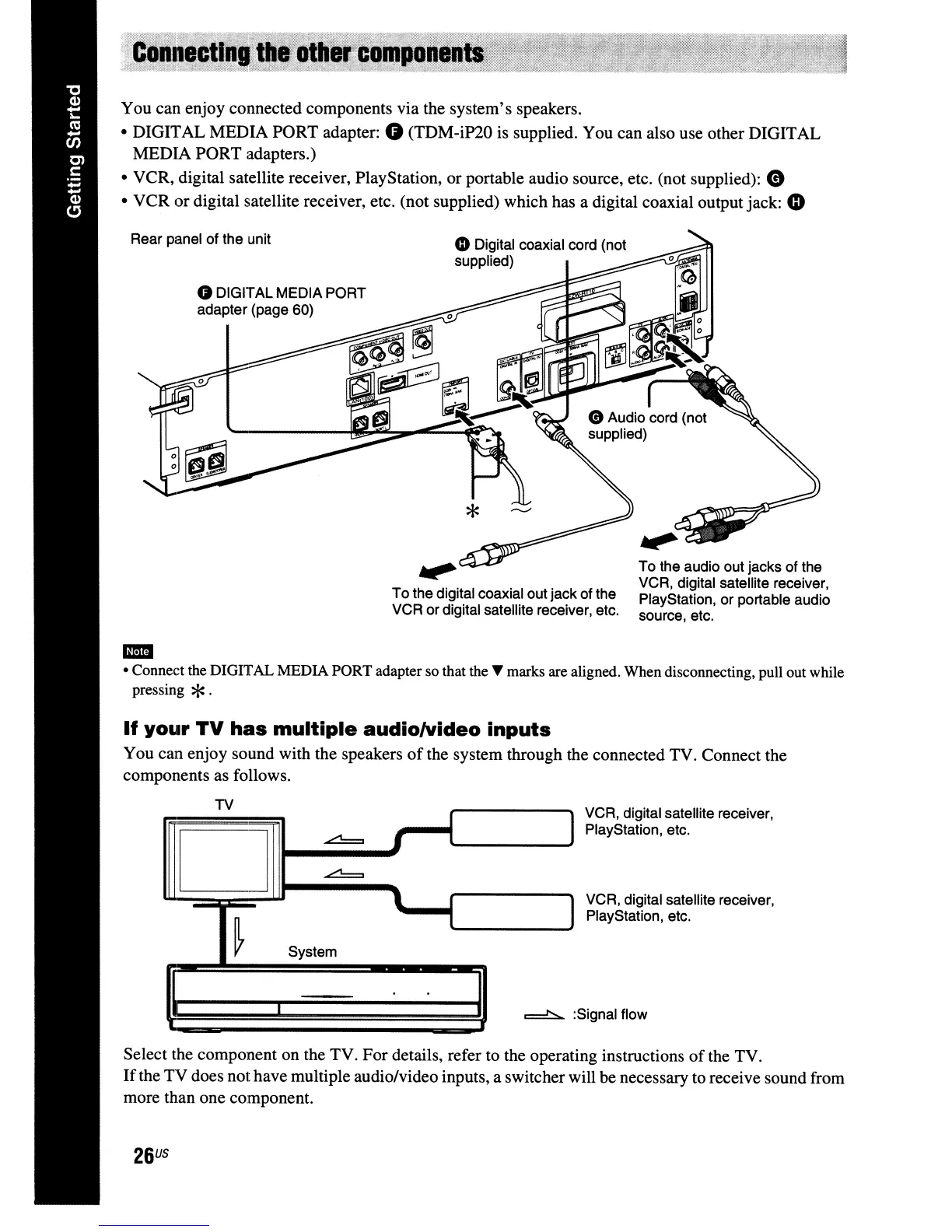
You can enjoy sound with the speakers
of
the system through the connected TV. Connect the
components as follows.
Select the component on the TV. For details, refer to the operating instructions
of
the TV.
If
the TV does nothave multiple audio/video inputs, a switcher will be necessary to receive sound from
more than one component.
You can enjoy connected components via the system's speakers.
• DIGITAL MEDIA PORT adapter:
G (TDM-iP20 is supplied. You can also use other DIGITAL
MEDIA PORT adapters.)
• VCR, digital satellite receiver, PlayStation, or portable audio source, etc. (not supplied):
e
• VCR or digital satellite receiver, etc. (not supplied) which has a digital coaxial output jack:
4D
..
• Connect the DIGITAL MEDIA PORT adapter so that the T marks are aligned. When disconnecting, pull out while
pressing
*.



 To Next Page