Recording a picture
While using the Super NightShot function, you cannot use the following
functions:
Fader
Digital effect
PROGRAM AE
Exposure
White balance
Recording with the flash
In MEMORY mode
You cannot use the Super NightShot f\mction.
NightShot Light
NightShot Light rays are infrm ed and so are invisible. Tile n-laxiI_luI_l shooting distance
using the NightShot Light is about 10 feet (3 m).
22
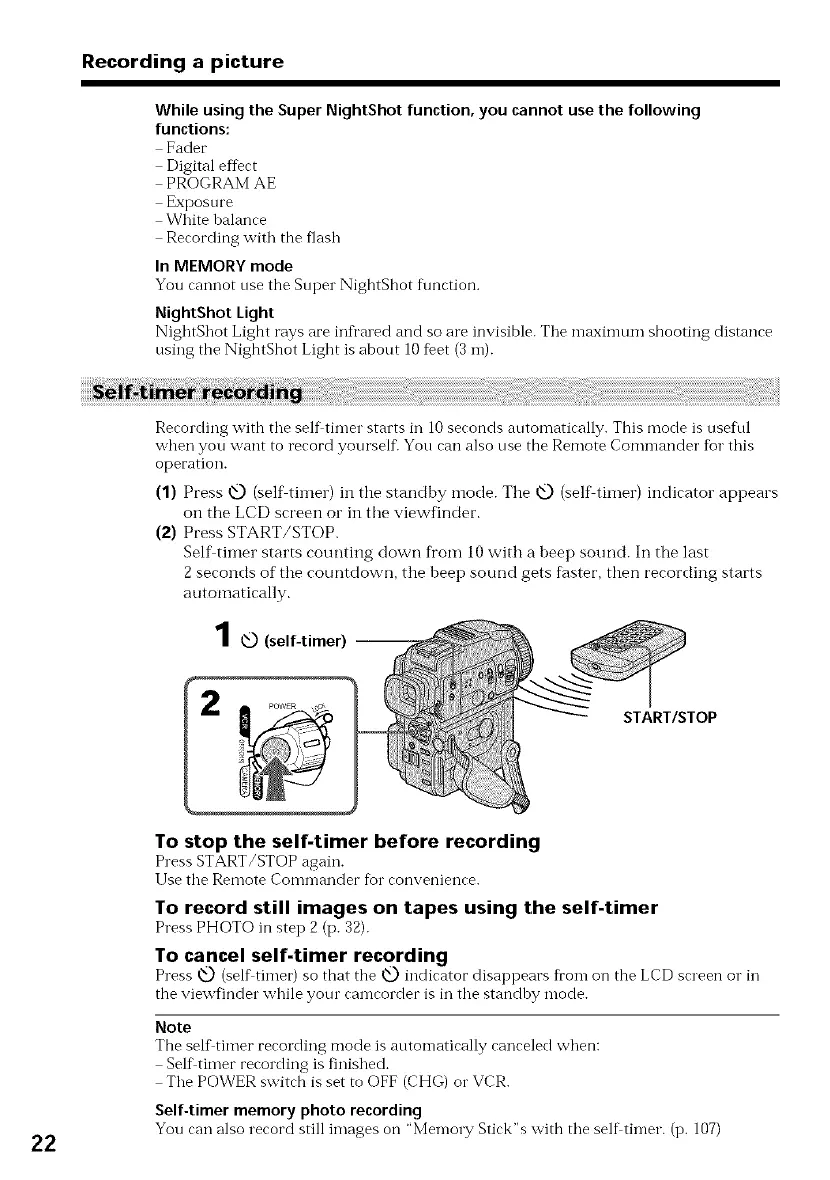
Recording with the self timer starts in 10 seconds automatically. This mode is useful
when you want to record yourself. You can also use the Remote Commander for this
operation.
(1) Press @ (self timer) in tile standby mode. Tile @ (self thner) indicator appears
on the LCD screen or in the viewfinder.
(2) Press START/STOP.
Self timer starts counting down fi'om l0 with a beep sound. In the last
2 seconds of the coui'ltdow;q, the beep sound gets faster, then recording starts
automatically.
1,0(self-timer) --
START/STOP
To stop the self-timer before recording
Press START/STOP again.
l Jse the Remote Commander for convenience.
To record still images on tapes using the self-timer
Press PHOTO in step 2 (p. 32).
To cancel self-timer recording
Press _Q) (self timer) so that the O indicator disappears fi'onl on the LCD screen o1"in
the viewfinder while your camcorder is in the standby mode.
Note
The self timer recording mode is automatically canceled when:
Self timer recording is finished.
The POWER switch is set to OFF (CHG) o1"VCR.
Self-timer memory photo recording
You can also record still images on "Memory Stick"s with the self timer. (p. 107)















 To Next Page