Dubbing a tape
Using the i.LINK cable (DV connecting cable)
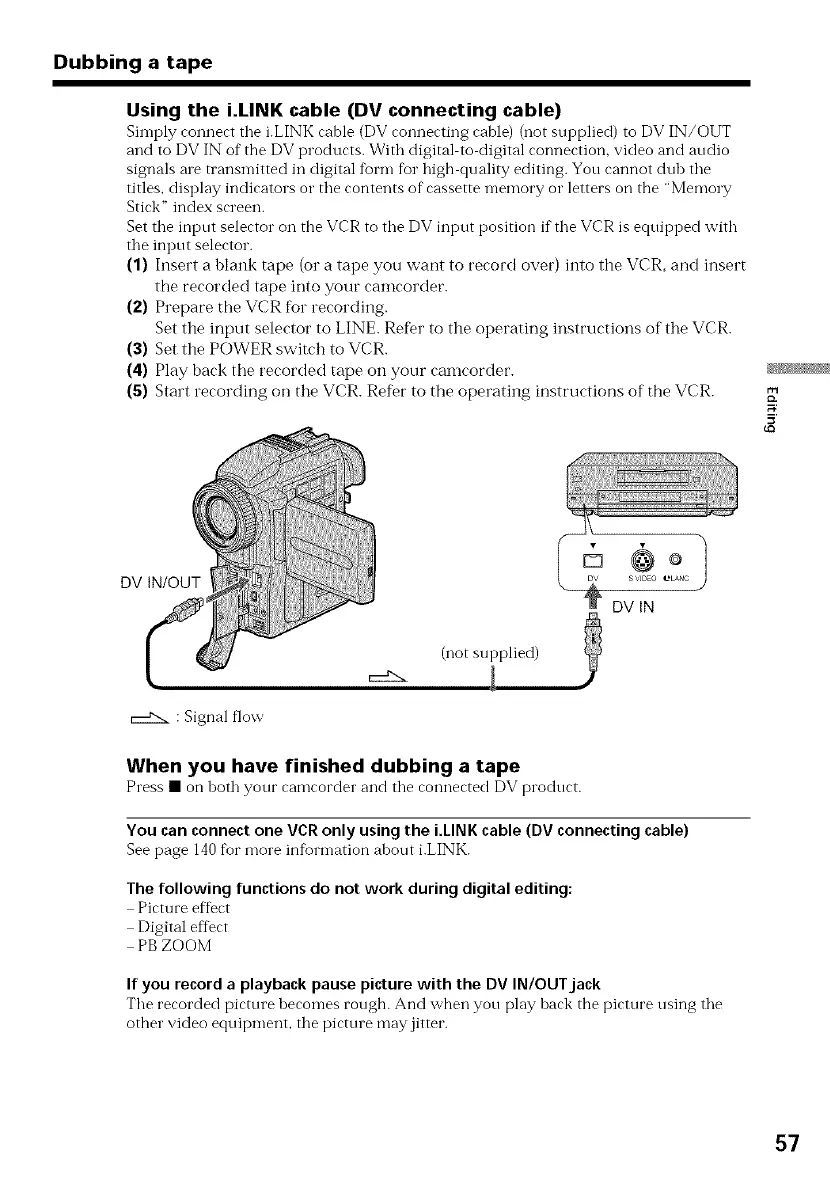
Simply connect the i.LINK cable (DV connecting cable) (not supplied) to DV IN/OUT
and to DV IN of the DV products. With digital to digital connection, video and audio
signals ale transmitted in digital form fur high quality editing. You cannot dub the
titles, display indicators or the contents of cassette memory or letters on the "Memo W
Stick" index screen.
Set the input selector on the VCR to the DV input position if the VCR is equipped with
the input selector.
(1) Insert a blank tape (or a tape you want to record over) into the VCR, and insert
the recorded tape into your camcorder.
(2) Prepare the VCR for recording.
Set the input selector to LINE. Refer to the operating instructions of the VCR.
(3) Set the POWER switch to VCR.
(4) Play back the recorded tape on your camcorder.
(5) Start recording on the VCR. Refer to the operating instructions of the VCR.
DV IN/OUT
(not supplied)
_DVlN
: Signal flow
When you have finished dubbing a tape
Press • onboth your eamcorder and the connected DV product.
You canconnectone VCRonly usingthe i.LINKcable (DVconnecting cable)
See page 140for more information about i.LINK.
The following functions do not work during digital editing:
Picture effect
Digital effect
PBZOOM
If you recorda playback pause picture with the DV IN/OUTjack
The recorded picture becomes rough. And when you play back the picture using the
other video equipment, the picture may jitter.
57















 To Next Page