Using a "Memory Stick" - introduction
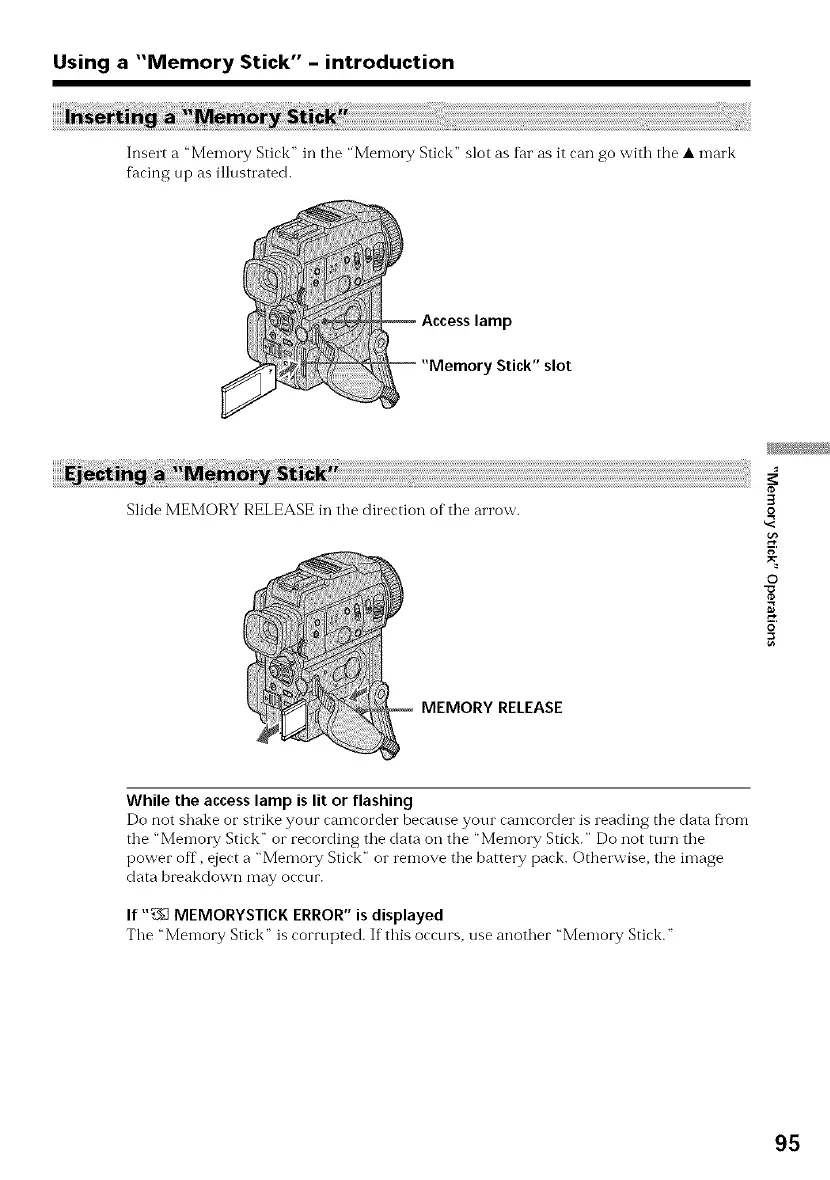
Insert a "Men-lory Stick" in the "Memo1T Stick" slot as fhr as it can go with the • n-lark
facing up as illnstrated.
lamp
Stick" slot
Slide MEMORY RELEASE in tile direction of tile arrow.
3
o
g
O
o
MEMORY RELEASE
While the access lamp is lit or flashing
Do not shake or strike your camcorder because your camcorder is reading the data flora
tile "Memory Stick" or recording tile data oil the "Memory Stick." Do not turn tile
power off, eject a "Memory Stick" or remove the battery pack. Otherwise, the image
data breakdown may occur.
If ",753MEMORYSTICKERROR"isdisplayed
The "Memory Stick" is corrupted. If this occurs, use another "Memory Stick."
95















 To Next Page