Chapter 4 Recording and Playback
Chapter 4 Recording and Playback 4-3
To set an initial value then record the time
code
If necessary, change the settings in the time code
setting section (see page 2-6).
Set the INT/EXT switch to INT, and the PRESET/
REGEN switch to PRESET.
To set an initial time code value
Use the following procedure.
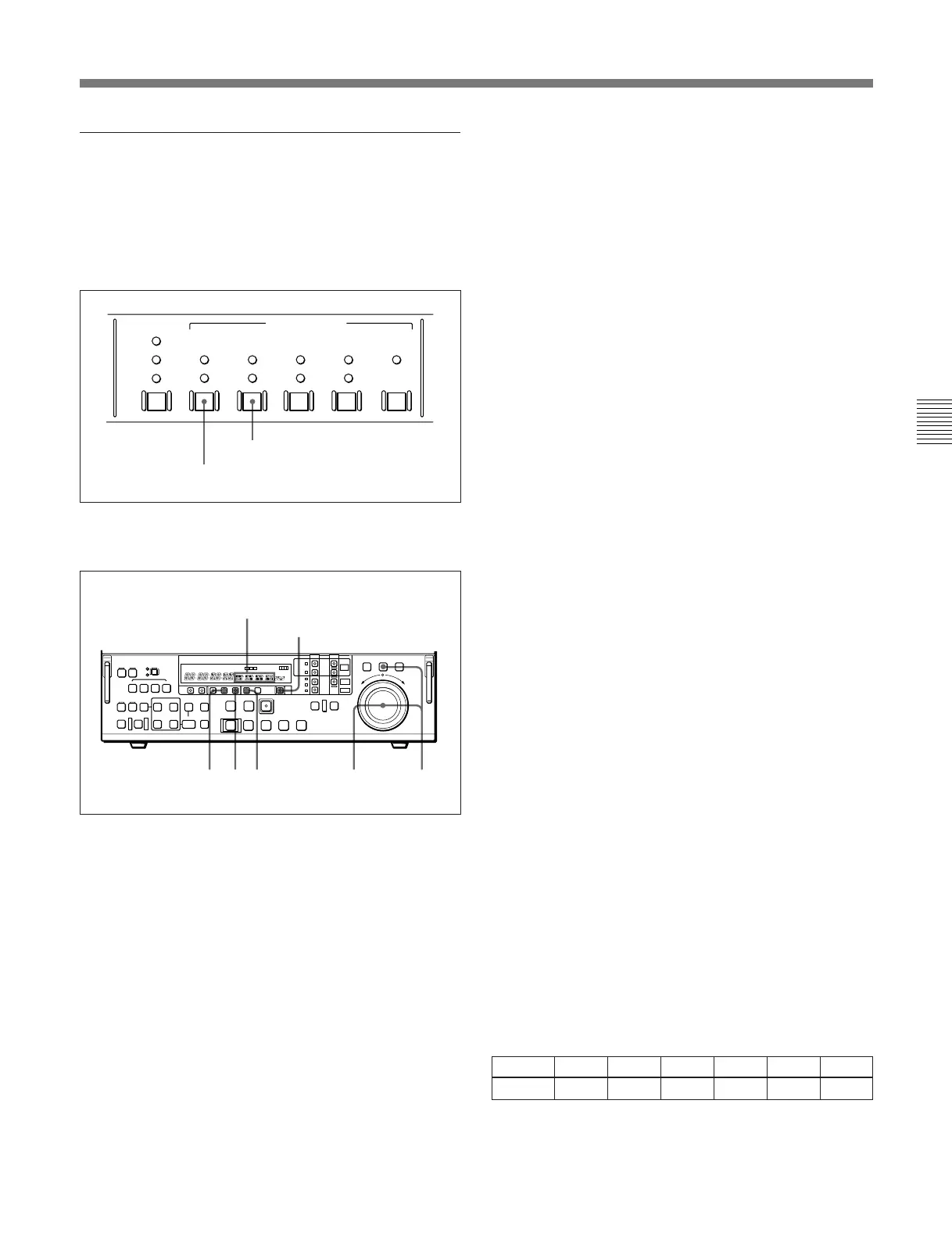
1 Set the CTL/TC/UB switch to TC.
2 Press the HOLD button.
The button lights, and in the time data display area
2, the first digit of the value (8 digits: hours,
minutes, seconds, and frames) begins to flash.
To set all digits to zero
Press the RESET button.
3 Turn the search dial to select the digit to be
changed.
Turning the search dial clockwise moves the
LTC
AUTO
VITC
INT
EXT
PRESET
REGEN
FREE
RUN
REC
RUN
DF
NDF
ON
TC
VITC
TC GENERATOR
PRESET/REGEN switch: PRESET
INT/EXT switch: INT
12634
Time data display area 2
RESET button
flashing digit position to the right, and turning the
search dial counterclockwise moves the flashing
digit position to the left.
4 Hold down the JOG button, then turn the search
dial to change the value in the flashing digit
position.
5 Until all the digits are set as required, repeat steps
3 and 4.
6 Press the SET button.
The HOLD button goes off.
When the FREE RUN/REC RUN switch is set to
FREE RUN, the time code value immediately
starts advancing.
To set the time code value to the real time
With the switches in the time code setting section set
as follows, carry out the procedure under the heading
above, “To set an initial time code value.” In steps 4
and 5, set the value slightly after the current time, then
carry out step 6 at the instant the real time catches up
with the setting.
INT/EXT switch: INT
PRESET/REGEN switch: PRESET
FREE RUN/REC RUN switch: FREE RUN
DF/NDF switch: DF
Setting a user bit value
The user bit values recorded on the time code track
provide for eight hexadecimal digits, which can be
used to hold the date, time, event number or other
information.
Use the following procedure.
1 Set the CTL/TC/UB switch to UB.
2 Carry out the procedure in steps 2 to 6 under the
heading above, “To set an initial time code value.”
You can set each digit to any hexadecimal value,
represented by 0 to 9, and A to F. Hexadecimal
digits A to F appear in the seven-segment display
as follows.
Digit A B C D E F
Display AbCdEF



 To Next Page