Chapter 7 Menu System
7-8 Chapter 7 Menu System
7-2 Basic Menu
Menu bank operations (menu items B01 to
B14)
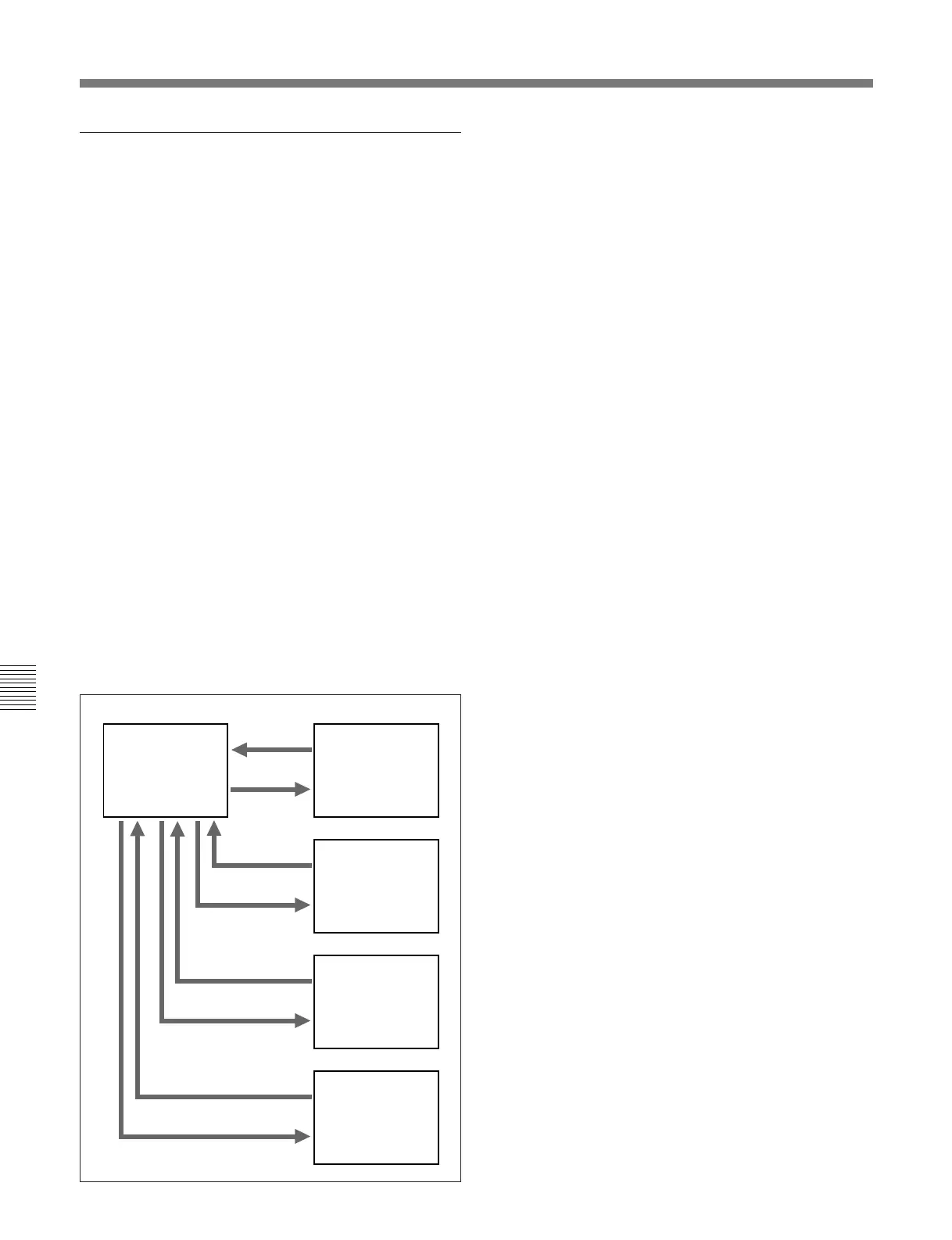
This unit allows four different complete sets of menu
settings to be saved in what are termed “menu banks”
numbered 1 to 4. Saved sets of menu settings can be
recalled for use as required.
To jump to menu item B01
You can recall any required menu item by turning the
search dial after pressing the MENU button.
If you press the MENU button first, then the CTL/TC/
UB button, you can jump directly to menu item B01 or
H01. The recalled menu item toggles between B01
and H01 every time you press the CTL/TC/UB button.
Saving the current active menu settings
Set one of menu items B11 SAVE BANK 1 to B14
SAVE BANK 4 to ON, depending on which of the
menu banks you wish to save in, then press the SET
button.
Recalling settings from a menu bank
Set one of menu items B01 RECALL BANK 1 to B04
RECALL BANK 4 to ON, depending on which of the
menu banks you wish to recall from, then press the
SET button.
Current active
menu settings
Menu bank 1
Menu bank 2
Menu bank 3
Menu bank 4
Recall
Recall
Save
Save
Recall
Save
Recall
Save



 To Next Page