44
GB
3
Press the arrow (B/b) button
to select the print size, then
press ENTER.
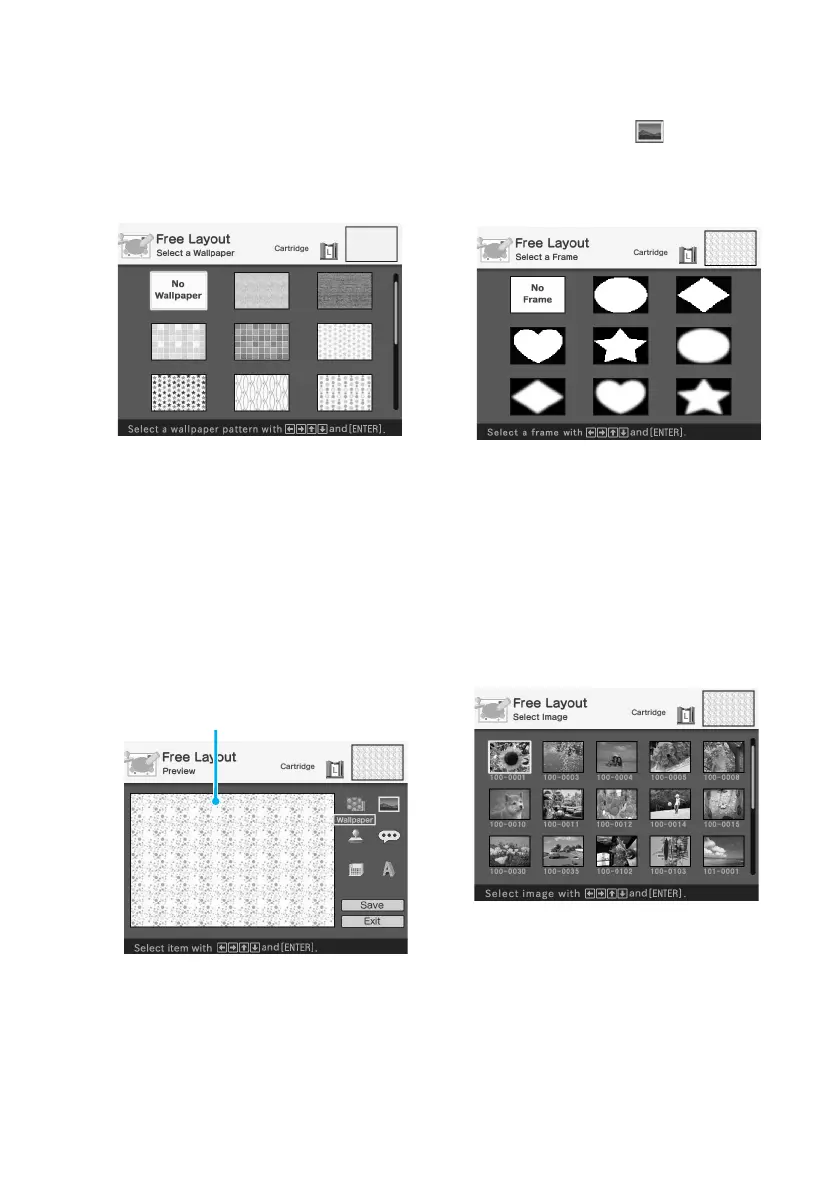
The wallpaper selection window is
displayed.
When you select “Postcard size”
4
Press the arrow (B/b/V/v)
button to select the desired
wallpaper, then press ENTER.
If you do not want to place
wallpaper on the image, select “No
Wallpaper.”
The preview window of the selected
wallpaper is displayed.
Selected wallpaper
5
Press the arrow (B/b/V/v)
button to select (Image)
and press ENTER.
The frame selection window is
displayed.
6
Press the arrow (B/b/V/v)
button to select the desired
frame that you want to shape
an image with, then press
ENTER.
If you do not want to use a frame,
select “No Frame.”
The image list is displayed.



 To Next Page