44
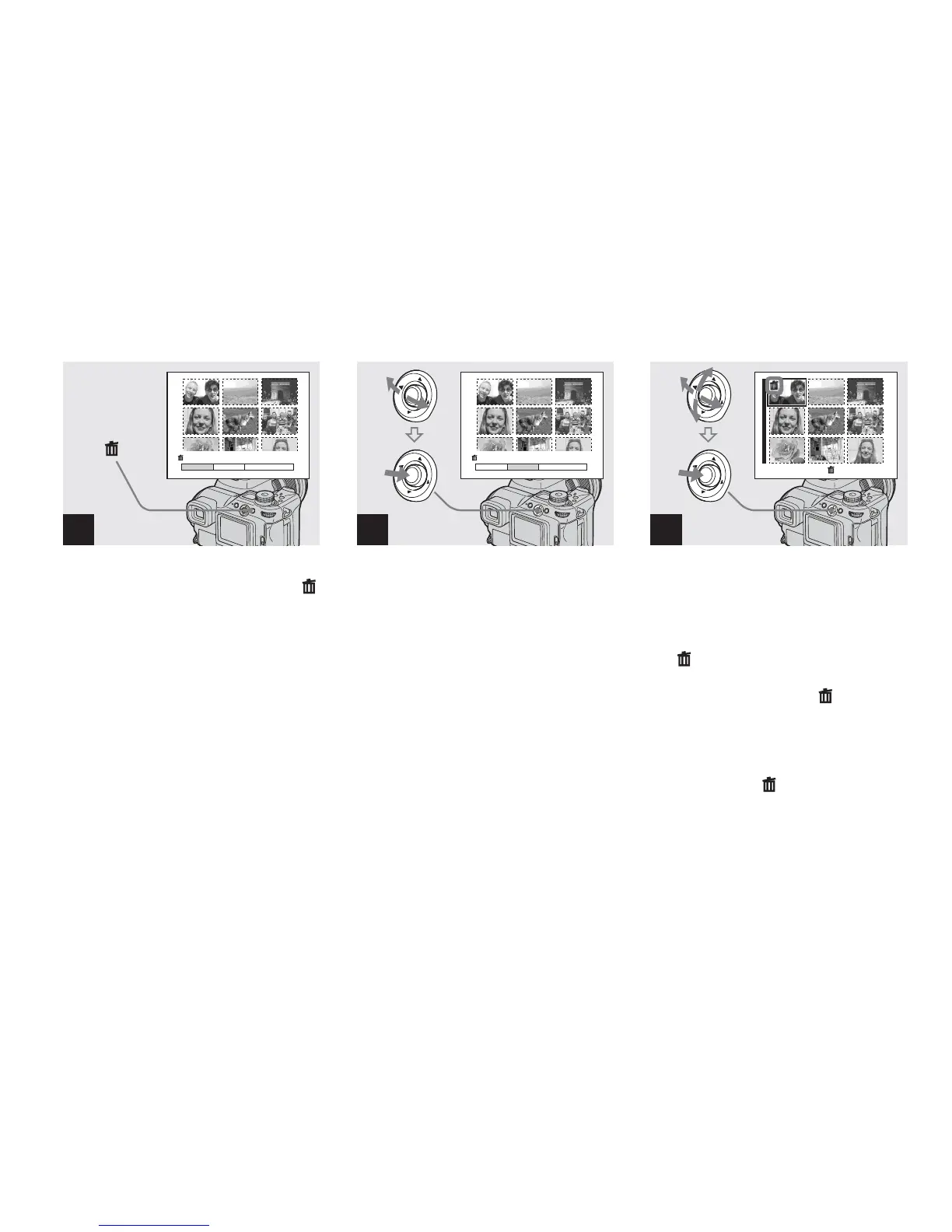
Deleting on the Index screen
, While an Index screen
(page 40) is displayed, press
(delete).
• Note that the images once deleted cannot be
recovered.
, Select [Select] by moving the
multi-selector to b/B, then
press the center.
, Select the image you want to
delete by moving the multi-
selector to v/V/b/B, then press
the center.
The (delete) mark is indicated on the
selected image. The image has not yet been
deleted at this point. Put the mark on all
of the images you want to delete.
• To cancel your selection, select images you
want to cancel and press the center of the multi-
selector again. The mark disappears.
1
Select
All In This Folder
Exit
Delete
2
Select
All In This Folder
Exit
Delete
3
TO NEXT
•
Select



 To Next Page
 Loading...








