86
To skip to the next/previous
image during slide show
Move the multi-selector to B (next) or b
(previous).
• The interval setting time is approximate, and
may vary according to the playback image size.
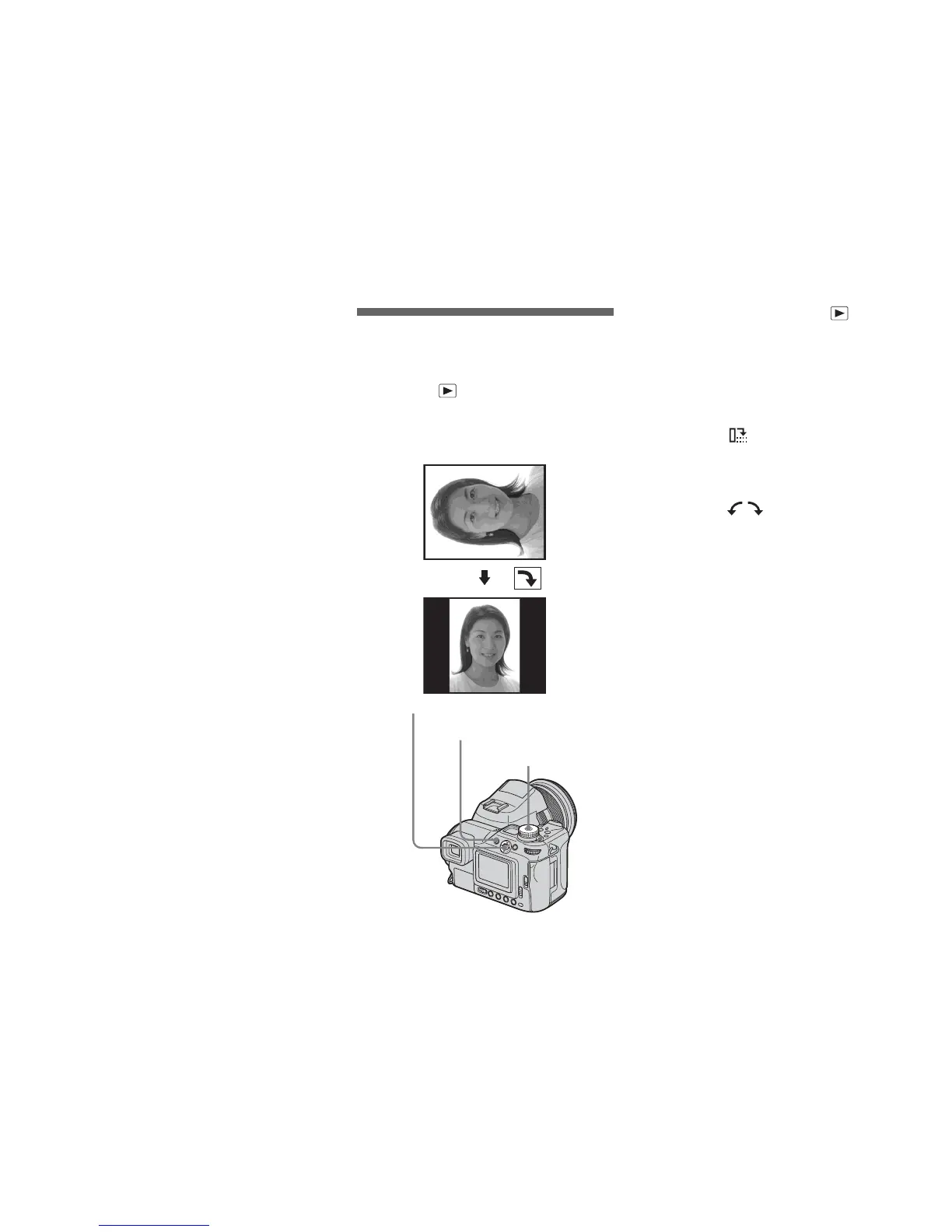
Rotating still images
– Rotate
Mode dial:
Images shot when holding the camera
vertically can be rotated and displayed
horizontally.
a Set the mode dial to , and
display the image you want to
rotate.
b Press MENU.
The menu appears.
c Select (Rotate) with b/B,
then press the center of the
multi-selector.
d Select with v , and rotate
the image with b/B.
e Select [OK] with v/V, then
press the center of the multi-
selector.
To cancel the rotation
In Step 4 or 5, select [Cancel].
• You cannot rotate protected images, movies,
Multi Burst mode, RAW data file and
uncompressed (TIFF) images.
• You may not be able to rotate images shot with
other cameras.
• When viewing images on a computer, the
image rotation information may not be
reflected depending on the application
software.
Mode dial
Multi-selector (v/V/b/B)
MENU



 To Next Page
 Loading...








