5-9
DSR-2000A/2000AP
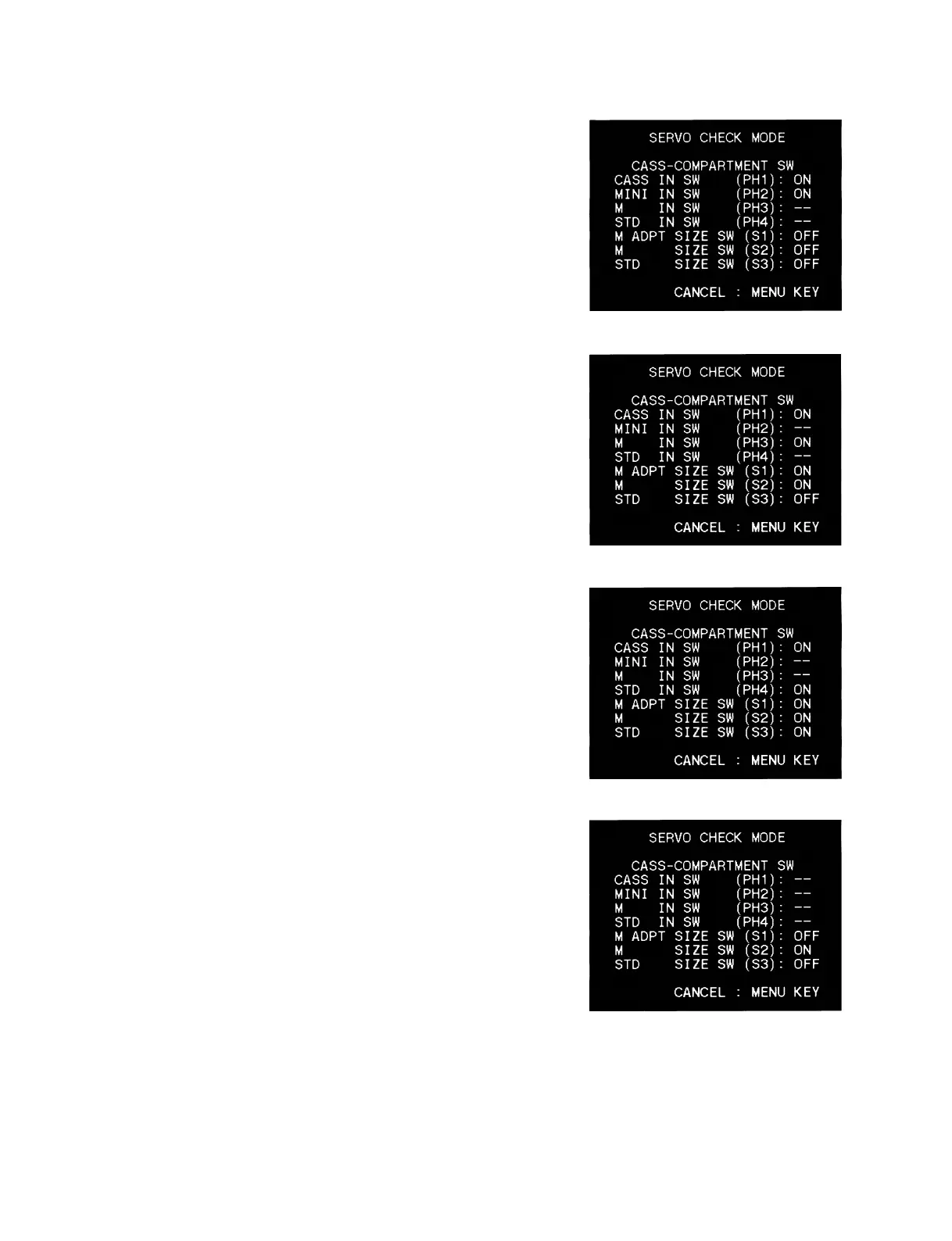
3. Insert the mini-cassette and confirm that the status of the
sensor is the monitor display shown right.
4. Insert the M-cassette and confirm that the status of the sensor
is the monitor display shown right.
5. Insert the standard cassette and confirm that the status of the
sensor is the monitor display shown right.
6. Insert the M-ADPT (Cassette adaptor for DVCPRO) and
confirm that the status of the sensor is the monitor display
shown right.
* _ _ : not care











 To Next Page