4-22
DSR-80/80P/60/60P
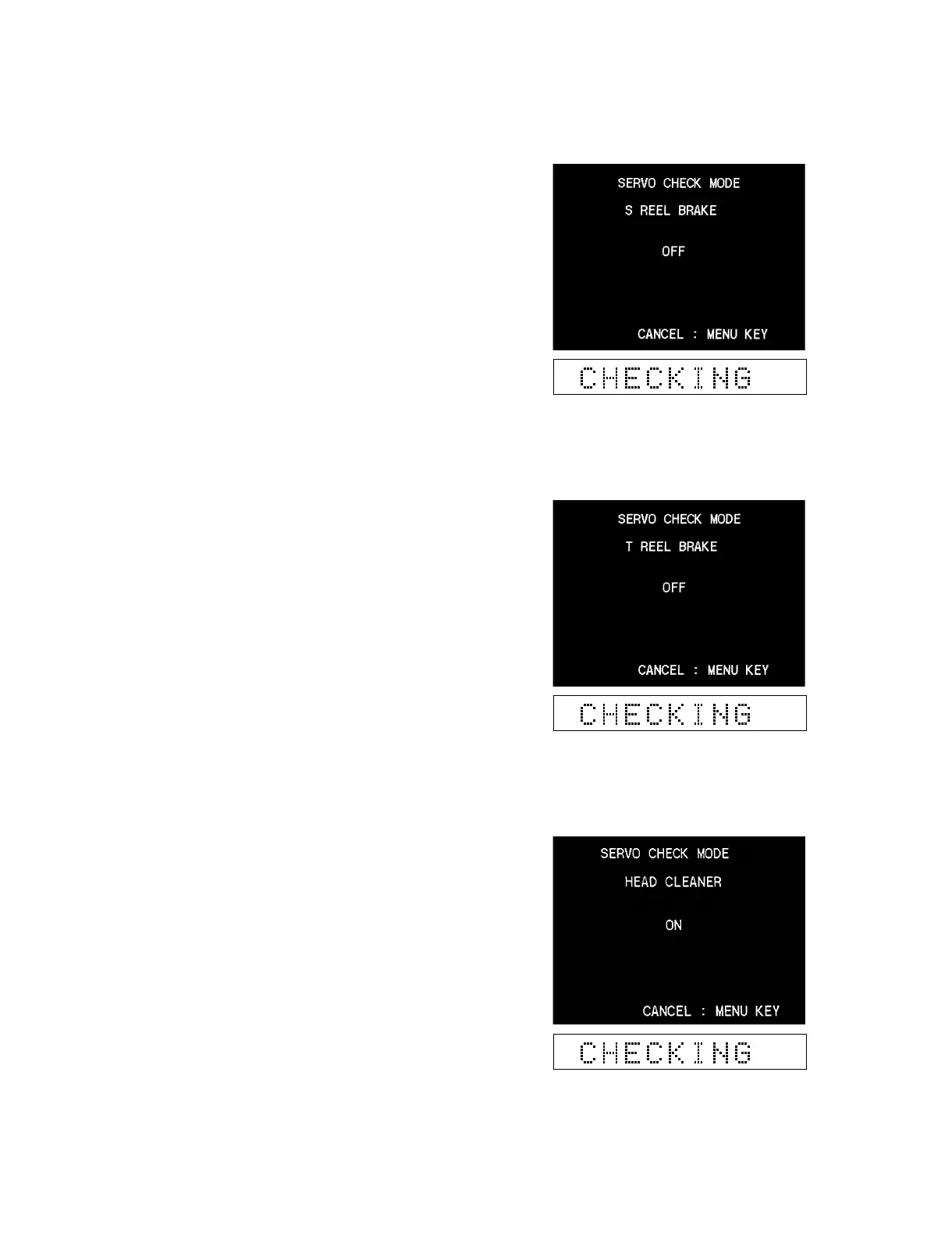
(2) S-REEL BRAKE
Checks the S-reel brake solenoid.
1. Pressing the [SET] ([YES]) key activates the S-reel brake
solenoid.
2. Pressing the [MENU] key releases the S-reel brake solenoid.
The monitor display returns to the main menu.
In case of trouble :
If the S-brake solenoid cannot be heard to operate, check the S reel
brake solenoid and its driver circuit (SV-184 board, RM-159
board).
(3) T-REEL BRAKE
Checks the T-reel brake solenoid.
1. Pressing the [SET] ([YES]) key activates the T-reel brake
solenoid.
2. Pressing the [MENU] key releases the T-reel brake solenoid.
The monitor display returns to the main menu.
In case of trouble :
If the T-brake solenoid cannot be heard to operate or the monitor
display does not change, check the T reel brake solenoid and its
driver circuit (SV-184 board, RM-160 board).
(4) HEAD CLEANER
Checks the head cleaner solenoid.
1. Pressing the [SET] ([YES]) key activates the head cleaner.
2. Pressing the [MENU] key releases the head cleaner. The
monitor display returns to the main menu.
In case of trouble :
If the head cleaner solenoid cannot be heard to operate, check the
head cleaner solenoid and its driver circuit (SV-184 board).


 To Next Page