4-23
DSR-80/80P/60/60P
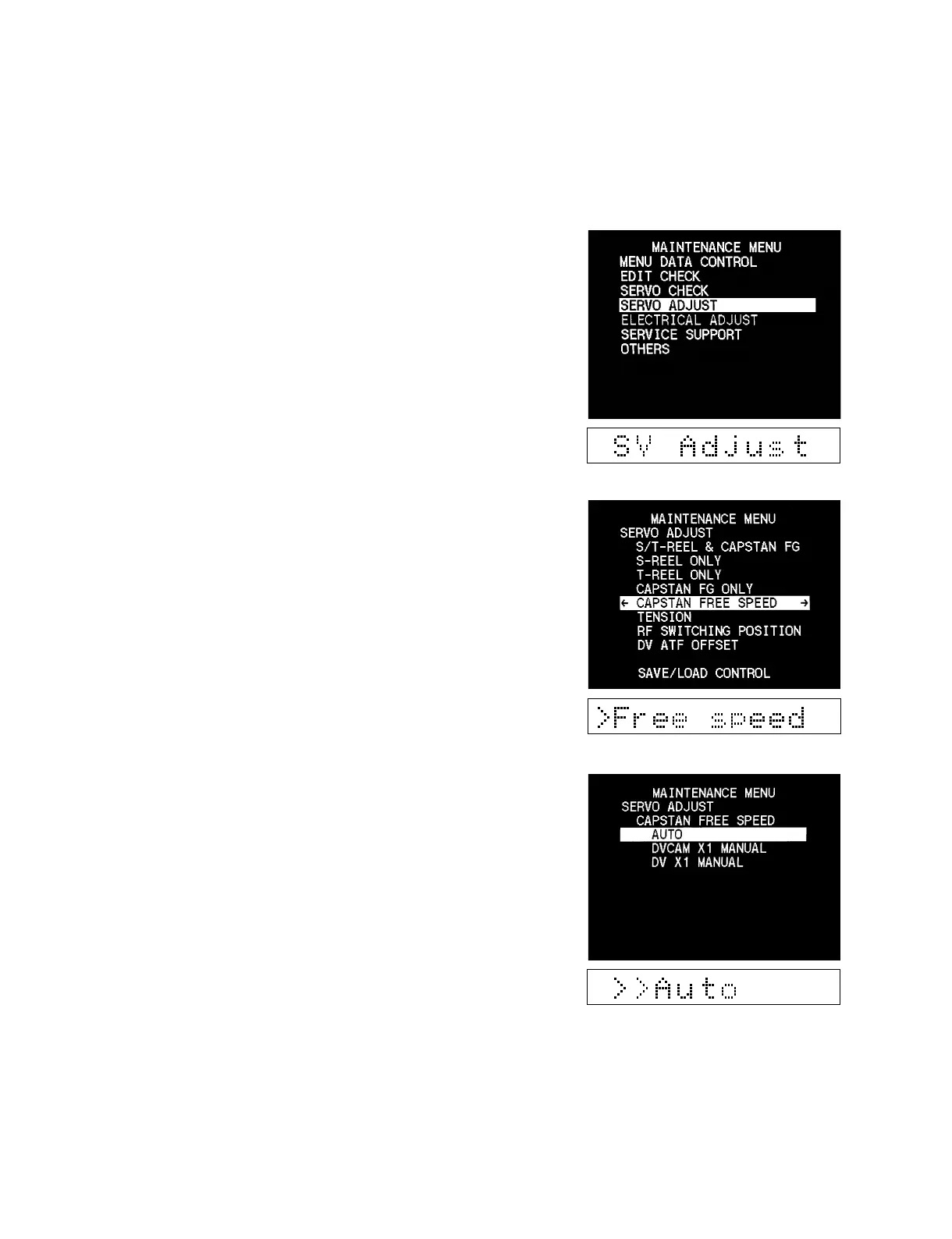
4-5. SERVO ADJUST
Checks the servo system automatically or semi-automatically.
Operating procedure
1. Enter the maintenance menu.
2. Move the cursor to “SERVO ADJUST “ which is displayed
with a white background using the [(], [)] keys.
3. Press the [*] key.
“SERVO ADJUST “ is selected and its lower layer submenu
appears.
4. Move the cursor displayed with a white background to a
desired item using the [(], [)] keys.
5. Press the [*] key.
The lower layer submenu appears.



 To Next Page