Playing Discs
This chapter describes how to play a
DVD/CD/VIDEO CD.
16
Playing Discs
Depending on the DVD or VIDEO CD, some
operations may be different or restricted. Refer to the
instructions supplied with your disc.
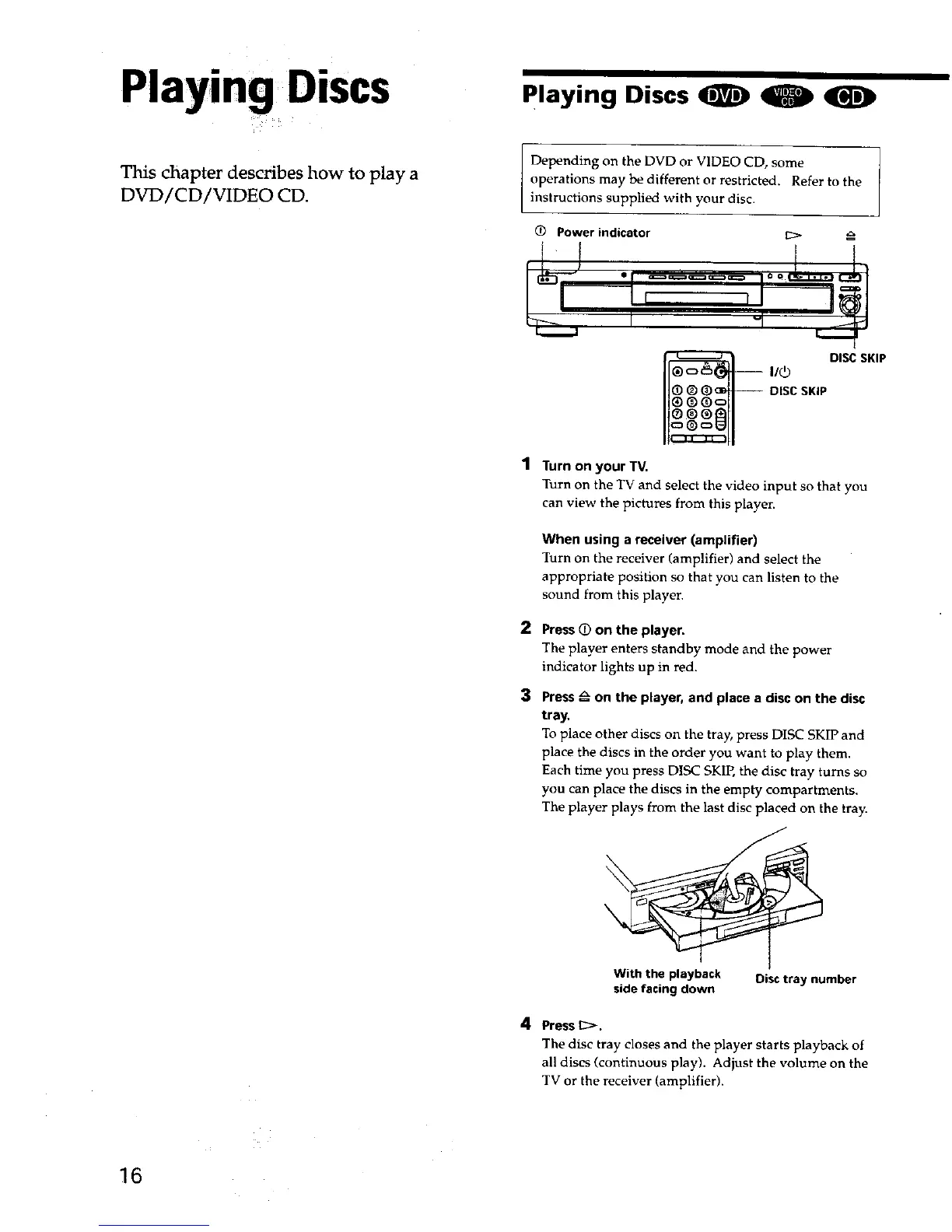
Power indicator
11_ DISCSKIP
DISCSKIP
"1 Turn on your TV.
Turn on the TV and select the video input so that you
can view the pictures from this player.
2
3
When using a receiver (amplifier)
Turn on the receiver (amplifier) and select the
appropriate position so that you can listen to the
sound from this playen
Press_ on the player.
The player enters standby mode and the power
indicator lights up in red.
Press_ on the player, and place a disc on the disc
tray,
To place other discs on the tray, press DISC SKIP and
place the discs in the order you want to play them.
Each time you press DISC SKIP, the disc tray turns so
you can place the discs in the empty compartments.
The player plays from the last disc placed on the tray.
With the playback Disctray number
sidefacing down
4 Press _>.
The disc tray closes and the player starts playback of
all discs (continuous play). Adjust the volume on the
TV or the receiver (amplifier).











 To Next Page