Playing in Random Order (Shuffle Play)
You can have the player "shuffle" discs, titles, chapters or
tracks and play them in a random order. Subsequent
"shuffling" may produce a different playing order. By
selecting "1/ALL DISCS," you can have the player shuffle
one disc or all of the discs in the player
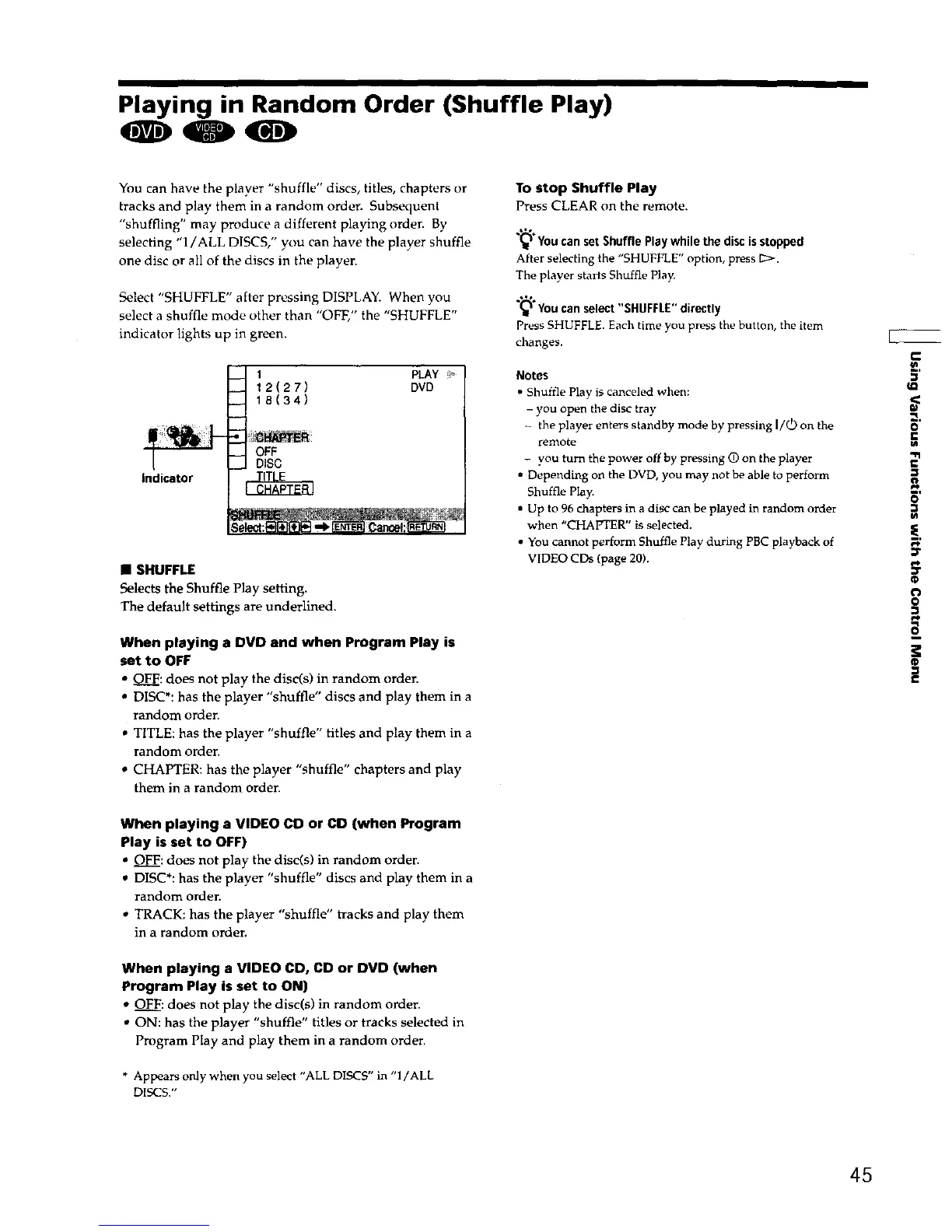
Select "SHUFFLE" after pressing DISPLAY. When you
select a shuffle mode other than "OFF," the "SHUFFLE"
indicator lights up in green.
Indicator
1
_ 12(27)
_ 18(34)
-M OFF
.._..! DiSC
PLAY
DVD
• SHUFFLE
Selects the Shuffle Play setting.
The default settings are underlined.
When playing a DVD and when Program Play is
set to OFF
• OFF: does not play the disc(s) in random order.
* DISC*: has the player "shuffle" discs and play them in a
random order
• TITLE: has the player "shuffle" titles and play them in a
random order.
• CHAPTER: has the player "shuffle" chapters and play
them in a random order
When playing a VIDEO CD or CD (when Program
Play is set to OFF)
• OFF: does not play the disc(s) in random order.
DISC*: has the player "shuffle" discs and play them in a
random order.
• TRACK: has the player "shuffle" tracks and play them
in a random order.
When playing a VIDEO CD, CD or DVD (when
Program Play is set to ON)
• OFF: does not play the disc(s) in random order.
• ON: has the player "shuffle" titles or tracks selected in
Program Play and play them in a random order.
* Appears onlywhen you select "ALL DISCS" in "1/ALL
DISCS."
To stop Shuffle Play
Press CLEAR on the remote.
(_ Youcanset ShufflePlaywhilethediscisstopped
After selecting the "SHUFFLE" option, press [_>.
The player starts Shuffle Play.
.-'%
(_ Youcanselect"SHUFFLE"directly
Press SHUFFLE. Each time you press the button, the item
changes.
Notes
• Shuffle Plav is canceled when:
- you open the disc tray
the player enters standby mode by pressing I/_) on the
remote
- you turn the power off by pressing G) on the player
• Depending on the DVD, you may not be able to perform
Shuffle Play.
• Up to 96 chapters in a disc can be played in random order
when "CHAPTER" is selected.
• You cannot perform Shuffle Play during PBC playback of
VIDEO CDs Ipege 20),
.=
o
vl
"fl
€
5'
t_
pi,
:r
o
®
45











 To Next Page