Playing Repeatedly (Repeat Play) 0 0
=.
You can play all discs, or all of the titles or tracks on a
disc, or a single title, chapter or track repeatedly.
In Shuffle or Program Play mode, the player repeats the
titles or tracks in the shuffled or programmed order. By
selecting "1/ALL DISCS," you can have the player repeat
one disc or all of the discs in the player.
You cannot perform Repeat Play during PBC playback of
VIDEO CDs (page 20).
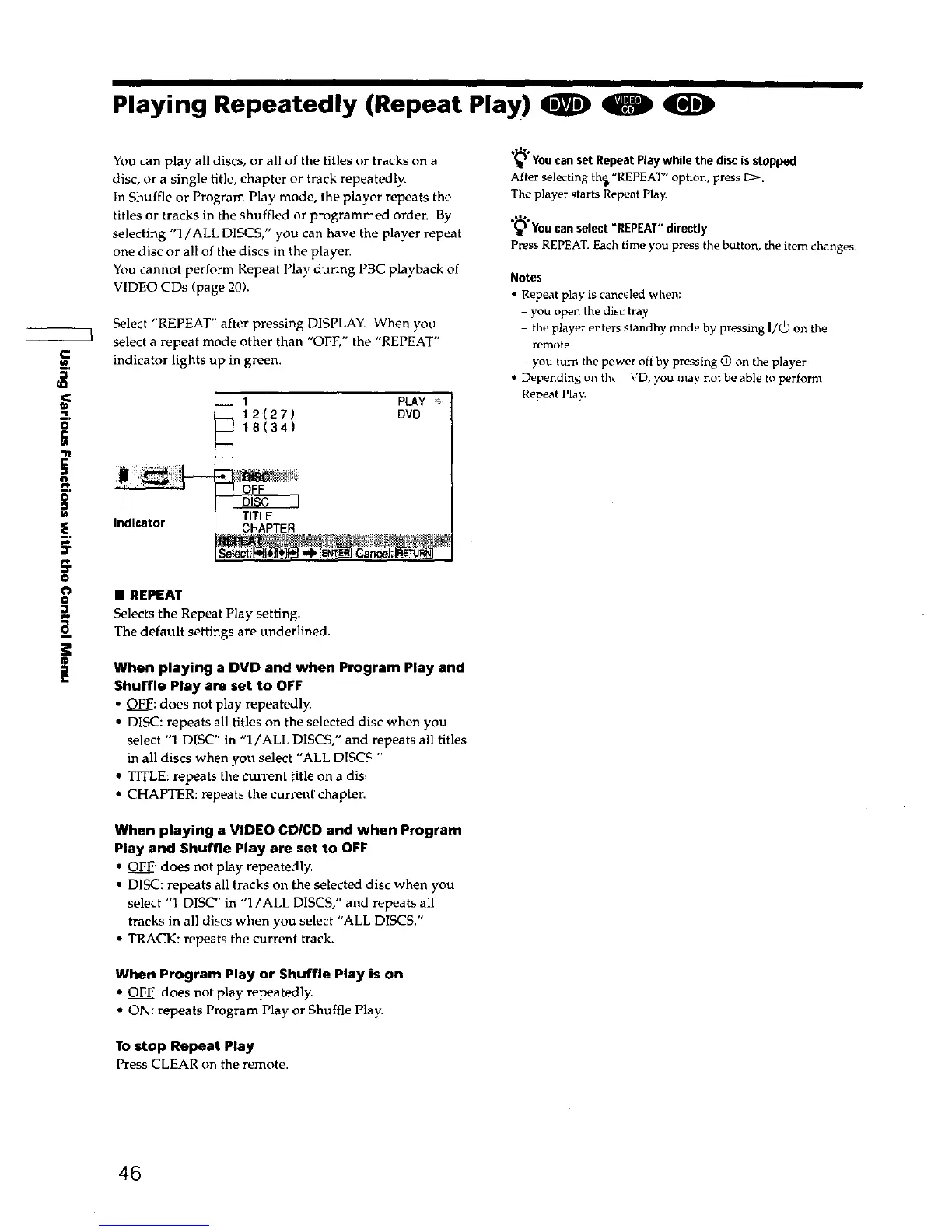
Select "REPEAT" after pressing DISPLAY. When you
select a repeat mode other than "OFE" the "REPEAT"
indicator lights up in green.
Indicator
-d 1 PLAY _:
12(27) DVD
18(34)
---.-4
TITLE
CHAPTER
• REPEAT
Selects the Repeat Play setting.
The default settings are underlined.
When playing a DVD and when Program Play and
Shuffle Play are set to OFF
• OFF: does not play repeatedly.
• DISC: repeats all titles on the selected disc when you
select "1 DISC" in "l/ALL DISCS," and repeats all titles
in all discs when you select "ALL DISCS "
• TITLE: repeats the current title on a dis_
• CHAPTER: repeats the curren_ chapter.
When playing a VIDEO CDICD and when Program
Play and Shuffle Play are set to OFF
• OFE: does not play repeatedly.
• DISC: repeats all tracks on the selected disc when you
select "1 DISC" in "1/ALL DISCS," and repeats all
tracks in all discs when you select "ALL DISCS."
• TRACK: repeats the current track.
When Program Play or Shuffle Play is on
• OFF: does not play repeatedly.
• ON: repeats Program Play or Shuffle Play.
To stop Repeat Play
Press CLEAR on the remote.
YoucansetRepeatPlaywhilethe discisstopped
After selecting th_,"REPEAT" option, press I2:_.
The player starts Repeat Play.
,'*% i_ . -
Youcan_.el_t REPEATdv_tly
Press REPEAT.Each time you press the button, the item changes.
Notes
• Repeat play is canceled when:
- you open the disc tray
- the player enters standby mode by pressing I/_) on the
remote
- you turn the power off by pressing (D on the player
• Depending on th_ VD, you may not be able to perform
Repeat Play.
46











 To Next Page