Selecting a Starting Point Using the Time
Code
Labeling the Disc
[]qD) o
=R
o
€
tn
£
:r
€
o
o
i_
£
3 Input the time code using the number buttons,
then press ENTER.
The player startsplayback at the selected time code.
To cancel the number, press CLEAR before pressing
ENTER,
To cancel while making a selection
Press o_RETURN.
Note
W len you nput the time code, input the playing time of the title,
not the chapter or track time.
You can label discs so that the label appears on your TV
screen and the front panel display when you play the disc.
If the disc already has DVD TEXT or CD TEXT recorded
on it, then this information will appear instead.
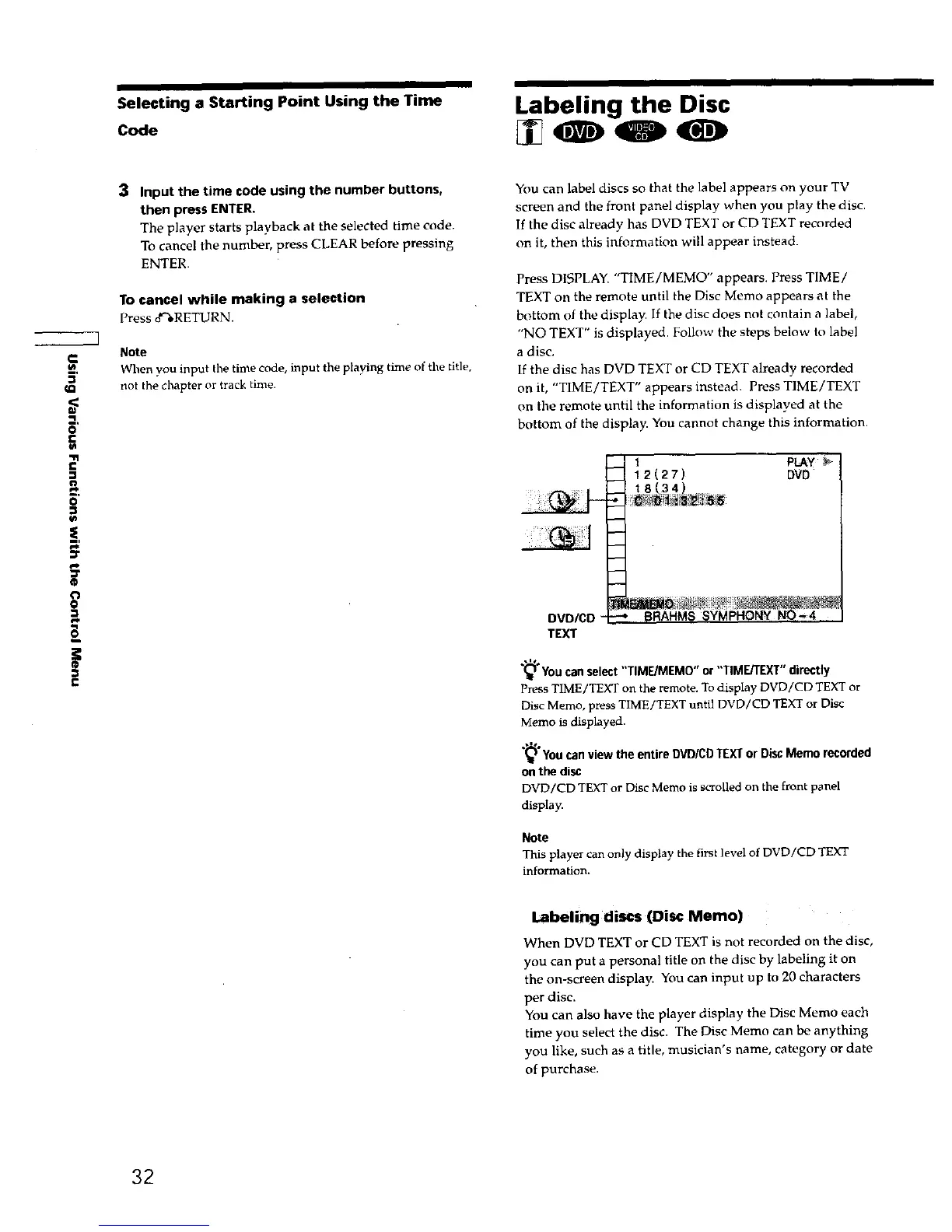
Press DISPLAY. "TIME/MEMO" appears. Press TIME/
TEXT on the remote until the Disc Memo appears at the
bottom of the display. If the disc does not contain a label,
"NO TEXT" is displayed. Follow the steps below to label
a disc.
If the disc has DVD TEXT or CD TEXT already recorded
on it, "TIME/TEXT" appears instead. Press TIME/TEXT
on the remote until the information is displayed at the
bottom of the display. You cannot change this information.
1 PLAY
12(27) DVD
DVD/CD "
TEXT
You can select "TIME/MEM0" or "TIME/TEXT" directly
Press TIME/TEXT on the remote. To display DVD/CD TEXT or
Disc Memo, press TIME/TEXT until DVD/CD TEXT or Disc
Memo is displayed.
"_'_ d
You can view the entire DVD/CD TEXT or Disc Memo recorde
on the disc
DVD/CD TEXT or Disc Memo is scrolled on the front p_nel
display.
Note
This player can only display the first level of DVD/CD TEXT
informatinn_
Labeling discs (Disc Memo)
When DVD TEXT or CD TEXT is not recorded on the disc,
you can put a personal title on the disc by labeling it on
the on-screen display. You can input up to 20 characters
per disc.
You can also have the player display the Disc Memo each
time you select the disc. The Disc Memo can be anything
you like, such as a title, musician's name, category or date
ofpurchase.
32











 To Next Page