o
t:
P
2,
It
o
P
Searching for a Discrritle/Chapterrrrack/Index/Scene
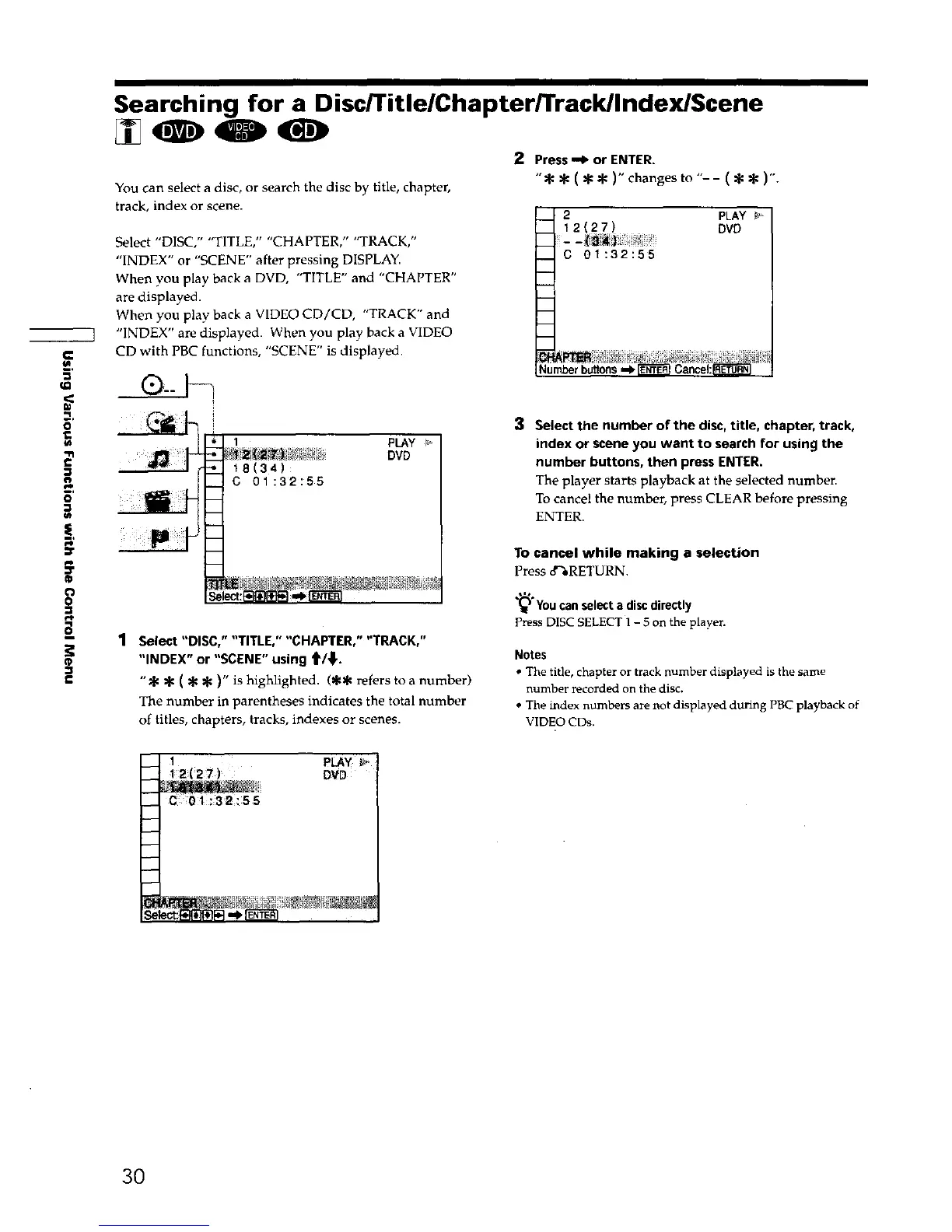
2 Press,_ or ENTER.
" =_ @ ( qa* )" changes to "- - ( @ * )'.
You can select a disc, or search the disc by title, chapter,
track, index or scene.
Select "DISC," "TITLE," "CHAPTER," "TRACK,"
"INDEX" or "SCENE" after pressing DISPLAY.
When you play back a DVD, "TITLE" and "CHAPTER"
are displayed.
When you play back a VIDEO CD/CD, "TRACK" and
"INDEX" are displayed. When you play back a VIDEO
CD with PBC functions, "SCENE" is displayed.
C 01:32:55
PLAY
DVD
Numberbuttons
i
Se
1 pLAy
_/_ i_i_ DVD
18(34)
C 01:32:55
1 Select "DISC," "TITLE," "CHAPTER," "TRACK,"
"INDEX" or "SCENE" using t_/_,.
"* * ( * ='1=)" is highlighted. (** refers to a number)
The number in parentheses indicates the total number
of titles, chapters, tracks, indexes or scenes.
3
Select the number of the disc, title, chapter, track,
index or scene you want to search for using the
number buttons, then press ENTER.
The player starts playback at the selected number.
To cancel the number, press CLEAR before pressing
ENTER.
To cancel while making a selection
Press 8%RETURN.
,=*
"_"Youcan select a disc directly
press DISC SELECT 1- 5 on the player.
Notes
• The title, chapter or track number displayed is the same
number recorded on the disc.
• The index numbers are not displayed during PBC playback of
VIDEO CDs,
1
-- 12(2_)
__ C 01:32:55
PLAY
DVD
30











 To Next Page