Checking the Play Information O
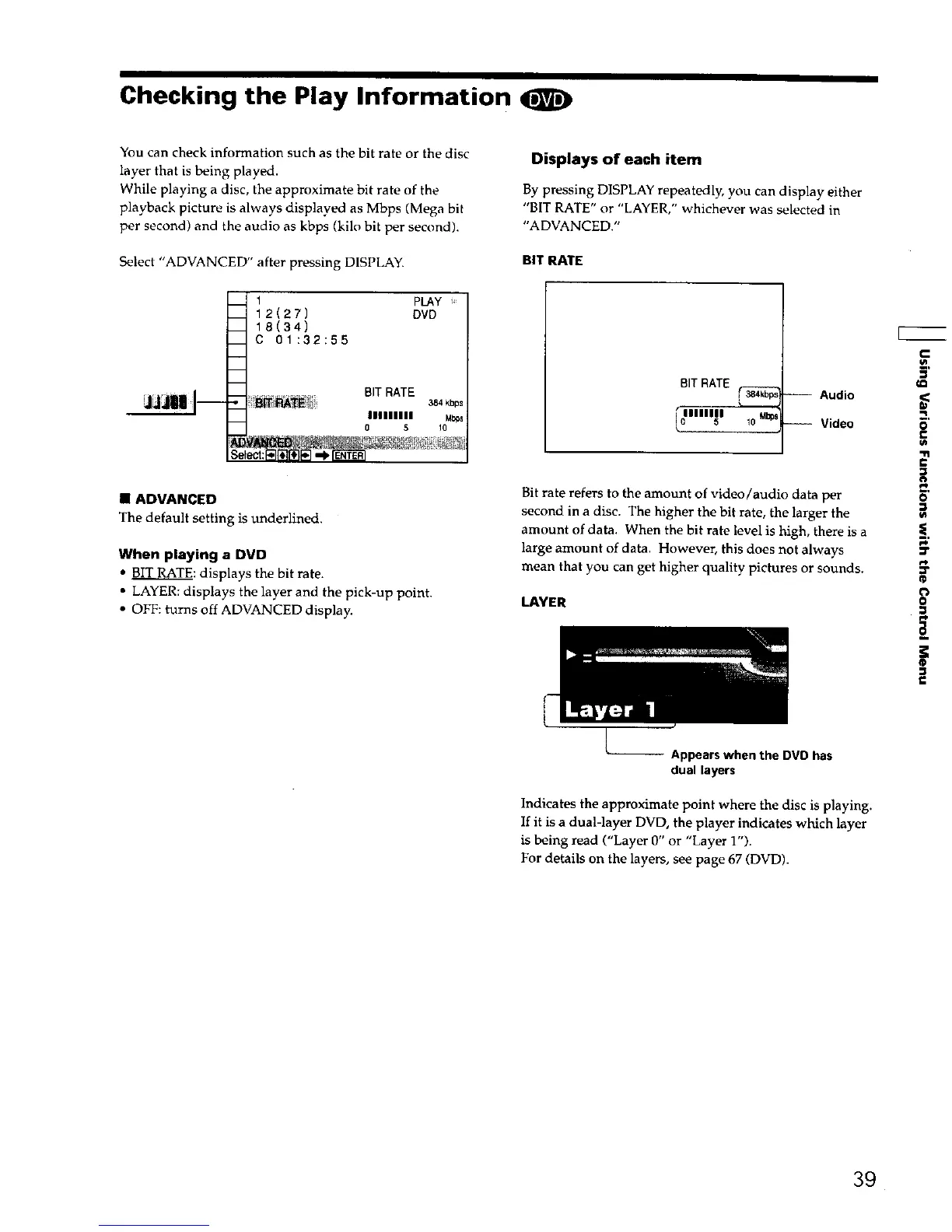
You can check information such as the bit rate or the disc
layer that is being played.
While playing a disc, the approximate hit rate of the
playback picture is always displayed as Mbps (Mega bit
per second) and the audio as kbps (kilo bit per second).
Select "ADVANCED" after pressing DISPLAY.
m
m
Se
1 PLAY
12(27) DVD
18(34)
C 01:32:55
BIT RATE
384kbps
IIIIIIIII Mb_s
0 5 10
• ADVANCED
The default setting is underlined.
When playing a DVD
• BIT RATE: displays the bit rate.
• LAYER: displays the layer and the pick-up point.
• OFF: turns off ADVANCED display.
Displays of each item
By pressing DISPLAY repeatedly, you can display either
"BIT R .......
ATE or LAYER, wh chever was selected m
"ADVANCED."
BIT RATE
BITRATE
-- Audio
'" __ Video
%
Bit rate refers to the amount of video/audio data per
second in a disc. The higher the bit rate, the larger the
amount of data. When the bit rate level is high, there is a
large amount of data. However, this does not always
mean that you can get higher quality pictures or sounds.
LAYER
€
,<
o
€
€
o
p_
=r
_p
o
il
®
P
Appears when the DVD has
dual layers
Indicates the approximate point where the disc is playing.
If it is a dual-layer DVD, the player indicates which layer
is being read ("Layer 0" or "Layer 1").
For details on the layers, see page 67 (DVD).
39











 To Next Page