Changing the Sound O
=o'
t_
=;
@
o
=.
e
€
If the DVD is recorded with multilingual tracks, you can
select the language you want while playing the DVD.
If the DVD is recorded in multiple audio formats (PCM,
Dolby Digital or DTS), you can select the audio format
you want while playing the DVD.
With multiplex CDs or VIDEO CDs, you can select the
sound from the right or left channel and listen to the
sound of the selected channel through both the right and
left speakers. In this case, the sound loses its stereo effect.
For example, with a disc containing a song, the right
channel may output the vocals and the left channel may
output the instrumental. If you only want to hear the
instrumental, you can select the left channel and hear it
from both speakers.
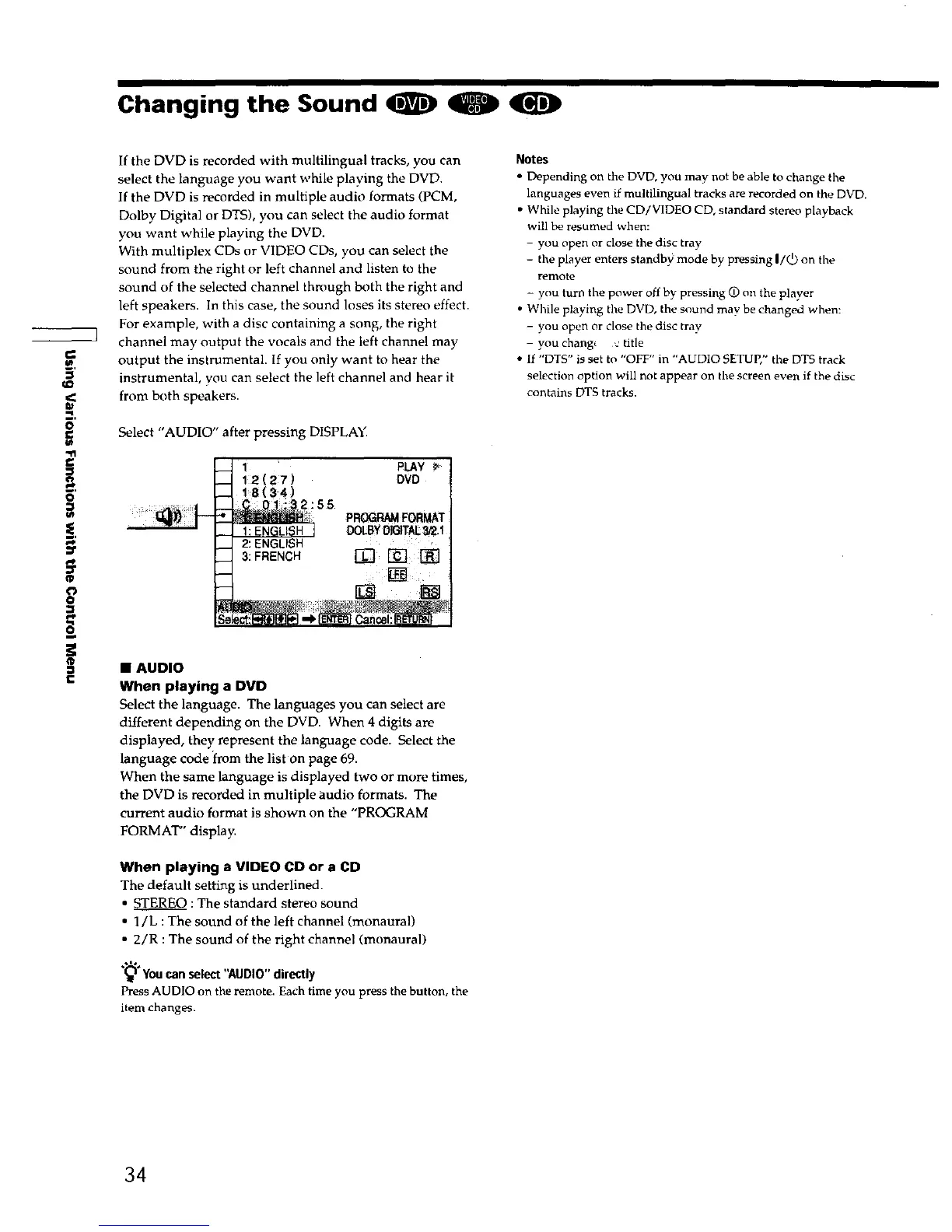
Select "AUDIO" after pressing DISPLAY.
PLAY P
DVD
PR_ FORMAT
• AUDIO
When playing a DVD
Select the language. The languages you can select are
different depending on the DVD. When 4 digits are
displayed, they represent the language code. Select the
language code from the list on page 69.
When the same language is displayed two or more times,
the DVD is recorded in multiple audio formats. The
current audio format is shown on the "PROGRAM
FORMAT" display.
When playing a VIDEO CD or a CD
The default setting is underlined.
• STEREO :The standard stereo sound
• 1/L : The sound of the left channel (monaural)
• 2/R :The sound of the right channel (monaural)
.,1..
You can select "AUDIO" directly
Press AUDIO on the remote. Each time you press the button, the
item changes.
Notes
• Depending on the DVD, you may not be able to change the
languages even if multilingual tracks are recorded on the DVD.
• While playing the CD/VIDEO CD, standard stereo playback
will be resumed when:
- you open or close the disc tray
- the player enters standby mode by pressing I/(_) on the
remote
- you turn the power off by pressing O on the player
• While playing the DVD, the sound may be changed when:
- you open or close the disc tray
- you chang_ v title
• If "DTS" is set to "OFF" in "AUD10 SETUP," the DTS track
selection option will not appear on the screen even if the disc
contains DTS tracks.
34











 To Next Page