Digital Cinema Sound
Settings
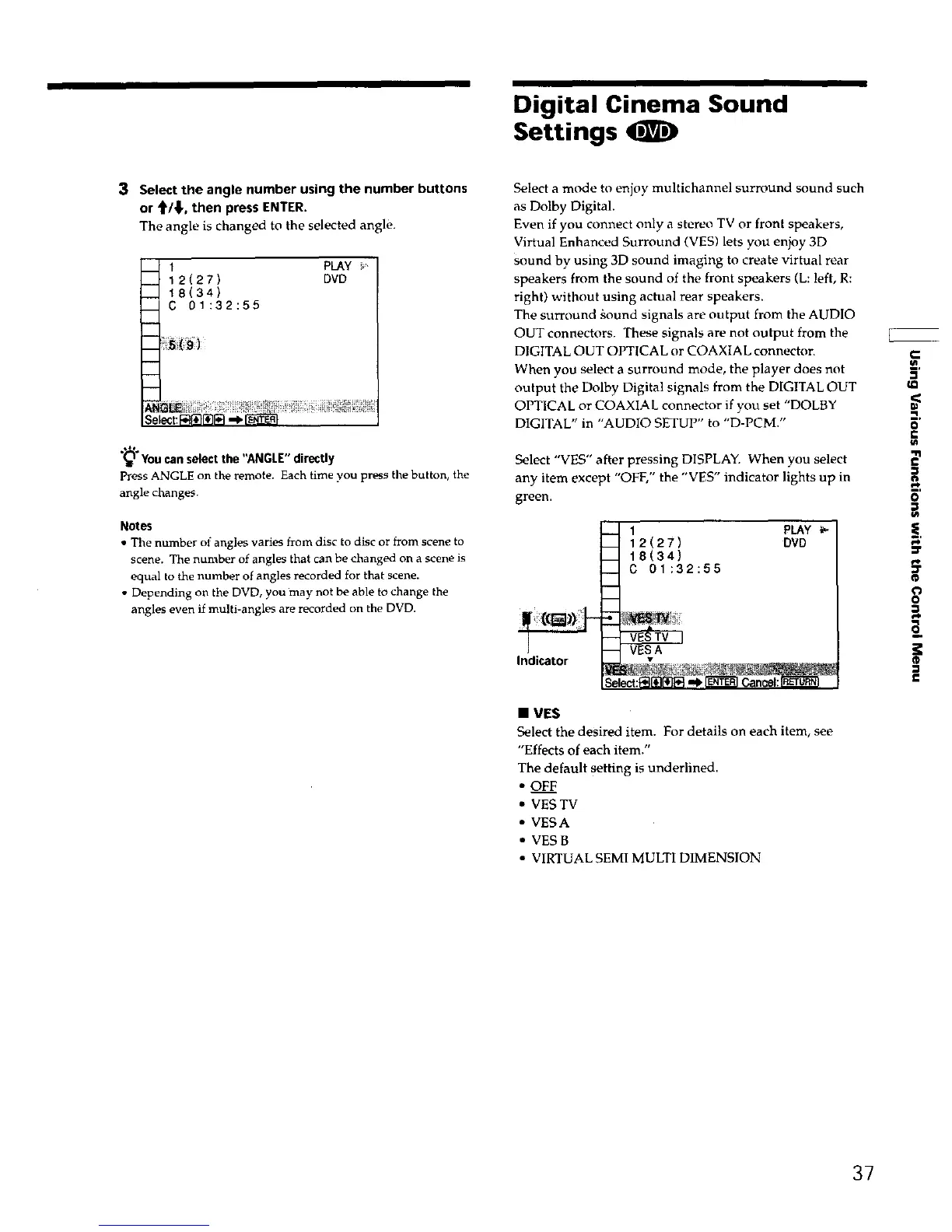
3 Select the angle number using the number buttons
or _'/_1,, then press ENTER.
The angle is changed to the selected angle.
1 PLAY
12(27) DVD
18(34)
C 01:32:55
_You can select the "ANGLE" directly
Press ANGLE on the remote. Each time you press the button, the
angle change.
Notes
• The number of angles varies from disc to disc or from scene to
scene. The number of angles that can be changed on a scene is
equal to the number of angles recorded for that scene.
• Depending on the DVD, you may not be able to change the
angles even if multi-angles are recorded on the DVD.
Select a mode to enjoy multichannel surround sound such
as Dolby Digital.
Even if you connect only a stereo TV or front speakers,
Virtual Enhanced Surround (VES) lets you enjoy 3D
sound by using 3D sound imaging to create virtual rear
speakers from the sound of the front speakers (L: left, R:
right) without using actual rear speakers.
The surround gound signals are output from the AUDIO
OUT connectors. These signals are not output from the
DIGITAL OUT OPTICAL or COAXIAL connector.
When you select a surround mode, the player does not
output the Dolby Digital signals from the DIGITAL OUT
OPTICAL or COAXIAL connector if you set "DOLBY
DIGITAL" in "AUDIO SETUP" to "D-PCM."
Select "VES" after pressing DISPLAY. When you select
any item except "OFF," the "VES" indicator lights up in
green.
1 PLAY
12(27) DVD
18(34)
C 01:32:55
Indicator •
E__
f-
o
"11
€
S'
o
i
3
• VES
Select the desired item. For details on each item, see
"Effects of each item."
The default setting is underlined.
• OF._.._F
• VES TV
• VESA
• VES B
• VIRTUAL SEMI MULTI DIMENSION
37











 To Next Page