Using the Front Panel Display [] <IEJ) 0
m
m,
E'
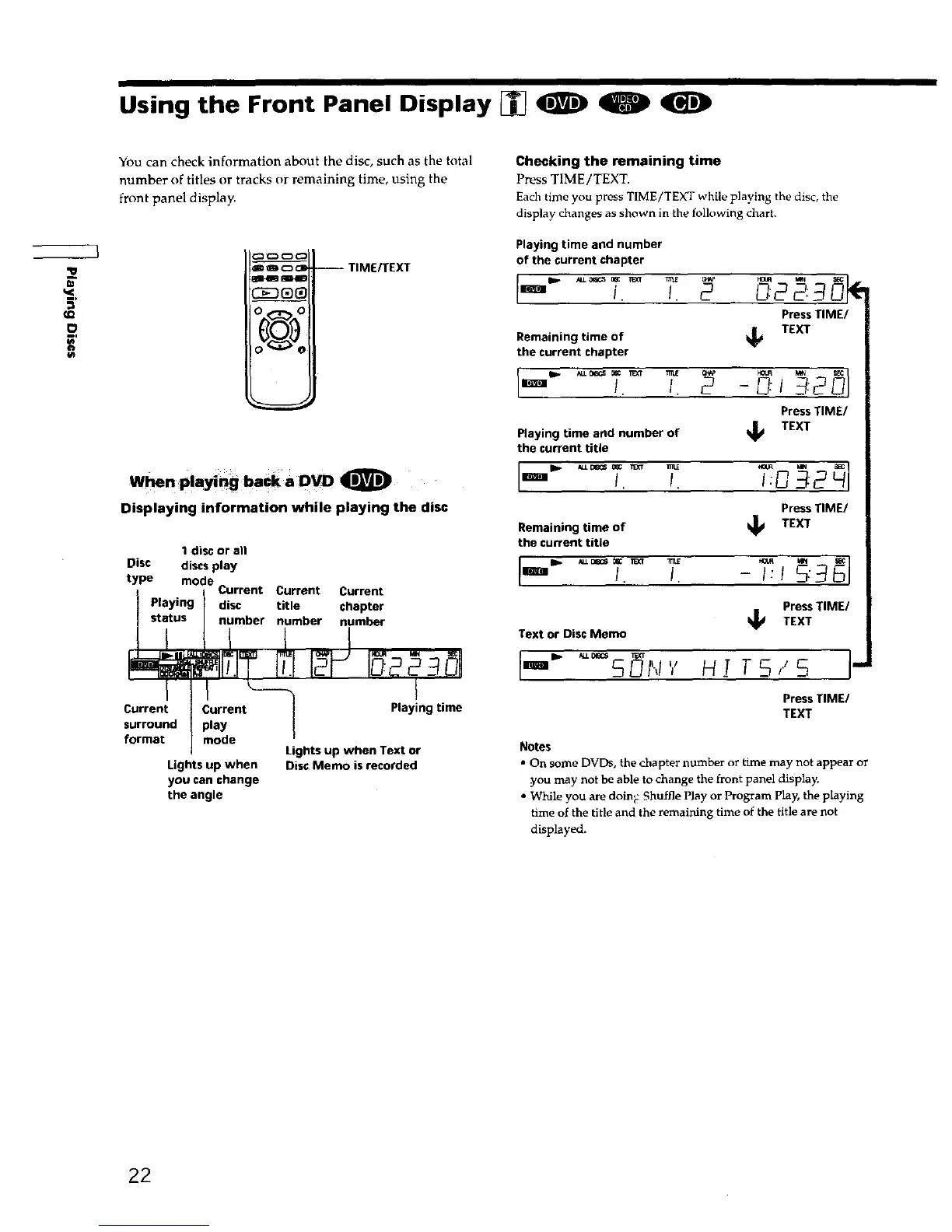
You can check information about the disc, such as the total
number of titles or tracks or remaining time, using the
front panel display.
al-lm mlllB
!O ,,,._- O
--TIME_EXT
When Playing back a DVD 0
Displaying information while playing the disc
I disc or all
Disc discs play
type mode
Current Current Current
Playing disc title chapter
' stitus I nimber number number
FI Io
Current Current _----_] P ying i
surround _ play
/
format
/
mode
] Lights up when Text or
Lights up when Disc Memo is recorded
you can change
the angle
Checking the remaining time
Press TIME/TEXT.
Each time you press TIME/TEXT while playing the disc, the
display changes as shown in the following chart.
Playing time and number
of the current chapter
i. /. D22:
Press TIME/
Remaining time of
the current chapter
k_ TEXT
Press TIME/
Playing time and number of
TEXT
the current title
I. !. I:_
Press TIME/
Remaining time of
TEXT
the current title
'_ !. I. -I:1 :
PressTIME/
_ TEXT
Text or Disc Memo
•m SUN'/ HI TS,.'S
Press TIME/
TEXT
Notes
• On some DVDs, the chapter mlmber or time may not appear or
you may not be able to change the front panel display.
• While you are doing: Shuffle Play or Program play, the playing
time of the title and the remaining time of the title are not
displayed.
22











 To Next Page