Custom Settings (CUSTOM SETUP) O O
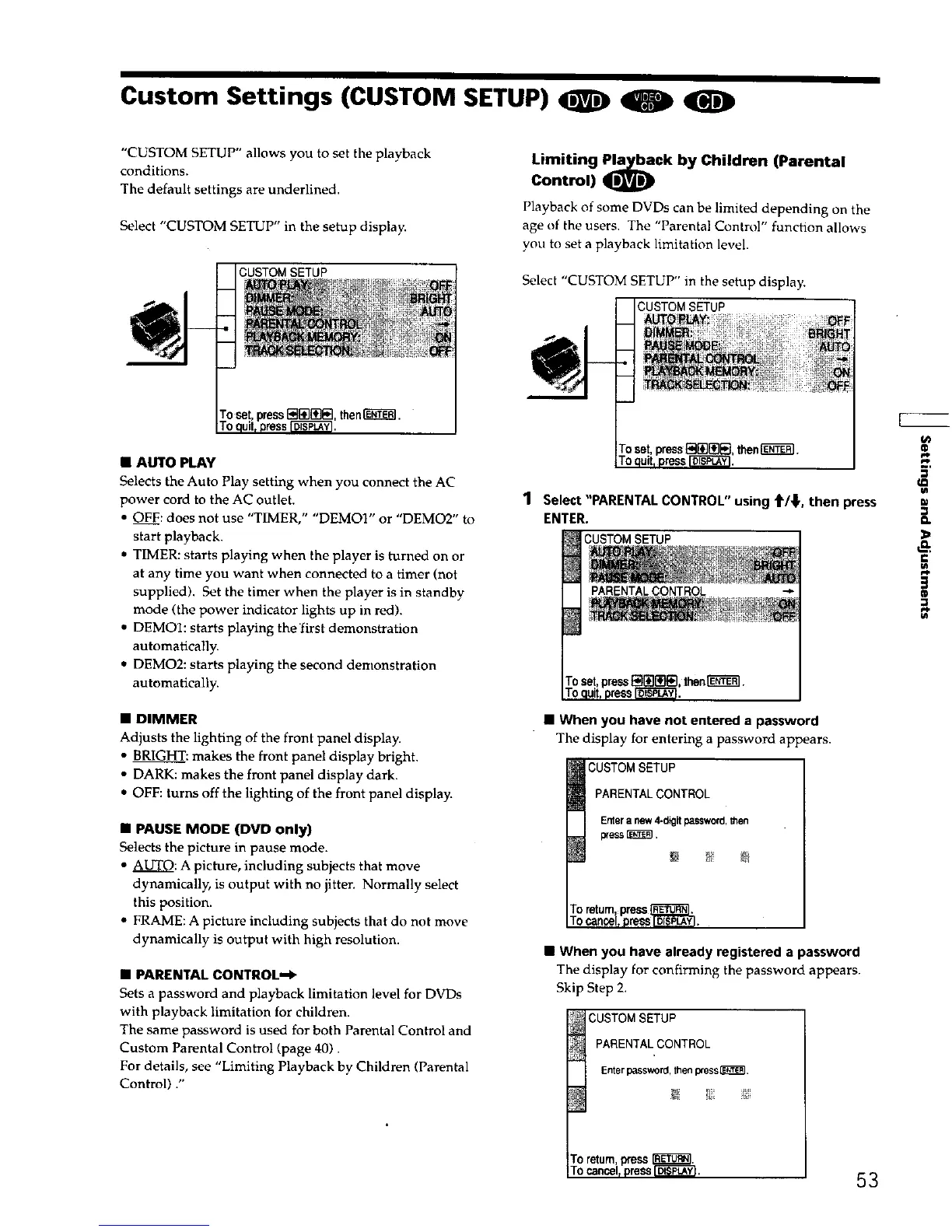
"CUSTOM SETUP" allows you to set the playback
conditions.
The default settings are underlined.
Select "CUSTOM SETUP" in the setup display.
CUSTOM SETUP
• AUTO PLAY
Selects the Auto Play setting when you connect the AC
power cord to the AC outlet.
• OFF: does not use "TIMER," "DEMOI" or "DEMO2" to
start playback.
• TIMER: starts playing when the player is turned on or
at any time you want when connected to a timer (not
supplied). Set the timer when the player is in standby
mode (the power indicator lights up in red).
• DEMOI: starts playing thefirst demonstration
automatically.
• DEMO2: starts playing the second demonstration
automatically.
• DIMMER
Adjusts the lighting of the front panel display.
• BRIGHT: makes the front panel display bright.
• DARK: makes the front panel display dark.
• OFF: turns off the lighting of the front panel display.
• PAUSE MODE (DVD only)
Selects the picture in pause mode.
• AUTO: A picture, including subjects that move
dynamically, is output with no jitten Normally select
this position.
• FRAME: A picture including subjects that do not move
dynamically is output with high resolution.
• PARENTAL CONTROL_
Sets a password and playback limitation level for DVDs
with playback limitation for children.
The same password is used for both Parental Control and
Custom Parental Control (page 40)
For details, see "Limiting Playback by Children (Parental
Control) ."
Limiting Pl_a¢k by Children (Parental
Control)
Playback of some DVDs can be limited depending on the
age of the users. The "Parental Control" function allows
you to set a playback limitation level.
Select "CUSTOM SETUP" in the setup display.
CUSTOMSETUP
1 Select"PARENTAL CONTROL" using t/_,then press
ENTER.
CUSTOMSETUP
• When you have not entered a password
The display for entering a password appears.
PARENTALCONTROL
Enteranew 4-digit password,Men
press_,
• When you have already registered a password
The display for confirming the password appears.
Skip Step 2.
CUSTOM SETUP
pARENTAL CONTROL
Enterpassword,thenpress_.
Em
(D
to
To return,Press
TOcancel,press[_;PLAY_, 5 3











 To Next Page