Custom Settings (CUSTOM SETUP)
®
_Q
®
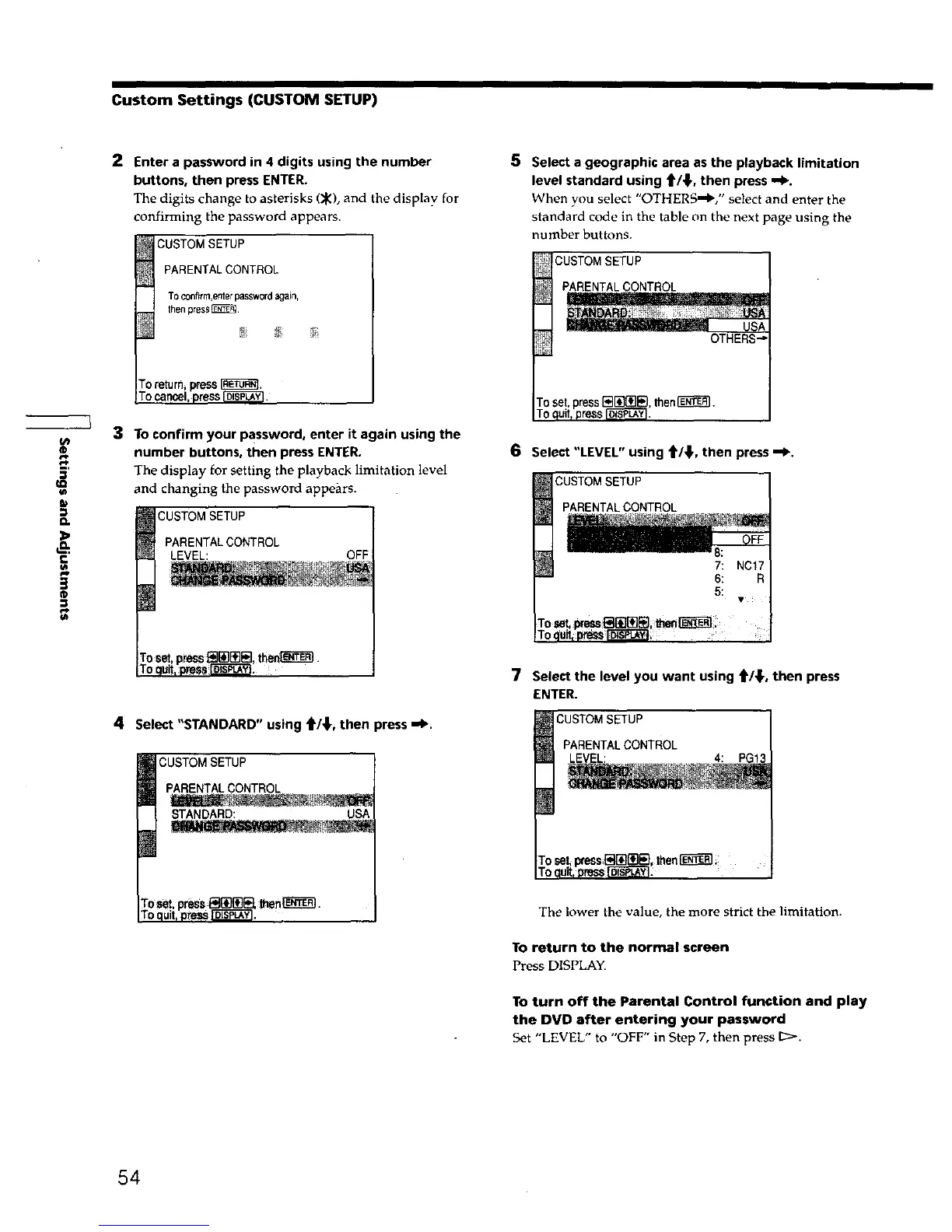
2 Enter a password in 4 digits using the number
buttons, then press ENTER.
The digits change to asterisks (_), and the display for
confirming the password appears.
CUSTOM SETUP
PARENTALCONTROL
Toconfirm,enterpasswordagain,
thenpreset.
3 To confirm your PaSsword, enter it again using the
number buttons, then press ENTER.
The display for setting the playback limitation level
and changing the password appears.
CUSTOM SETUP
PARENTAL CONTROL
LEVEL: OFF
4 Select "STANDARD" using tW,_, then press ,,=1_.
CUSTOM SETUP
PARENTAL CONTROL
STANDARD: USA
roset,press_ then_.
F0quit,pressIOI_pL_Y!.
5 Select a geographic area as the playback limitation
level standard using _'/_,, then press -.1_.
When you select "OTHERS"_'," select and enter the
standard code in the table on the next page using the
number buttons.
CUSTOMSETUP ]
PARENTALCONTROL
,then_.
6 Select"LEVEL" using t/_,then press--_.
CUSTOMSETUP
PARENTALCONTROL
7: NC17
To_ult,_ _,
7 Select thelevelyouwant using t/_,then press
ENTER.
CUSTOM SETUP
PARENTALCONTROL
LEVEL: 4: PG13
The lower the value, the more strict the limitation.
To return to the normal screen
Press DISPLAY.
To turn off the Parental Control function and play
the DVD after entering your password
Set "LEVEL" to "OFF" in Step 7, then press [_.
54











 To Next Page