Creating Your Own Program (Program Play)
6 Press _ to start Program Play.
To stop Program Play
Press CLEAR on the remote.
To cancel programming
Press PROGRAM on the remote.
t*'%
(_ Youcan select discs,titles, chapters and tracks for the
program by looking at the front panel display
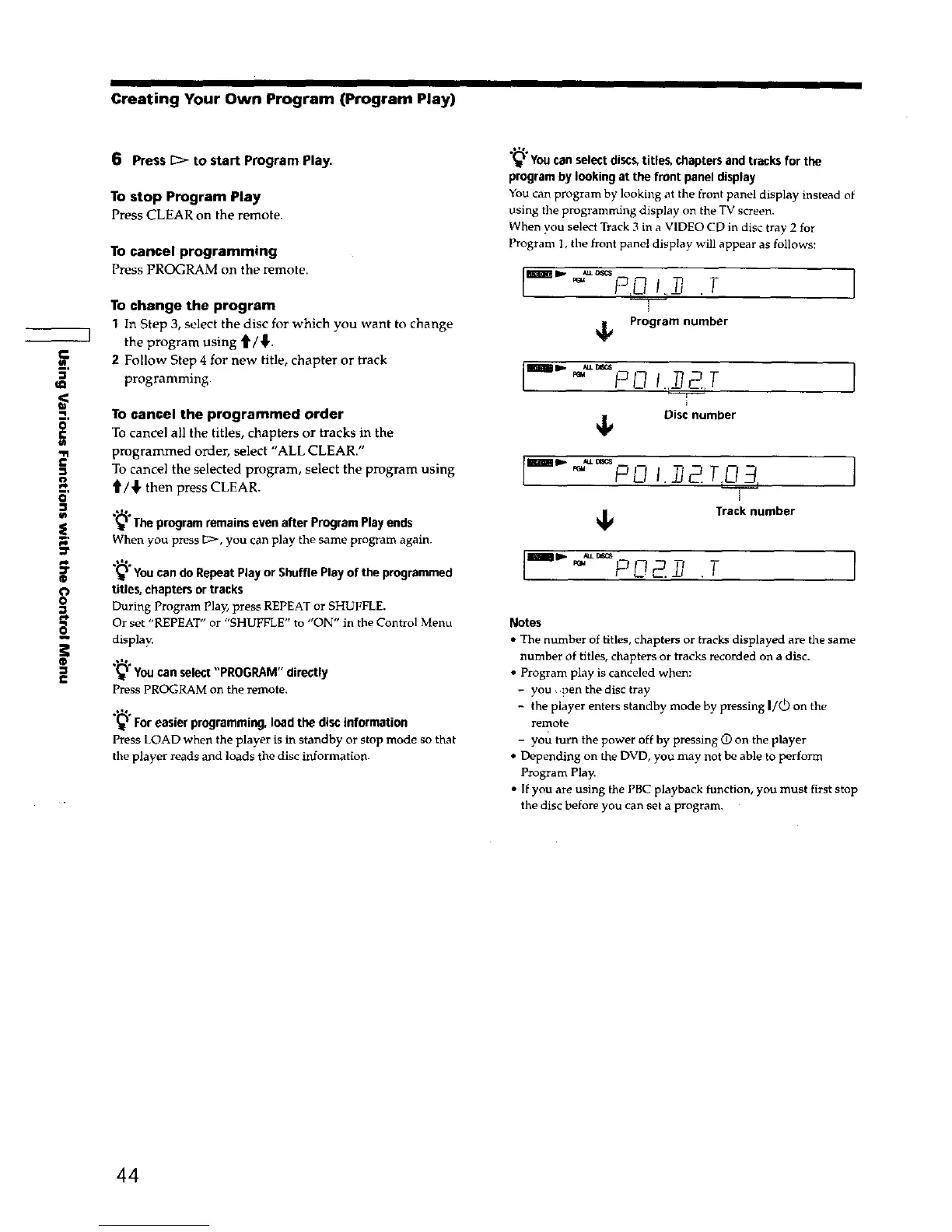
You can program by looking at the front panel display instead of
using the programming display on the TV screen.
When you select Track 3 in a VIDEO CD in disc tray 2 for
Program I, the front panel display will appear as follows:
I'-'" •T
To change the program
1 In Step 3, select the disc for which you want to change _ Program number
] the program using _/_,.
2 Follow Step 4 for new title, chapter or track
_' programming. II_111 D" _'_ _-_ I .r__T__. T
TO cancel the programmed order Disc number
To cancel all the titles, chapters or tracks in the
-n programmed order, select "ALL CLEAR."
£
= To cancel the selected program, select the program using
," _/_, then press CLEAR.
6'
:r
o
o
0
®
(_t The program remains even after Program Play ends
When you press C:>, you can play the same program again.
_'You can do Repeat Play or Shuffle Play of the programmed
titles, chapters or tracks
During Program Play, press REPEAT or SHUFFLE.
Or set "REPEAT" or "SHUFFLE" to "ON" in the Control Menu
display.
You can select "PROGRAM" directly
Press PROGRAM on the remote.
For easier programming, load the disc information
Press LOAD when the player is in standby or stop mode so that
the player reads and loads the disc information.
PU I. 2
Track number
g c21 ,' . T [
Notes
• The number of titles, chapters or tracks displayed are the same
number of titles, chapters or tracks recorded on a disc.
• Program play is canceled when:
you , pen the disc tray
- the player enters standby mode by pressing I/(_) on the
remote
- you turn the power off by pressing O on the player
• Depending on the DVD, you may not be able to perform
Program Play.
• If you are using the PBC playback function, you must first stop
the disc before you can set a program.
44











 To Next Page