Using the Control Menu Display
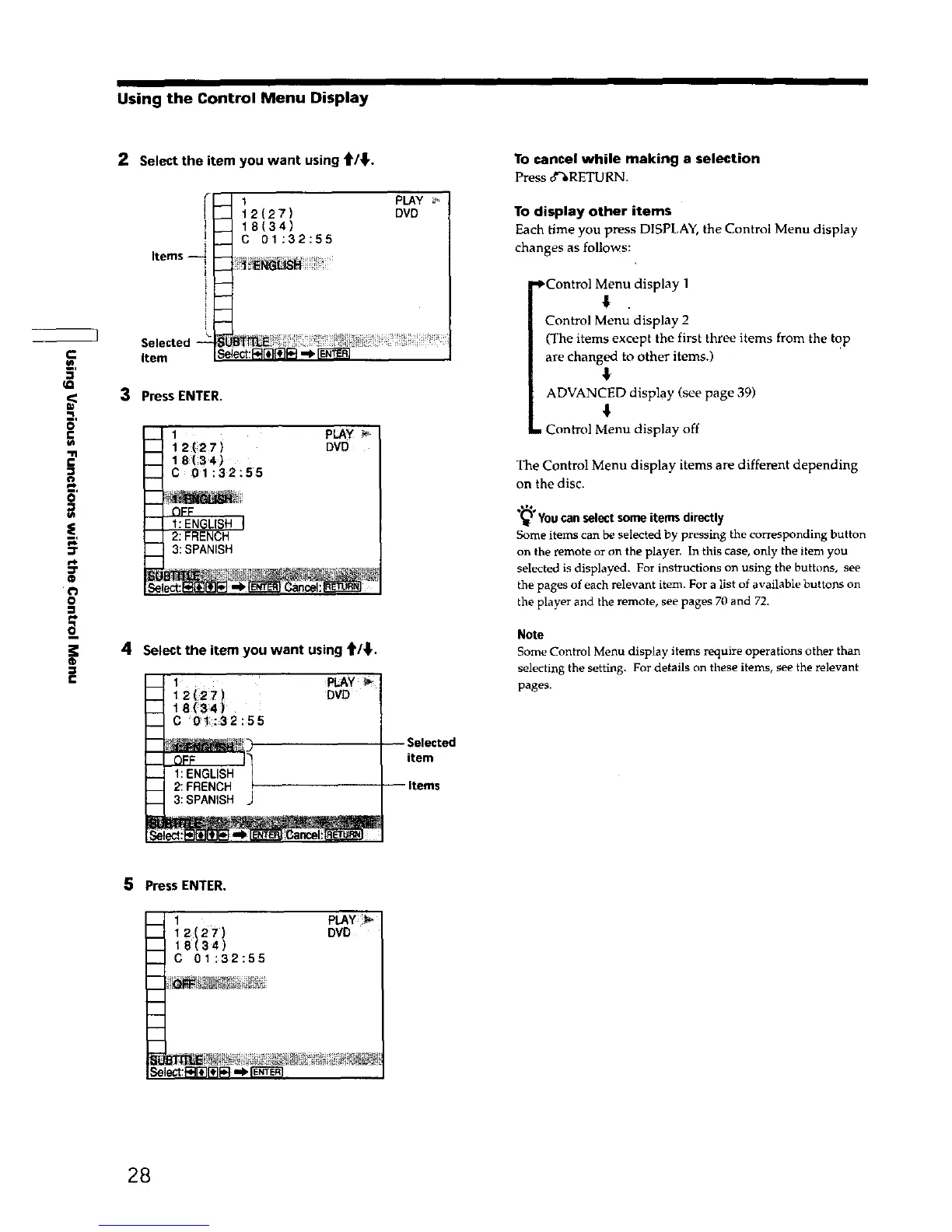
2 Select the item you want using t/_,.
1
12(27)
18(34)
C 01:32:55
] Selected
item
m,
3 Press ENTER.
0
£
£
t'J
B'
t_
=r
@
o
=
pLAY
12 (27 ) DVD
18(34)
C 01:32:55
2: FRENCH
3: SPANISH
®
=
4 Select the item you want using t/_'.
1 _pL_Y _
i 2 (27)
-- DVO
18 (34)
__ C '0i:32:55
R
__ 1: ENGLISH
__ 2: FRENCH
3: SPANISH .J
PLAY
DVD
Selected
item
Items
To cancel while making a selection
Press o_RETURN.
To display other items
Each time you press DISPLAY, the Control Menu display
changes as follows:
.,_Contro] Menu display 1
€
Control Menu display 2
(The items except the first three items from the top
are changed to other items.)
€
ADVANCED display (see page 39)
. Control Menu display off
The Control Menu display items are different depending
on the disc.
You can select some items directly
Some items can be selected by pressing the corresponding button
on the remote or on the player. In this case, only the item you
selected is displayed. For instructions on using the buttons, see
the pages of each relevant item. For a list of available buttons on
the player and the remote, see pages 70 and 72.
Note
Some Control Menu display items require operations other than
selecting the setting. For details on these items, see the relevant
pages.
5
Press ENTER.
__ 1 PLAY
__ 12(27) DVD
__ 18(34)
C 01:32:55
m
28











 To Next Page